FileWave Anywhere API Documentation
What
FileWave Anywhere includes a Swagger/OpenAPI documentation page for supported public API paths.
The page lists public, non-internal URL paths and includes a Try it out option that can execute an API command directly from the documentation.
Executing a command from the Swagger API documentation is a live action on the FileWave Server. It runs exactly as requested and can be destructive. Confirm the command, target object, and payload before executing it.
When/Why
Use the API documentation when you need to confirm whether an API call exists, which JSON keys are required, what a field is called, or which object ID should be targeted.
These are some of the questions the Swagger documentation can answer.
Executing commands from the Swagger documentation requires an active FileWave Anywhere login. If the session times out, log in again before using Try it out.
How
On earlier versions of FileWave, the Documentation page may be accessed without logging in first, but it may then only be viewed as 'read only'.
This is no longer the case and it should be expected to log into FileWave Anywhere to access the API documentation.
First log into FileWave Anywhere through a web browser. The address should be the same as shown in the FileWave Central Mobile Preferences:

The URL for the Swagger documents page is the server address appended with /api/doc/. From the example above, it would look as follows:
https://demoz.filewave.com/api/doc/
Example GET
The below shows an example of using a 'GET' to return the DEP Profiles:
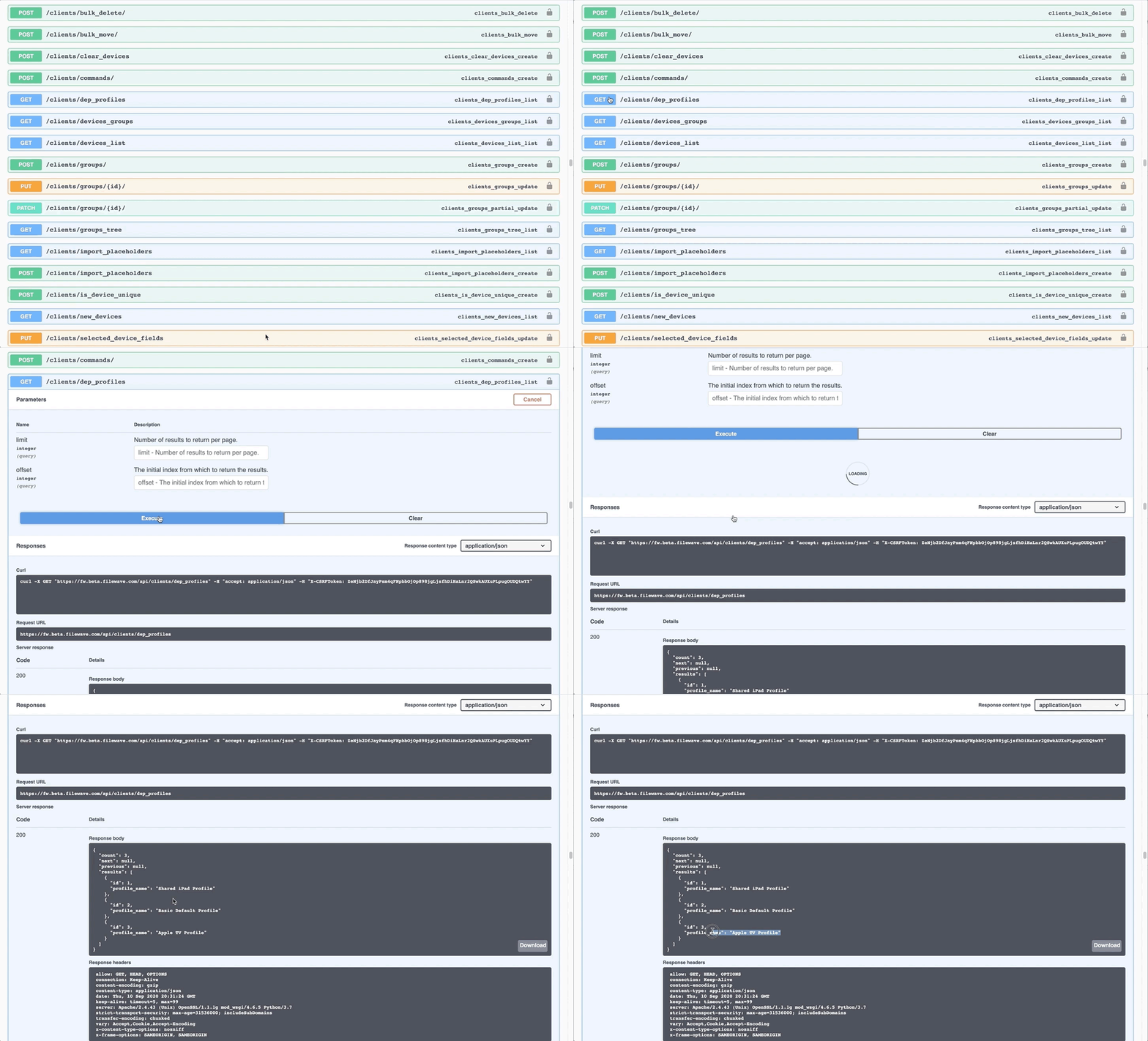
The response section from an executed action shows the curl command, the requested URL and the returned response (code and body)
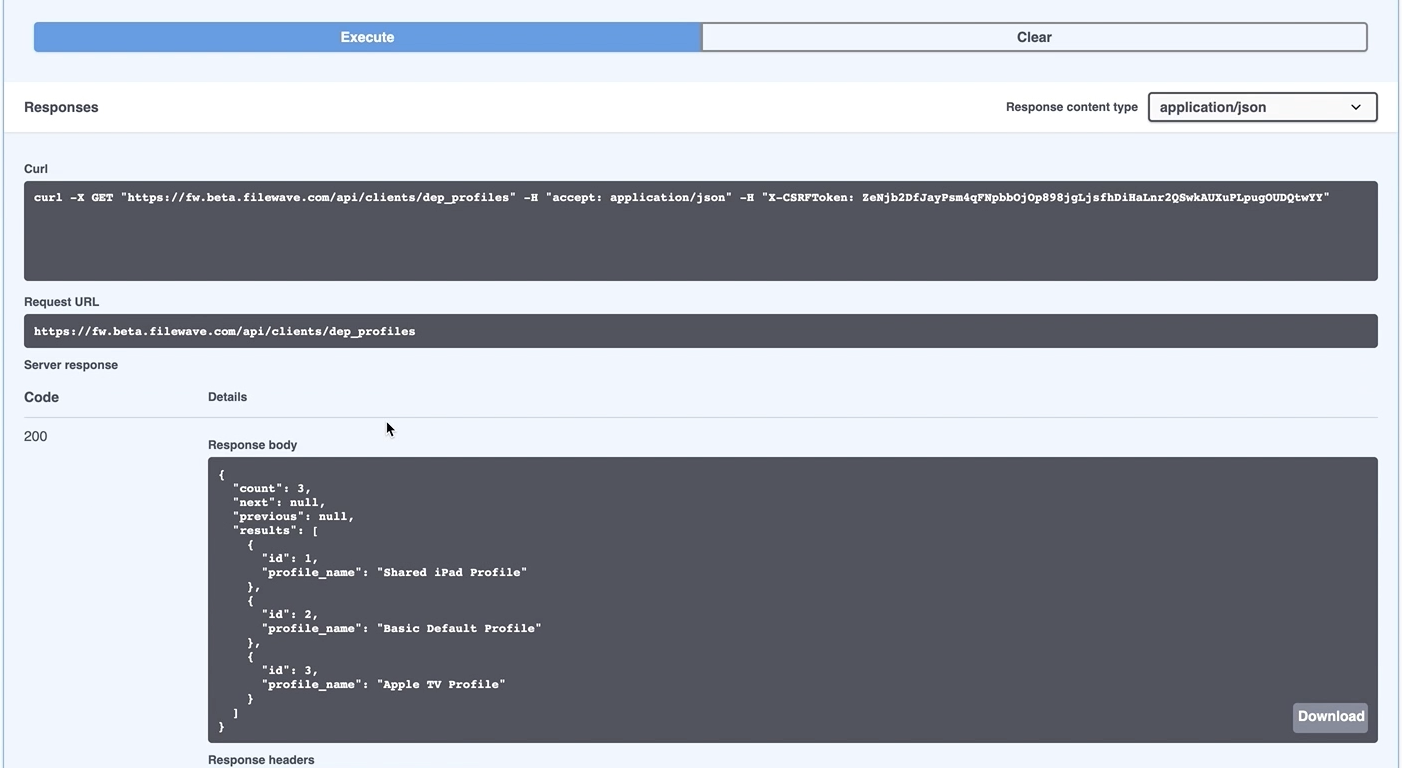
Swagger uses an X-CSRFToken for commands run inside the documentation page. Use that token only in Swagger. If you copy the generated curl command into a script or another tool, remove the X-CSRFToken portion and use the correct API authentication token from FileWave Central instead.
Discovering Content
Swagger can not only be used for testing API calls and discovering the URL paths, but also determining the necessary content of the key/value pairs.
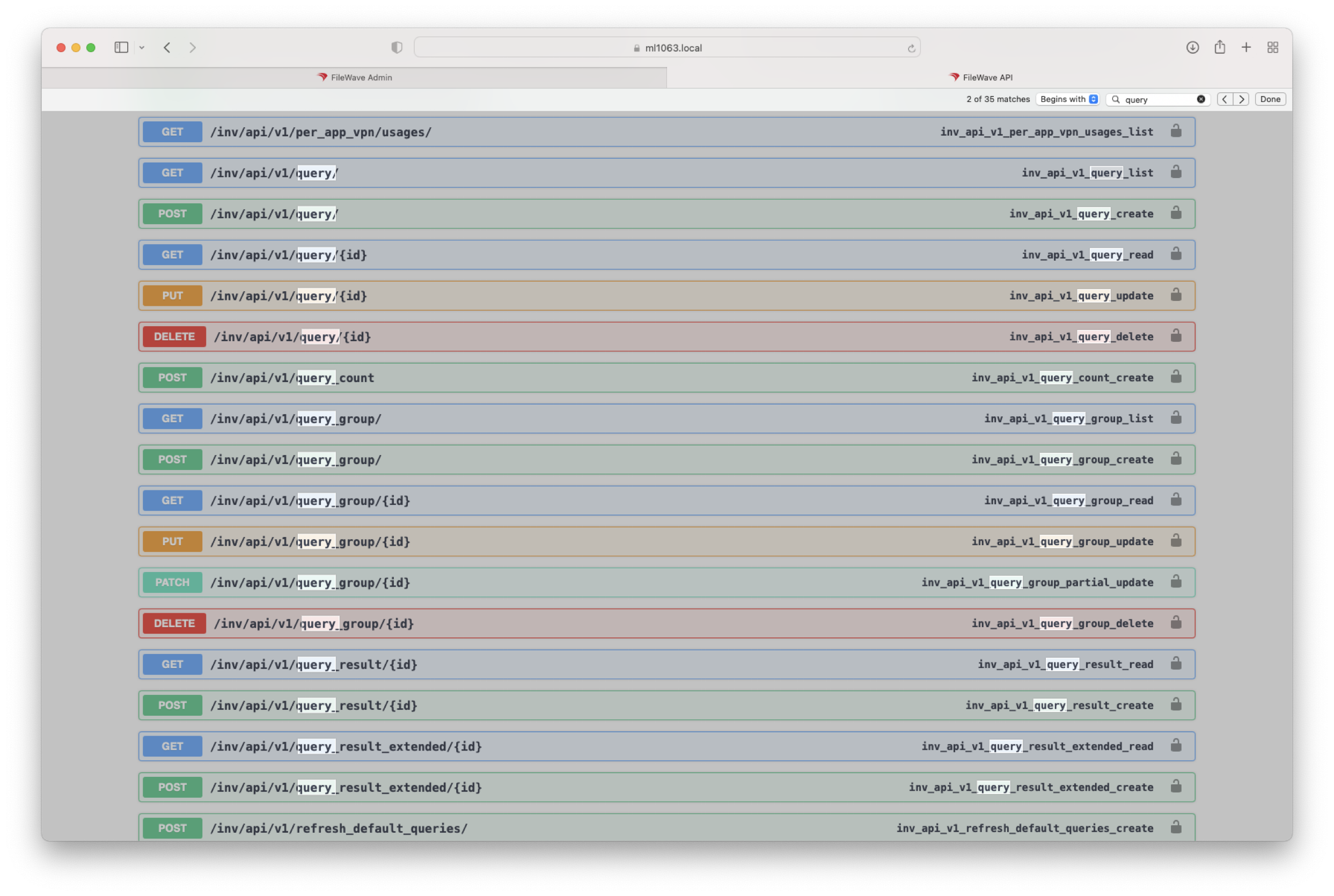
To simply locate all paths relating to queries, for example, the browse 'find' feature could easily assist:
Executing a list of all queries:

The response could then be searched to find the ID of a particular query:
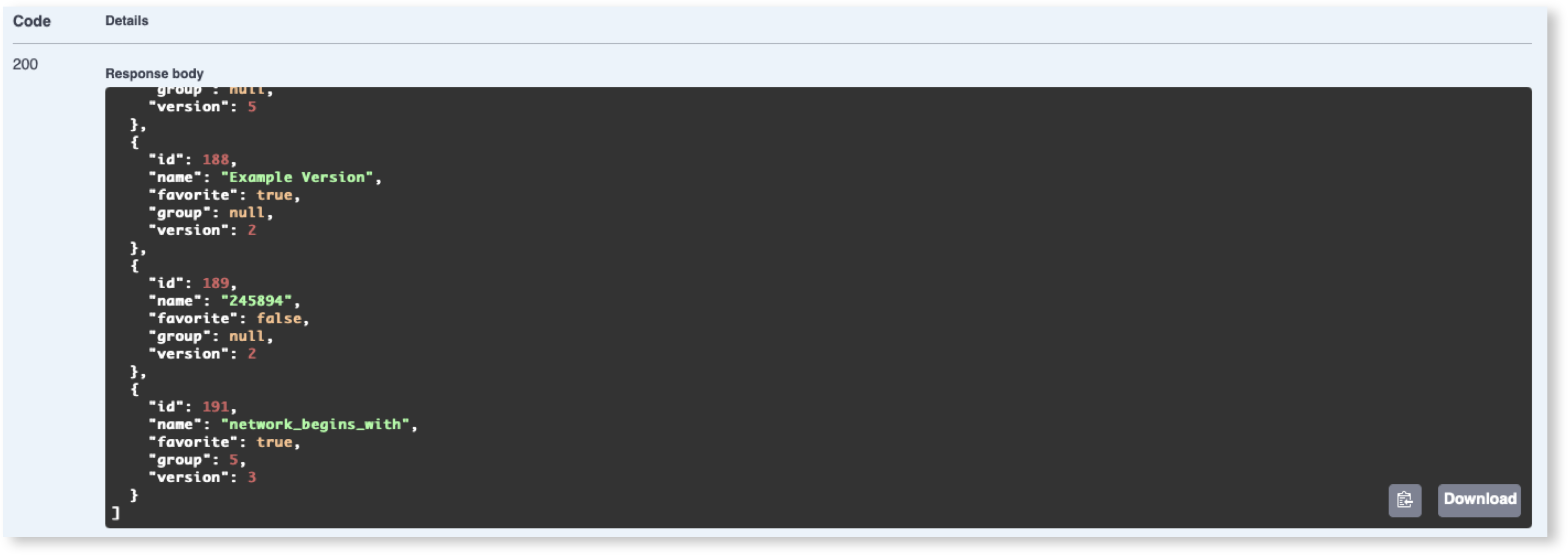
Using Query ID 191 as an example, that ID may then be used in a following GET, which will respond with the definition of that query:
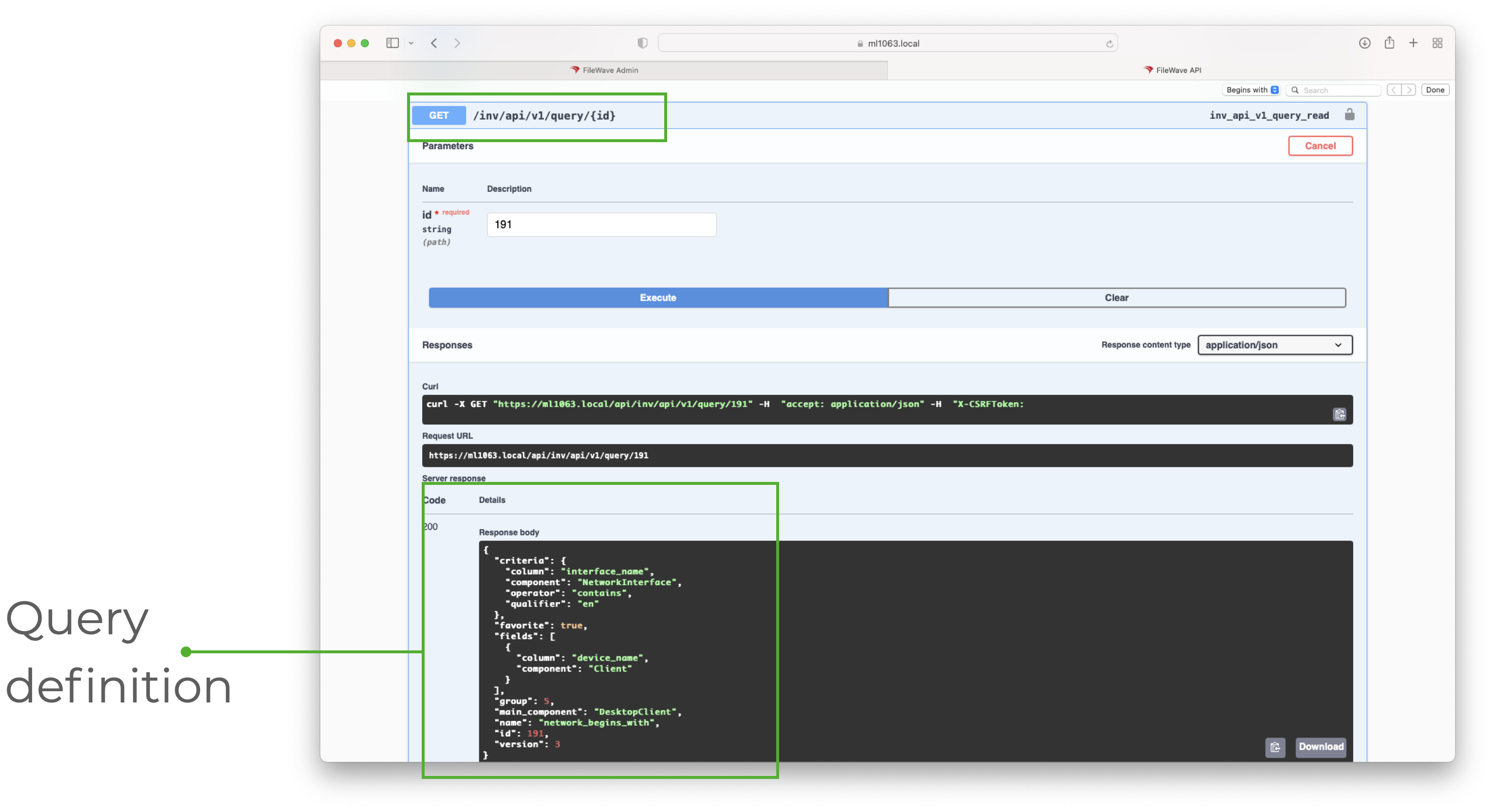
The Query Definition shows the various key/value pairs and can be used to identify values which could then be submitted in other API calls.
To discover the name used as a value for a particular item, consider building a query in FileWave Central, then using the above steps to locate the name to be used within the API call. For example: interface_name, device_name, DesktopClient.
Taking that another step forward, the same ID could be used to show the response of query results:
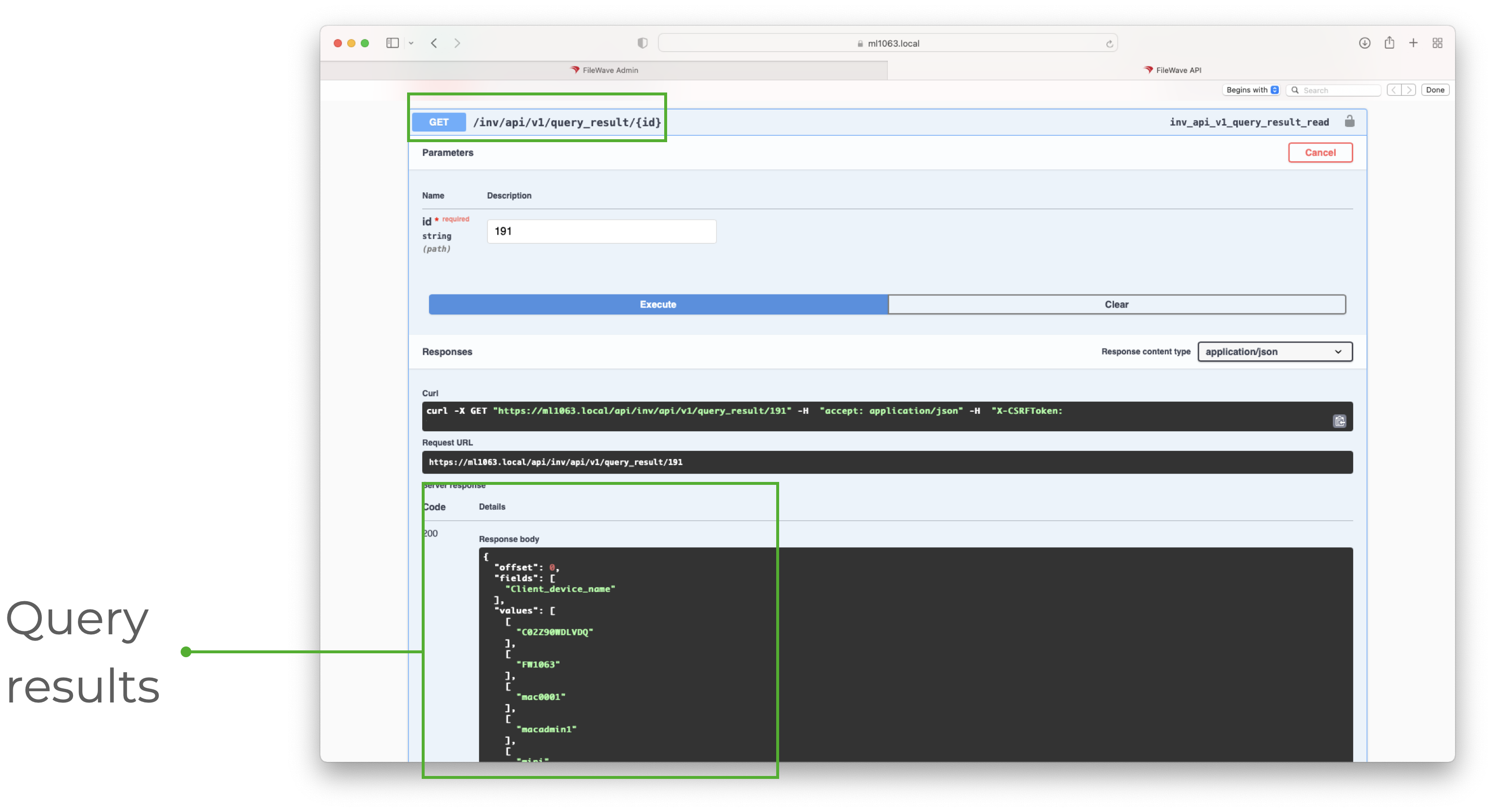
The same documentation can therefore be used to assist with the Command Line RESTful API, just remember the path needs to be altered if copying them.
Use the Swagger documentation to discover JSON formatting, key/value names, URL paths, and available API commands before building or troubleshooting API workflows.
FileWave 16.4 Deployments API
On a FileWave 16.4 or later Server, search Swagger for deployments to inspect the public create, list, get, update, and delete operations. See Managing Deployments with the FileWave API (16.4+) for the supported paths and a guarded automation workflow.