# Last Changed Inventory Field
## What
The **“Last Changed”** inventory field records when a device’s inventory data changed or when the device last reported inventory. It was added in FileWave 15.5.0 and is useful for reports, API sync jobs, and troubleshooting stale inventory.
## When/Why
The **“Last Changed”** field is useful in the following scenarios:
- **Inventory monitoring**: See when a device’s inventory data last changed.
- **Data synchronization**: Let external systems decide whether they need to pull updated FileWave inventory.
- **Change review**: Use the timestamp as a quick audit signal when inventory fields change.
- **API integration**: Include the timestamp in sync logic so integrations can avoid unnecessary inventory pulls.
## How
#### Understanding the “Last Changed” Field
- **Records Updates**: The “Last Changed” field automatically updates the timestamp when:
- Any custom or built-in field value is changed for a client.
- The client reports new information to the inventory.
- A new custom field is associated with or disassociated from the device.
#### Viewing the “Last Changed” Field
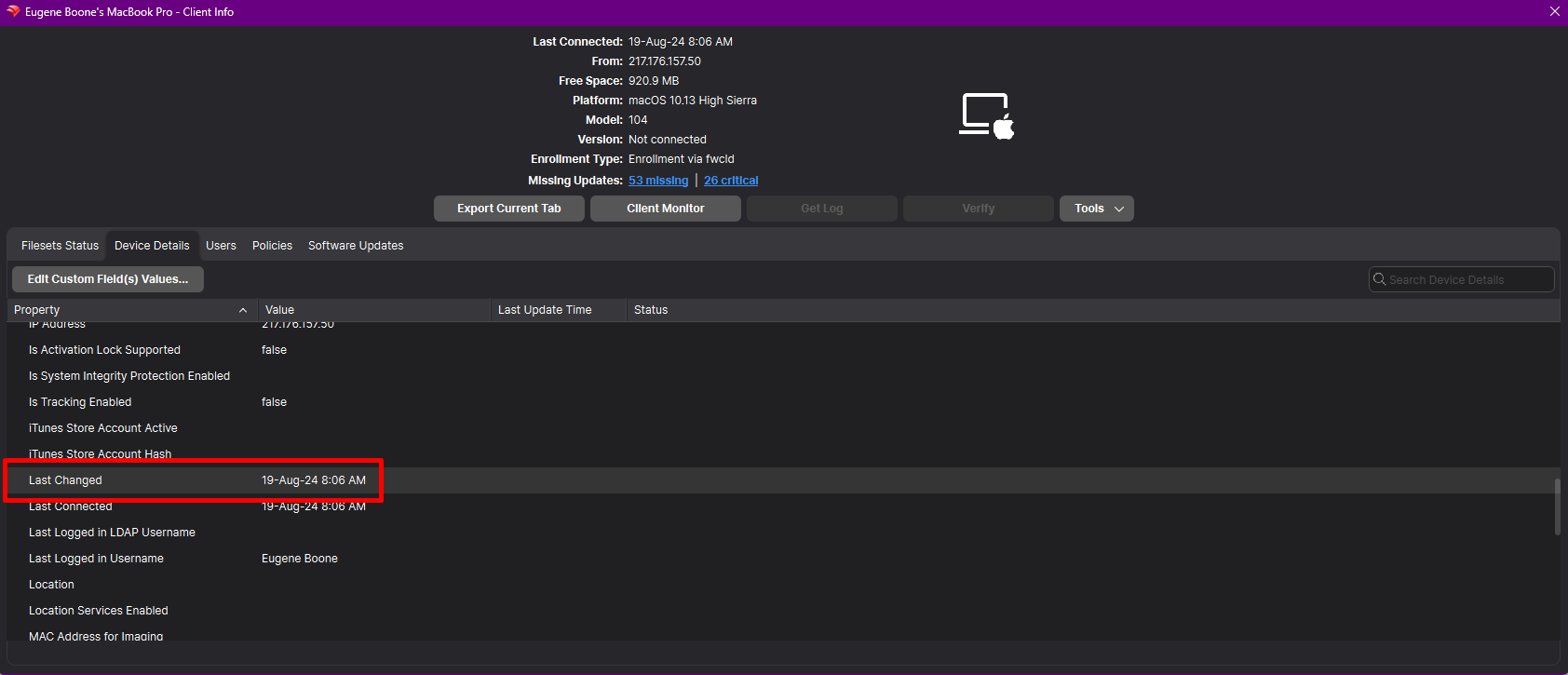
- **In FileWave Central**:
- Open **FileWave Central**.
- Navigate to the **Clients** tab.
- Select the device you wish to inspect.
- Locate the **“Last Changed”** field within the device’s inventory details.
[](https://kb.filewave.com/uploads/images/gallery/2024-10/p0WgNuUkPNpQ6ROS-image.png)
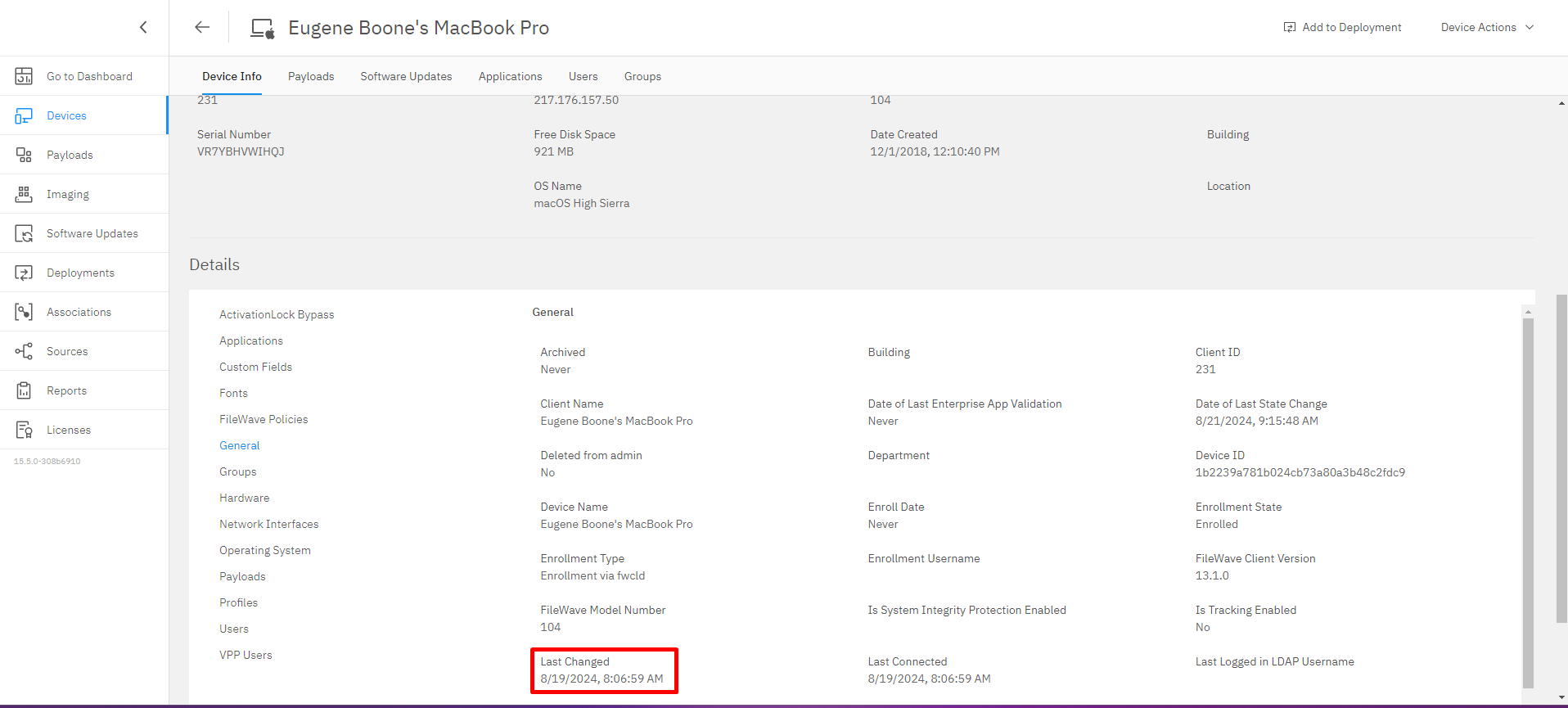
- **In FileWave Anywhere**:
- Log in to **FileWave Anywhere** through your web browser.
- Go to the **Devices** section.
- Click on the specific device to view its details.
- Find the **“Last Changed”** field in the inventory information.
## [](https://kb.filewave.com/uploads/images/gallery/2024-10/CXzA6itHP4ZXPzVb-image.png)
#### Utilizing the “Last Changed” Field
- **Field Updates**:
- The field provides a precise timestamp, helping you determine the exact moment a change occurred.
- Useful for troubleshooting and verifying when specific updates were made.
- **API Integration**:
- The “Last Changed” field is included in public inventory API responses.
- Enables developers to:
- **Optimize data sync**: Check the “Last Changed” timestamp before pulling updated data.
- **Improve automation timing**: Trigger scripts or integrations only when inventory has changed.
#### Important Notes
- **Custom Fields Association**:
- Associating or disassociating custom fields with a device updates the “Last Changed” timestamp.
- Helps in tracking changes to custom data points specific to your organization’s needs.
- **Client Reporting**:
- Each client inventory report updates the “Last Changed” field.
- If a device appears stale, compare this value with the device’s last check-in and inventory reporting behavior.
## Related Content
- [Working With APIs](https://kb.filewave.com/books/application-programming-interface-api/page/working-with-apis "Working With APIs")