# Google Admin Sync Interval for ChromeOS (15.3+)
## What
As an administrator managing ChromeOS devices you may want to change the frequency that FileWave will sync with the Google Admin backend.
When/Why
When FileWave syncs with Google, there is information like what OU a device is in that is synchronized. If you make frequent changes in managing your ChromeOS devices, then you may want to sync more frequently in order to have the data align more often.
## How
FileWave Central -> Preferences -> Google and then adjust the amount of hours between sync where it shows "Synchronize with Google Admin every 24 hours" The value can be between 1 and 24 hours with 24 being the default.
[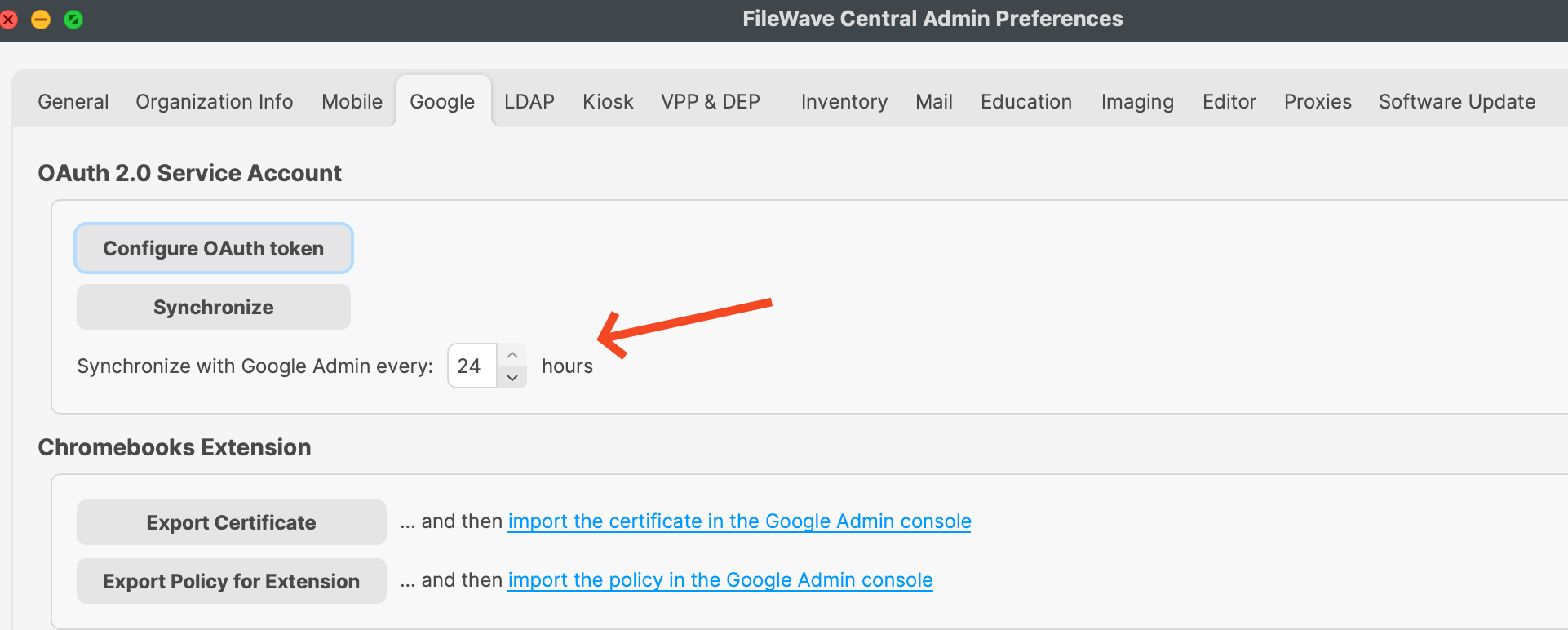](https://kb.filewave.com/uploads/images/gallery/2024-03/QZEk6f4ckZmKVF39-image.png)
Related Content
- [ChromeOS](https://kb.filewave.com/books/chromeos "ChromeOS")