The Example Reports Content Pack is new in FileWave 16.3.0, so it is not available in older versions. It replaces the Sample Queries that used to be included directly in FileWave Central.
## What You Get in this Starter Pack This content pack provides: #### Reports (formerly Inventory Queries): Reports are ways of looking at data about your devices...that data being hardware, software, and custom field inventory. Reports are a great way to show data (*example: show me all macOS devices running Ventura*). And reports are used as well to feed data to our included visual dashboard (grafana) - - - Android OS examples - Chrome OS examples - iOS OS examples - macOS OS examples - Windows OS examples ## How to Import a Content Pack In FileWave 16.3.0 and newer, open **Reports** in FileWave Central and choose **Import Reports**. This opens the FileWave Content Packs window, where you can select **Example Reports**, choose the components you want, and click **Import**. 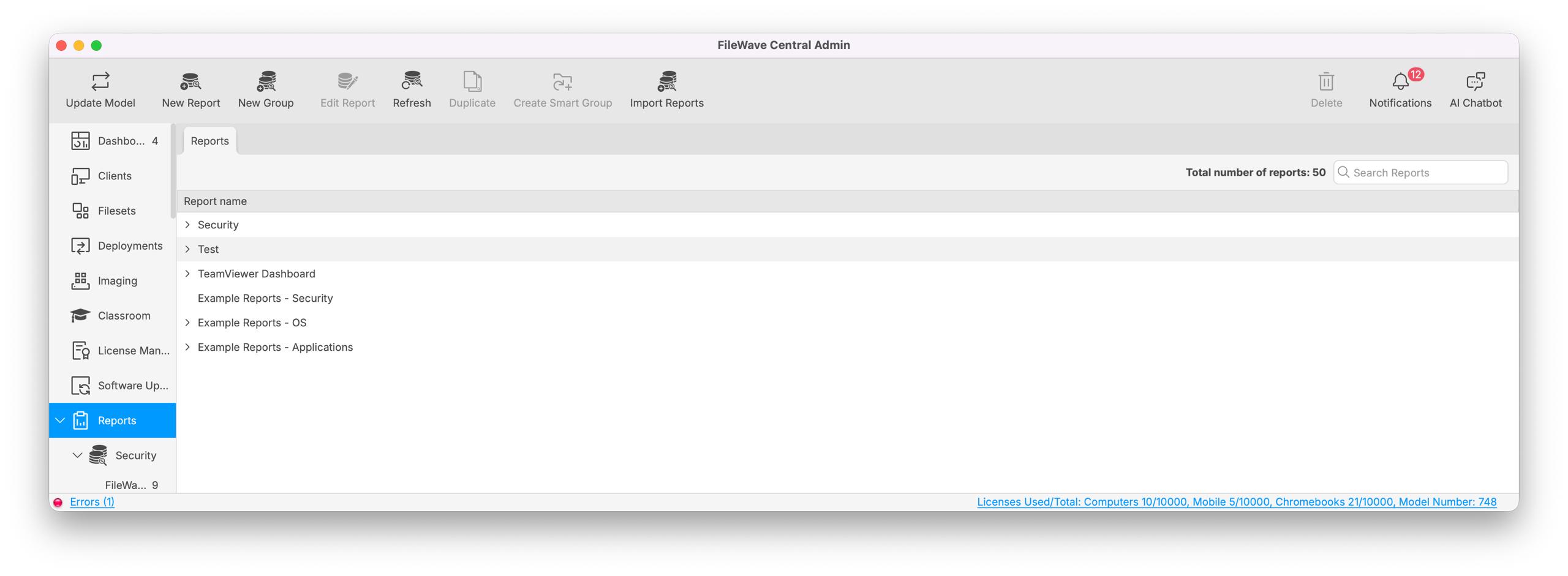 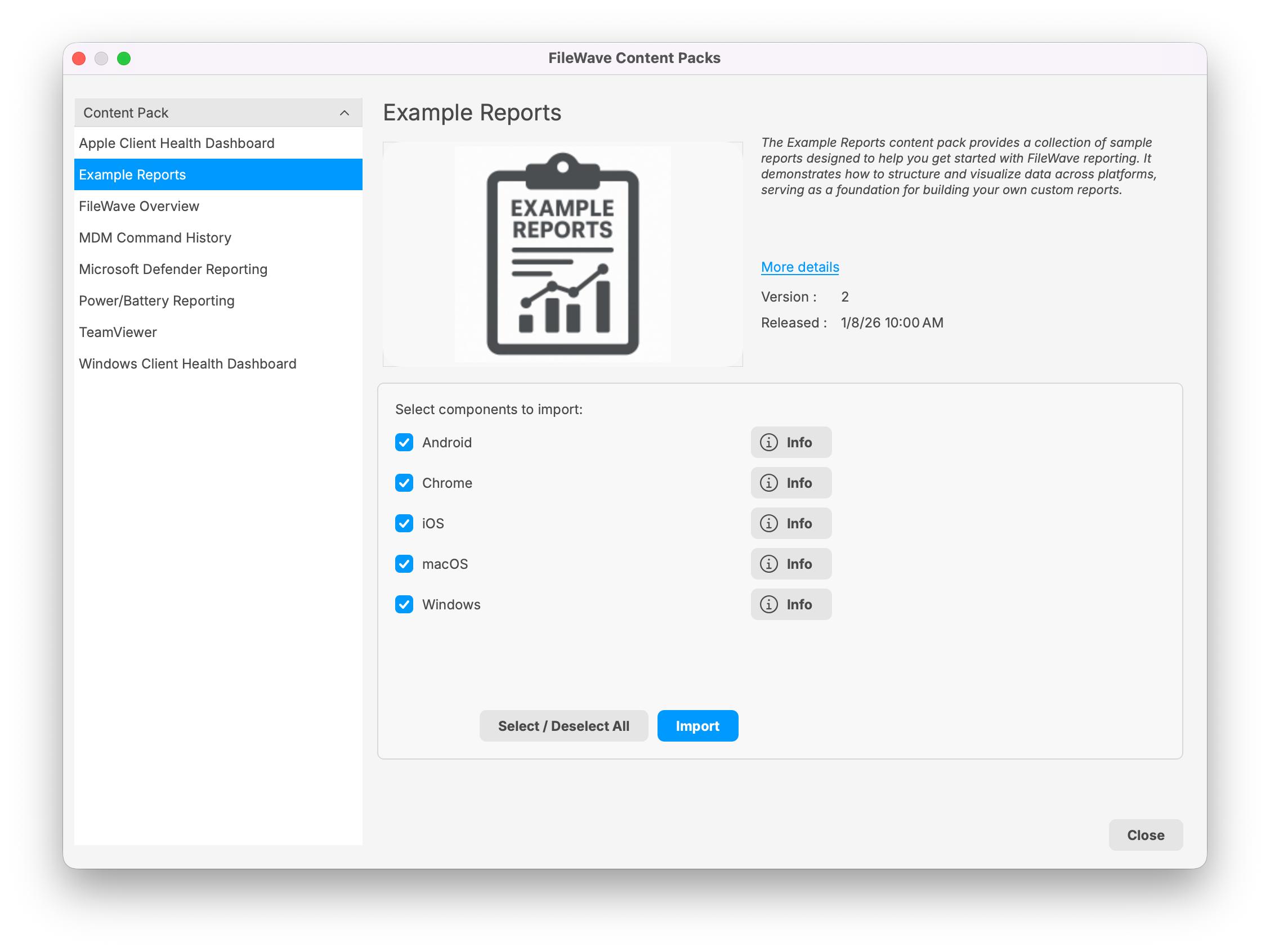 For more general steps, see [How to Import a Content Pack](https://kb.filewave.com/books/content-packs/page/how-to-import-a-content-pack "How to Import a Content Pack"). ## Notes Note that you can freely edit any of the content in this starter pack...in fact, you are encouraged to do so. We recommend reviewing each of the types of content as provided first though so that you can get a feel for how things "fit together" before modification. ## Related Content - [Getting an API Token](https://kb.filewave.com/books/application-programming-interface-api/page/working-with-apis) - [Importing a Grafana Dashboard](https://kb.filewave.com/books/dashboard-grafana/page/importing-a-grafana-dashboard "Importing a Grafana Dashboard") - [Content Packs](https://kb.filewave.com/books/content-packs "Content Packs") - More Info on how to use: - [Custom Fields](https://kb.filewave.com/books/evaluation-guide/page/custom-fields "Custom Fields") - [Client Group Structure](https://kb.filewave.com/books/evaluation-guide/page/client-group-structure "Client Group Structure") - [Inventory Reports](https://kb.filewave.com/books/evaluation-guide/page/inventory-reports "Inventory Reports") - [Custom Dashboards](https://kb.filewave.com/books/dashboard-grafana/chapter/20-custom-dashboards-for-beginners "Custom Dashboards")