US K-12 Starter Pack
Description
The US K-12 Starter Pack gives a new FileWave environment a sample device-group structure, Custom Fields, Reports, and Grafana dashboards designed for a school district.
Use this pack for a new or recently configured environment. Importing it into an established environment can add sample structures and fields that overlap with your existing organization.
Review the imported examples, then rename or adjust them for your schools, roles, and reporting needs. Other content packs can add focused examples later.
What You Get in this Starter Pack
This content pack provides:
Custom Fields:
Custom Fields add organization-specific inventory values to device records. This pack includes the following examples:
-
-
- Asset Tag: Used by almost every organization, you can use asset tag to help tie your devices from FileWave into an asset management or helpdesk system
- Graduation Year: Typically used by school districts to assign devices to a "grade". Much more flexible than having to change the grade every year as most districts have the device travel with the student from year to year.
- User Role: An important field for designating the type of device...in this case user role is "Student" by default for every device, but can be switched to Staff or Admin. This field is critical to do things like assign restrictions to student devices.
- School Type: School type is used to define that a school is elementary, junior high, or high school. A great field to have when you want to distribute content widely.
- School Name: This one is self explanatory, but the custom field is provided with some sample data to give you an idea of how you can tailor to your district.
-
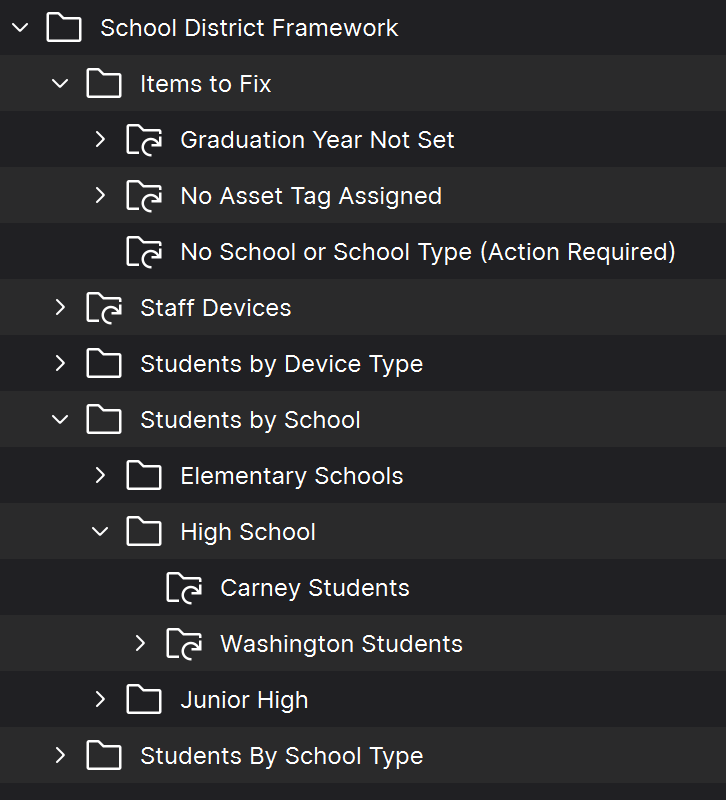
Groups and Smart Groups:
Groups provide a manual device structure, while Smart Groups collect devices that match defined inventory criteria. The sample structure should be updated with your school names and local targeting logic:
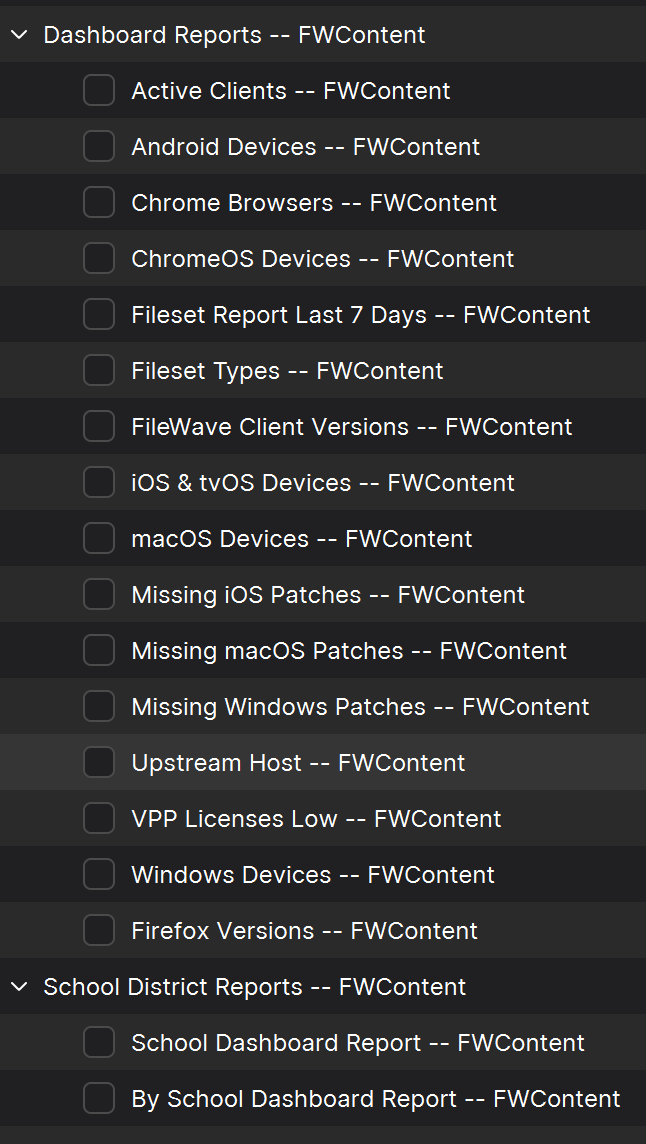
Reports (formerly Queries):
Reports filter and display hardware, software, and Custom Field inventory. For example, a report can list all managed Macs running a selected macOS version. The included Grafana dashboards also use Report data.
Dashboards:
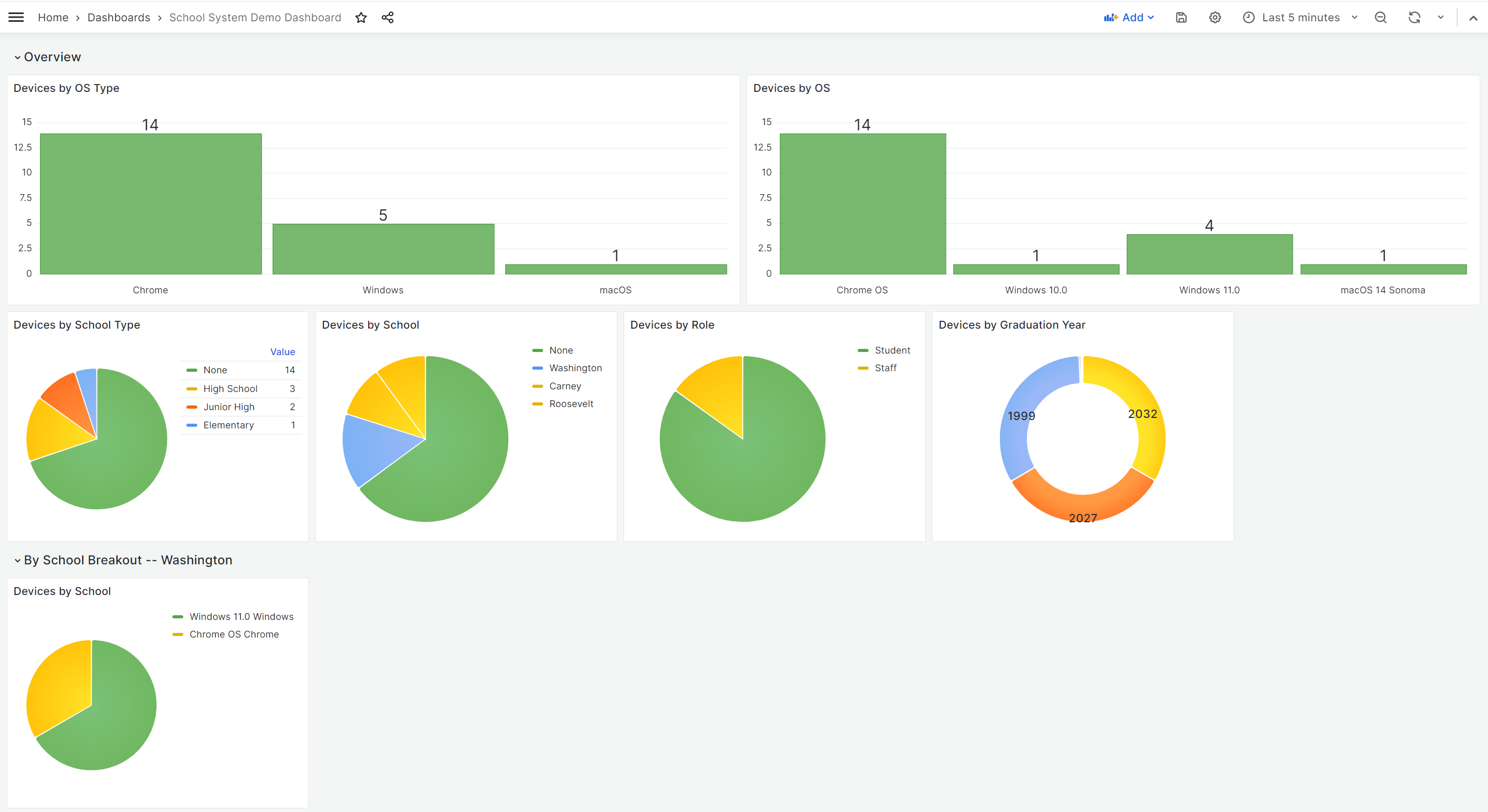
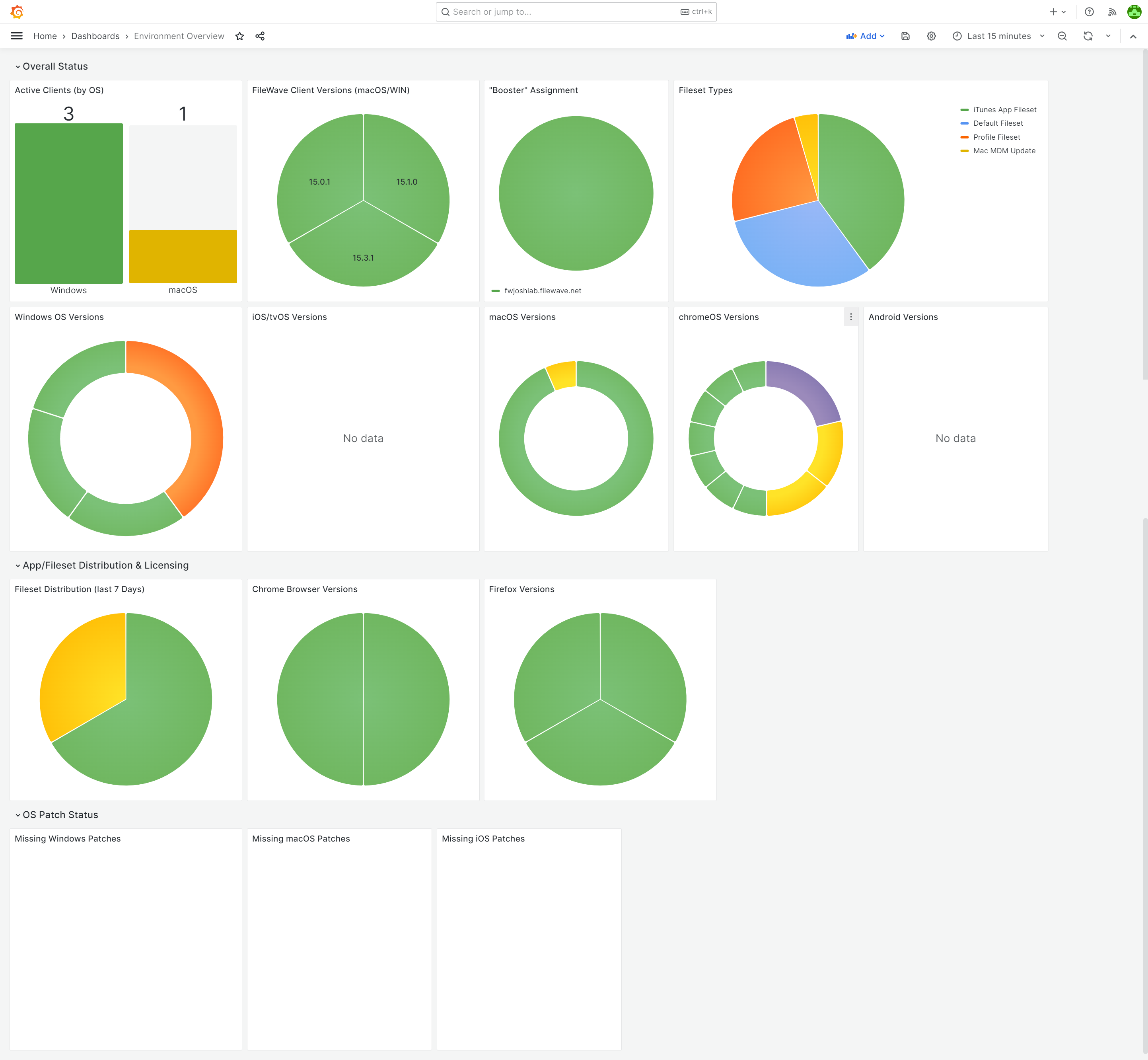
Dashboards summarize Report data in visual panels such as bar and pie charts. Use them to track device counts, operating systems, user roles, locations, and software deployment status. This pack provides:
-
-
- Environment Overview Dashboard: A great starter dashboard, built from data fields that devices report right out of the box.
- School District Dashboard: A breakout of devices by OSes, by user roles, locations, etc.
-
Ingredients
-
FileWave Central administrator credentials
- Base64 API Token for 'fwadmin' account
| Starter Pack |
|
|

Directions
-
Download the above attached starter pack and unzip it
- Run the import_starter_pack.exe tool, using appropriate credentials for your environment
- The import tool currently runs on Windows only.
- Once completed, verify the new content in your system (and import dashboards, if applicable)
Sample Screenshots
Notes
Review the imported Groups, Smart Groups, Custom Fields, Reports, and dashboards before changing them so you understand their dependencies. Then adapt the names, criteria, and sample values to your environment.