# 2.3 Dashboard Widget and Panel Elements

## What

Every FileWave dashboard panel, also called a widget, is built from the same basic elements. This article explains what each element controls before you create a custom panel.

## When/Why

You can use an existing panel without changing these elements. When you build or troubleshoot a custom panel, they determine its data, display, and general behavior.

## How

A dashboard panel has three main elements:

- The Query (Choosing what data you want to see in the panel)
- The Visualization (Choosing the visual representation of the data: gauge, bar chart, table...)
- General (Panel properties such as title, comment, links)

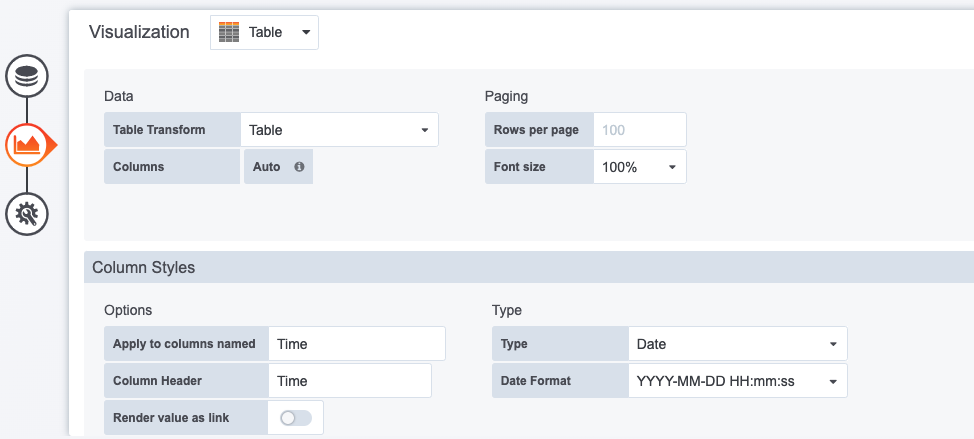
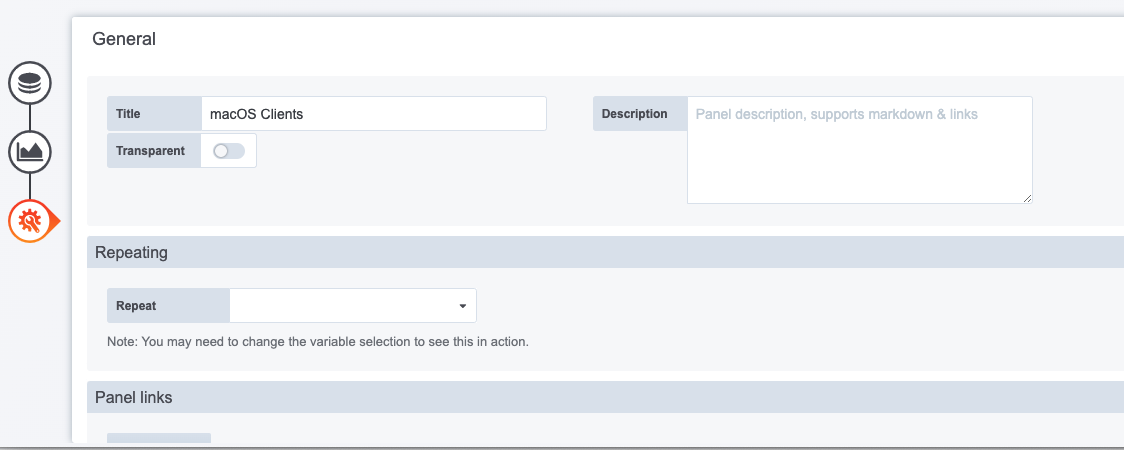
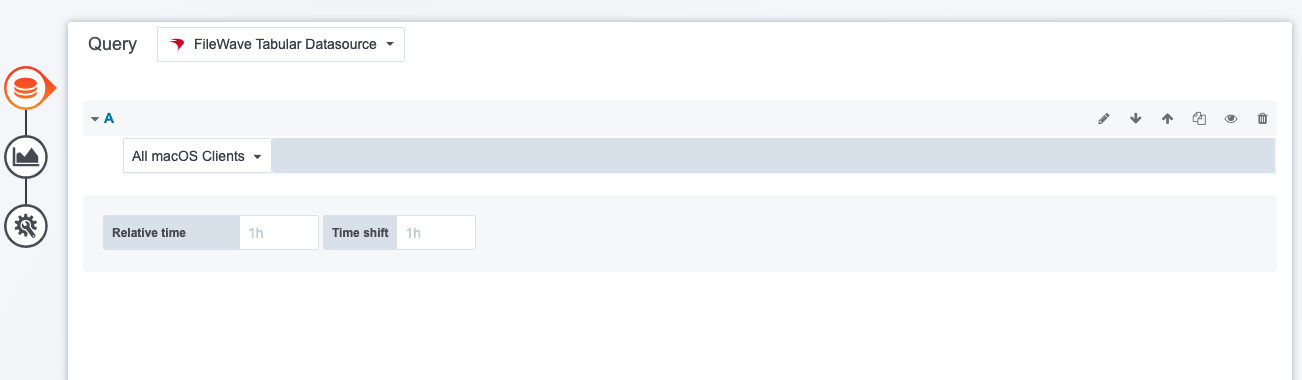
The examples below show each element in the panel editor:

<table id="bkmrk-the-query-the-visual"><tbody><tr><td>The Query

</td></tr><tr><td>![VTUwLKmE0O6wsypu-embedded-image-wl36jnfs.png](https://kb.filewave.com/uploads/images/gallery/2023-07/VTUwLKmE0O6wsypu-embedded-image-wl36jnfs.png)

</td></tr><tr><td>The query defines the data available to the panel. This example uses an inventory query.

</td></tr></tbody></table>

<table id="bkmrk-the-visualization-be" style="width:100%;height:341.664px;"><tbody><tr style="height:35.3984px;"><td style="width:100%;height:35.3984px;">The Visualization

</td></tr><tr style="height:203.672px;"><td style="width:100%;height:203.672px;">![OsBbzUaz6X14ZrvI-embedded-image-c4o3g03g.png](https://kb.filewave.com/uploads/images/gallery/2023-07/OsBbzUaz6X14ZrvI-embedded-image-c4o3g03g.png)

</td></tr><tr style="height:102.594px;"><td style="width:100%;height:102.594px;">An inventory query returns table-shaped data, so this example uses a table visualization. Other data sources can support gauges, charts, and graphs.

</td></tr></tbody></table>

<table id="bkmrk-general-we-only-spec"><tbody><tr><td>General

</td></tr><tr><td>![p8PIE52FsNxw9Bsa-embedded-image-nmjxglpu.png](https://kb.filewave.com/uploads/images/gallery/2023-07/p8PIE52FsNxw9Bsa-embedded-image-nmjxglpu.png)

</td></tr><tr><td>This example sets only the panel name. You can also add a link that opens the related FileWave report, giving dashboard users a direct path to the underlying device data.

</td></tr></tbody></table>