Battery Health Inventory Field
What
FileWave 16.2.0 and later reports Apple’s Battery Health status in device inventory. Use it to find batteries that need service, devices that cannot report battery health, and hardware that reports a non-genuine battery.
The possible values are:
-
Normal – Battery is functioning within expected parameters.
-
Non-Genuine – Battery replacement detected that is not Apple-certified.
-
Service-Recommended – Battery requires servicing due to degradation or fault.
-
Unknown – Device could not determine battery status.
-
Unsupported – Device does not support reporting battery health.
Apple provides this status item on iOS and iPadOS 17.0 and later and macOS 14.4 and later. Hardware support is limited to iPhone, specific iPad models, and Macs with Apple silicon. Other devices report Unsupported.
When/Why
Use this field during hardware audits, replacement planning, or troubleshooting when battery condition may explain poor runtime or unexpected shutdowns.
-
When: Use this field during device audits, lifecycle management, or when troubleshooting performance and uptime issues.
-
Why: It helps IT teams proactively schedule repairs or replacements, avoid downtime, and distinguish between genuine vs. non-genuine repairs.
How
-
Open FileWave Central and locate the target device.
-
Navigate to the Client Info window.
-
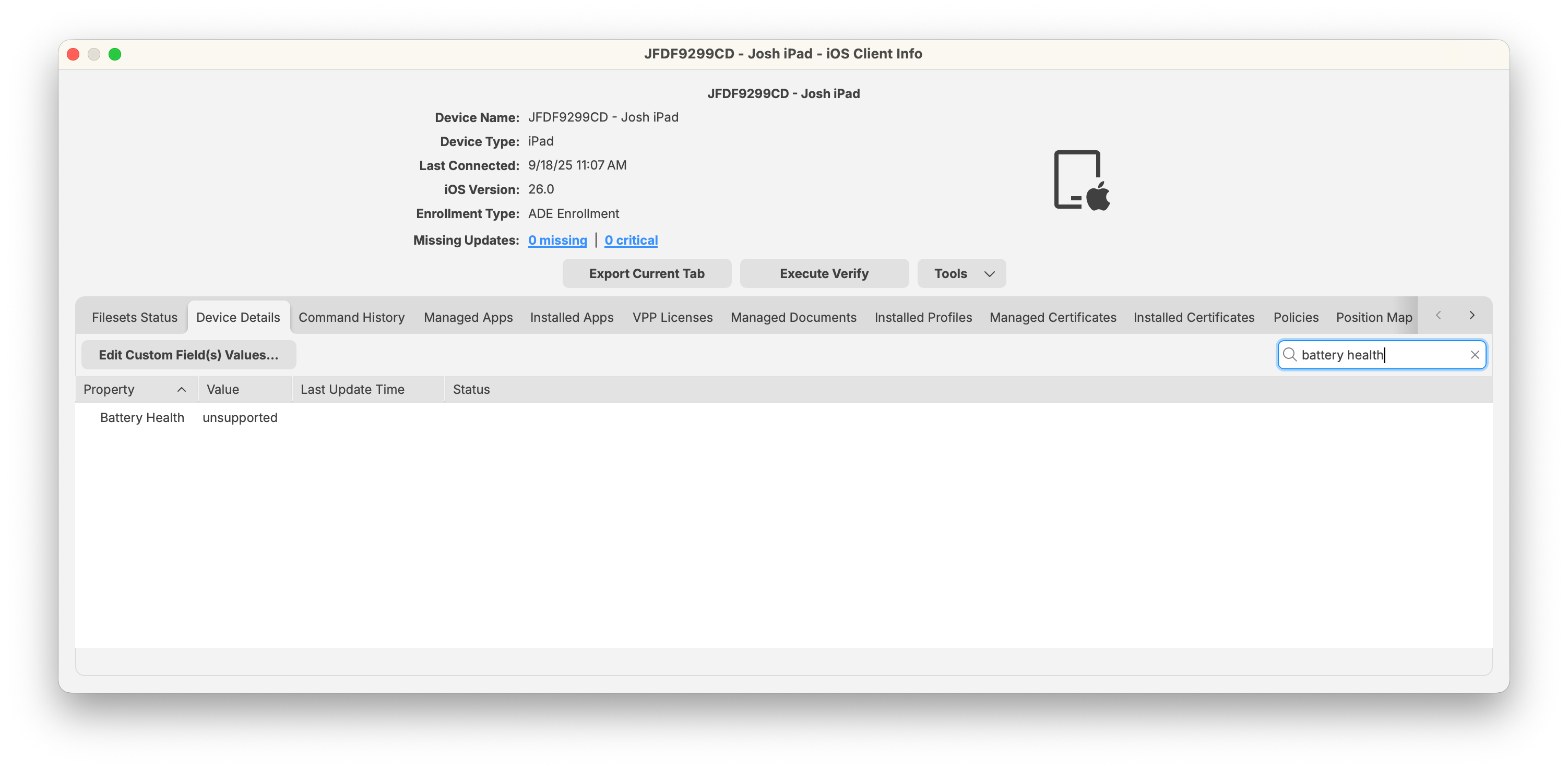
Select the Device Details tab (or search for “Battery Health” in the search bar).
-
Review the reported Battery Health value.
-
For unsupported devices, the value will display as Unsupported.
-
Supported iPads and Macs will show one of the Apple-defined statuses.
-
Apple maintains the current list of iPad models that can report battery health. Check that list when a recent iPad still reports Unsupported.
Smart Group Example: Devices Needing Battery Service
To automatically identify devices that require attention:
-
In FileWave Central, create a new Smart Group.
-
Add a filter with:
-
Property: Battery Health
-
Operator: equals
-
Value: Service-Recommended
-
-
Save the Smart Group.
The Smart Group collects devices reporting Service-Recommended so you can plan repairs or replacements.
Related Content
Digging Deeper
-
FileWave does not calculate battery health; it simply displays the status as reported by the device.
-
In environments with mixed device generations, you may see a mix of Normal and Unsupported values, depending on hardware.
-
For ongoing fleet checks, use a Smart Group with Battery Health = Service-Recommended.