# Custom MSI installer parameters

## What

FileWave can add custom parameters to MSI Filesets. This applies to Filesets created from MSI files, but not to Filesets that FileWave creates automatically from Windows software updates.

## When/Why

Some MSI installers accept custom parameters that will change the way software is installed. For example, many MSI installers allow the software installation path to be defined via an additional option at runtime. Two such examples are:

<table id="bkmrk-application-instal-p" style="border-collapse:collapse;width:100%;"><colgroup><col style="width:50%;"></col><col style="width:50%;"></col></colgroup><tbody><tr><td>**Application**</td><td>**Instal Path**</td></tr><tr><td>UltraEdit</td><td>TARGETDIR="&lt;my-desired.path&gt;"</td></tr><tr><td>7Zip</td><td>INSTALLDIR="&lt;my-desired.path&gt;"

</td></tr></tbody></table>

You usually do not need to add a silent-install option here. FileWave already runs MSI installs silently.

## How

These MSI parameters may be set in two ways.

### FileWave Central

Through the newly included Fileset property items:

- "Custom MSI install options"
- "Custom MSI uninstall options"

[![image.png](https://kb.filewave.com/uploads/images/gallery/2023-10/scaled-1680-/8MucFrr3uwLqV9h5-image.png)](https://kb.filewave.com/uploads/images/gallery/2023-10/8MucFrr3uwLqV9h5-image.png)

### FileWave Anywhere

Through the newly included Payload Settings:

- "Custom MSI install options"
- "Custom MSI uninstall options"

[![image.png](https://kb.filewave.com/uploads/images/gallery/2023-11/scaled-1680-/xJgrkH52QWozlQRm-image.png)](https://kb.filewave.com/uploads/images/gallery/2023-11/xJgrkH52QWozlQRm-image.png)

### Multiple Options

Multiple options may be specified at the same time and should be separated by spaces.

<p class="callout info">For example, to install TeamViewer Host with multiple properties, use a format like this: SETTINGSFILE="YOURPATH\\yourfilename.tvopt" APITOKEN=xxxxxx CUSTOMCONFIGID=xxxxxx</p>

### Parameters

Parameters may be used to define options, including Custom Fields.

#### Example

For TeamViewer Host, you may want to keep the APITOKEN out of the visible MSI options while still passing it to the installer at runtime. A Custom Field can store that value.

[![image.png](https://kb.filewave.com/uploads/images/gallery/2023-11/scaled-1680-/GwnMjpIoK9kaX6GB-image.png)](https://kb.filewave.com/uploads/images/gallery/2023-11/GwnMjpIoK9kaX6GB-image.png)
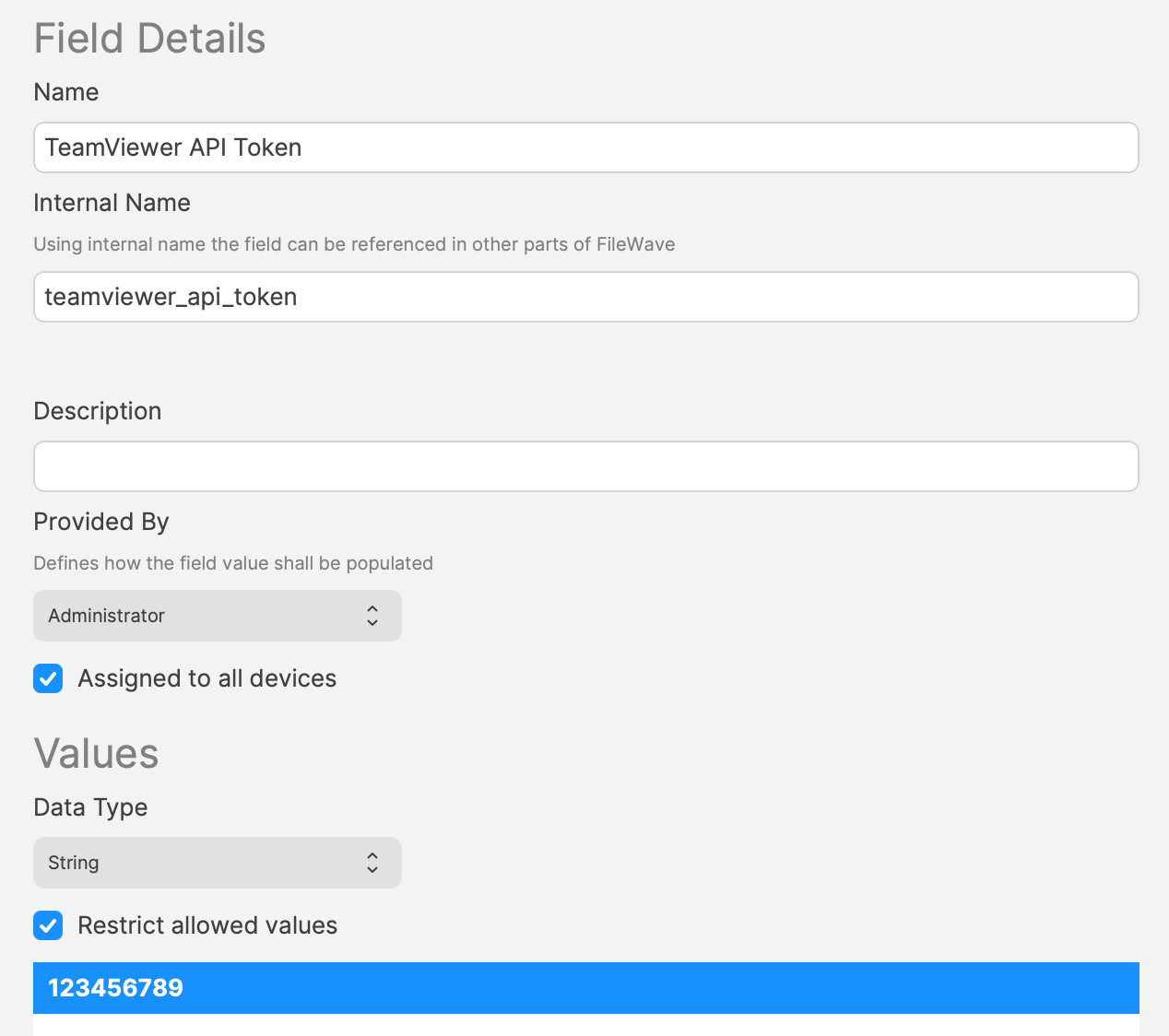
The Custom MSI install options could then be:

`APITOKEN=%teamviewer_api_token%`

Parameters can include MSI properties such as SETTINGSFILE, APITOKEN, or CUSTOMCONFIGID.

<p class="callout warning">Custom MSI settings can define options that start with a leading `/` or special parameters such as ALLUSERS. When you use Custom Fields as parameters, FileWave removes options with a leading `/` and special parameters such as ALLUSERS so hidden parameter values cannot silently force behavior such as a reboot.</p>

<p class="callout success">In both FileWave Central and Anywhere there are also "Learn More" links directing to this page.</p>

## Information

Option definitions:

<table id="bkmrk-custom-msi-install-o" style="border-collapse:collapse;width:100%;"><colgroup><col style="width:50%;"></col><col style="width:50%;"></col></colgroup><tbody><tr><td>**Custom MSI install options**</td><td>Options passed to the MSI during Fileset activation.</td></tr><tr><td>**Custom MSI uninstall options**</td><td>Options passed to the MSI when the Fileset is disassociated.

*Requires 'Use MSI Uninstaller' to be enabled and that the MSI uninstaller supports this option.*

*(Firefox is an example of an MSI that does not support this feature)*

</td></tr></tbody></table>

## Related Content

- [7zip (Windows MSI)](https://kb.filewave.com/books/software-deployment-recipes-microsoft/page/7zip-windows-msi "7zip (Windows MSI)") - Using a custom parameter to install 7zip on Windows