Deploy Software Updates to Device Groups
What
FileWave Anywhere can deploy an individual software update to a manual or Smart Group of devices.
When to use groups
Use group deployment to stage a patch for a testing ring, department, location, or another device set you already maintain in FileWave without selecting every device individually.
Deploy an update to a group
In FileWave Anywhere, open Software Updates and select an individual update. The Groups panel appears in the lower-left area:
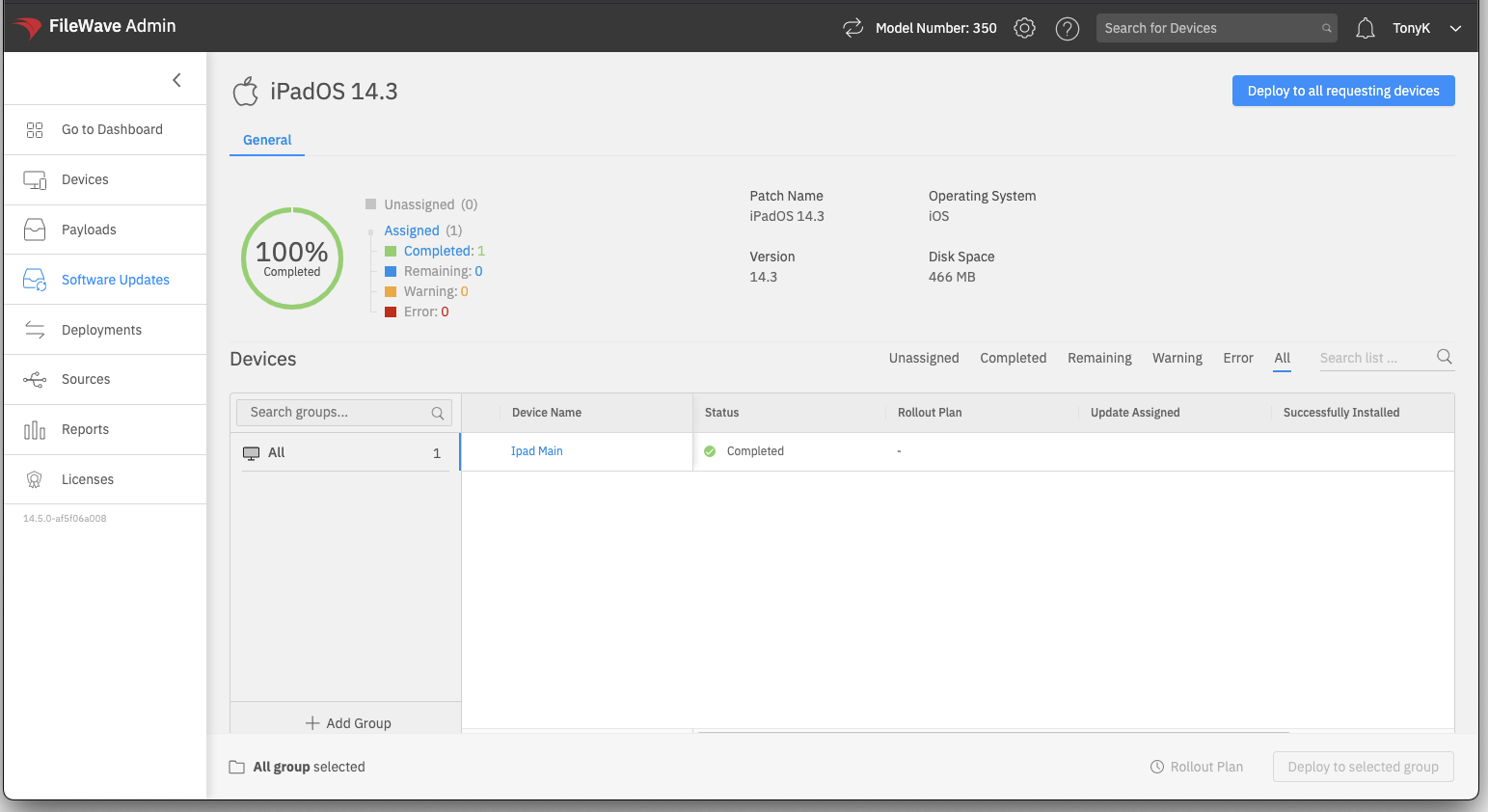
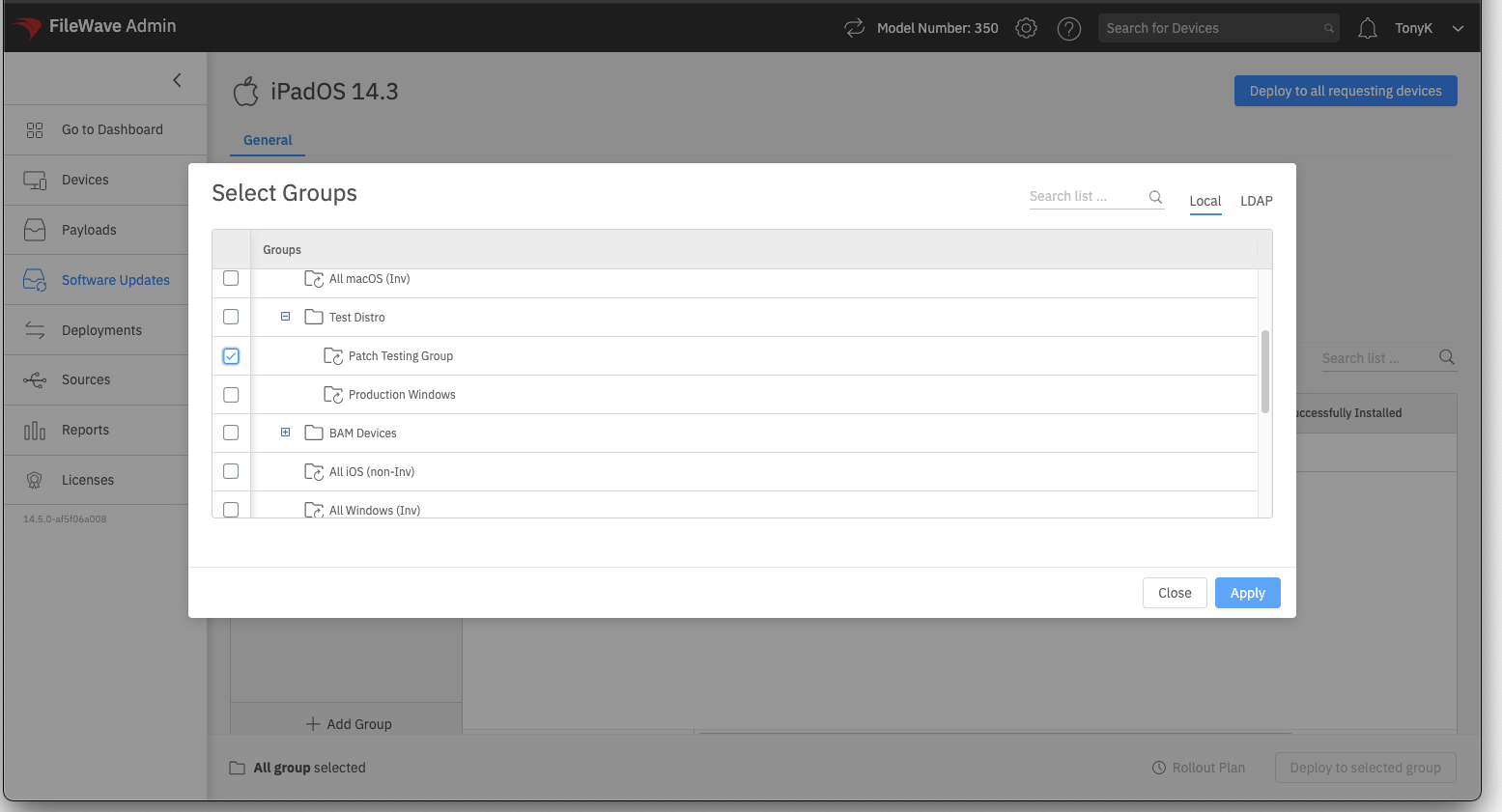
The panel lists groups after you add them for this workflow. Select Add Group, then choose one or more existing manual or Smart Groups:
Select the target group, then choose Deploy to Selected Group to deploy the update to its devices:
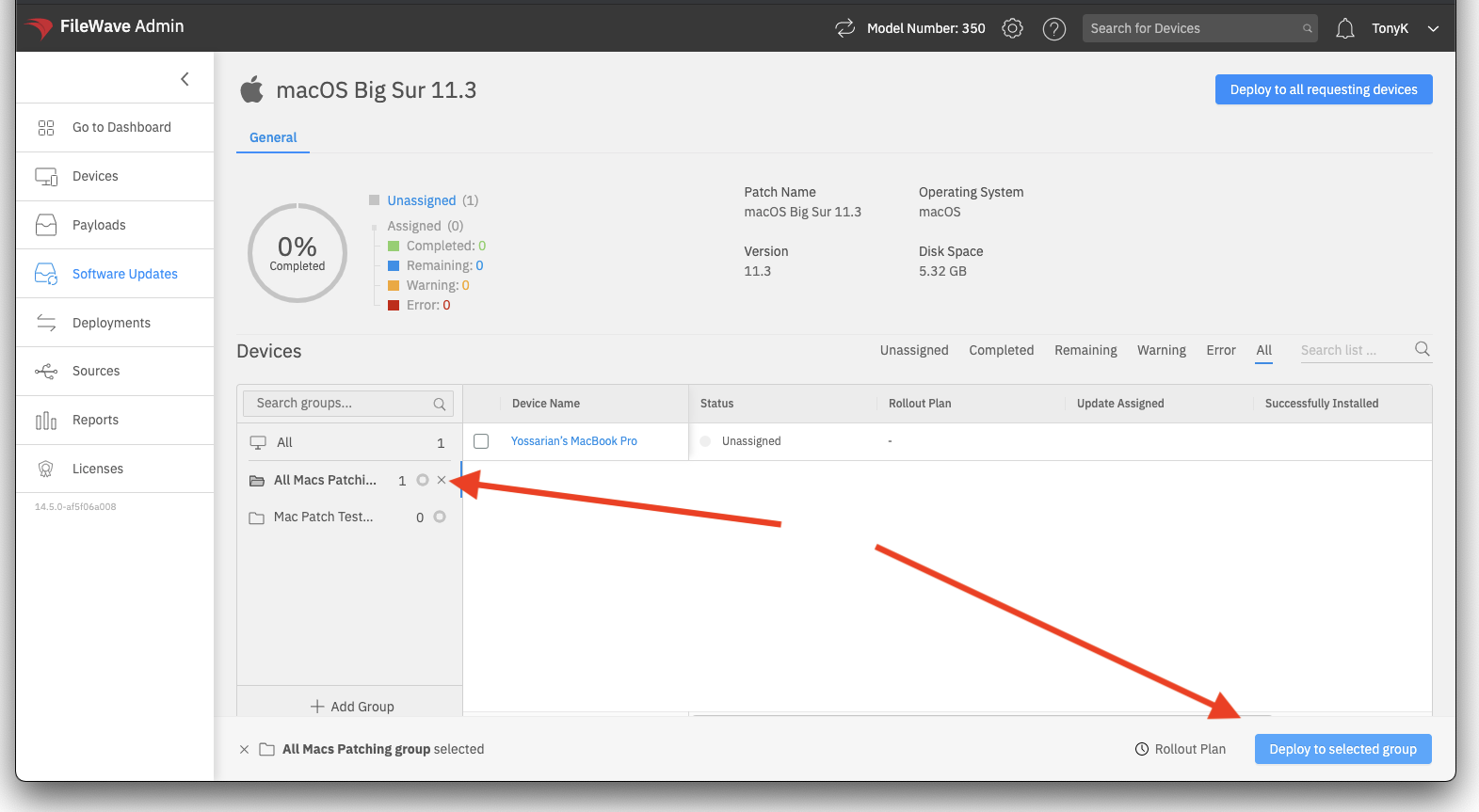
To deploy only to certain devices in the group, select those devices before choosing the deploy action. This lets you make a smaller exception without changing the group's membership.