**Quick answer:** In FileWave Anywhere, open **Payloads**, create a new Payload, add the MSI or PKG file, and let the upload finish. The upload can continue while you leave the page or start another upload.
## When/Why MSI and PKG installers are the normal package formats for Windows and macOS software deployment. FileWave Anywhere lets you upload those installer files directly from the web console, which is useful for simple app Payloads and remote admin work. ## How In the **Payloads** view, click the [](https://kb.filewave.com/uploads/images/gallery/2023-07/4wF3y2p6XtCU9Ia8-image.png) icon, name the new Payload, and choose one of the **Add File** options. The example below creates a Payload for the FileWave Central installer for Windows. [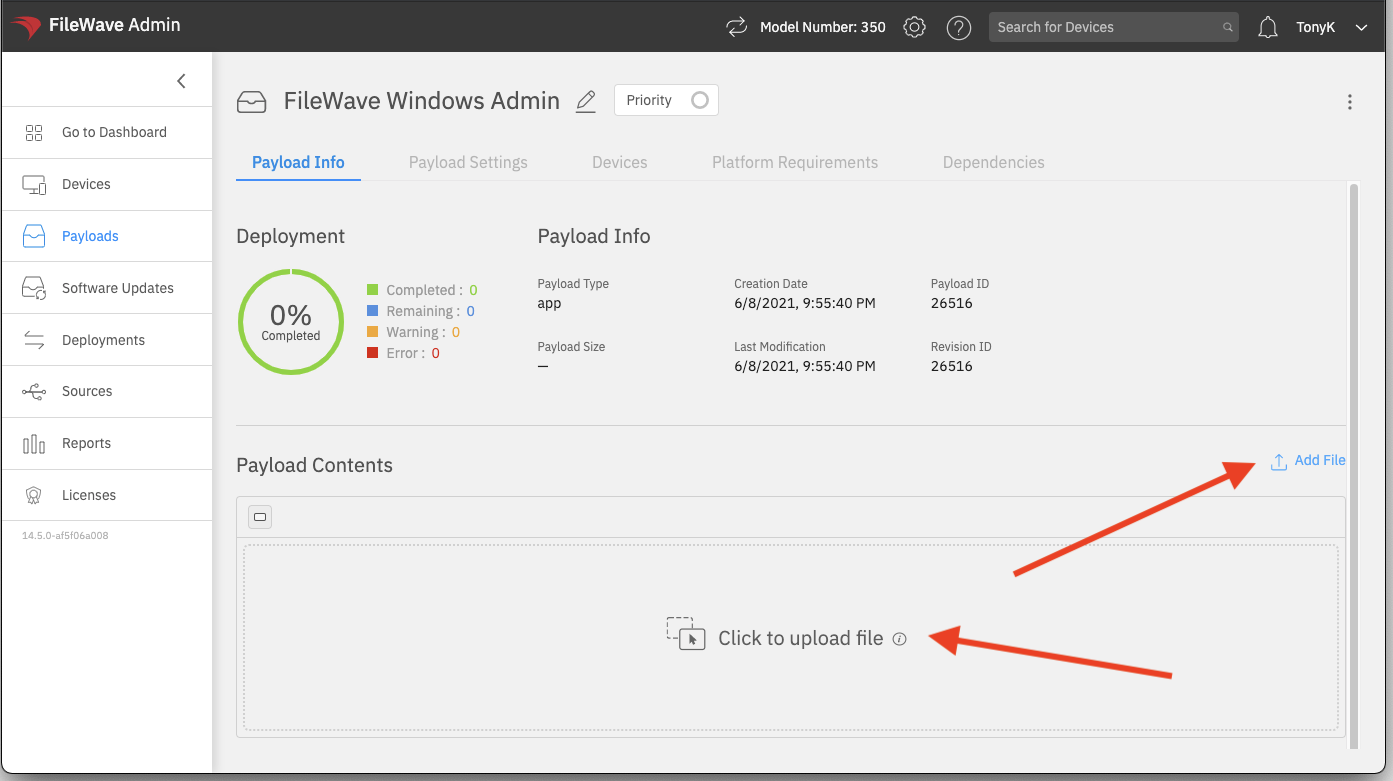](https://kb.filewave.com/uploads/images/gallery/2023-07/tzarfL7G81UCnYu1-image.png) After you select the file, the upload starts immediately: [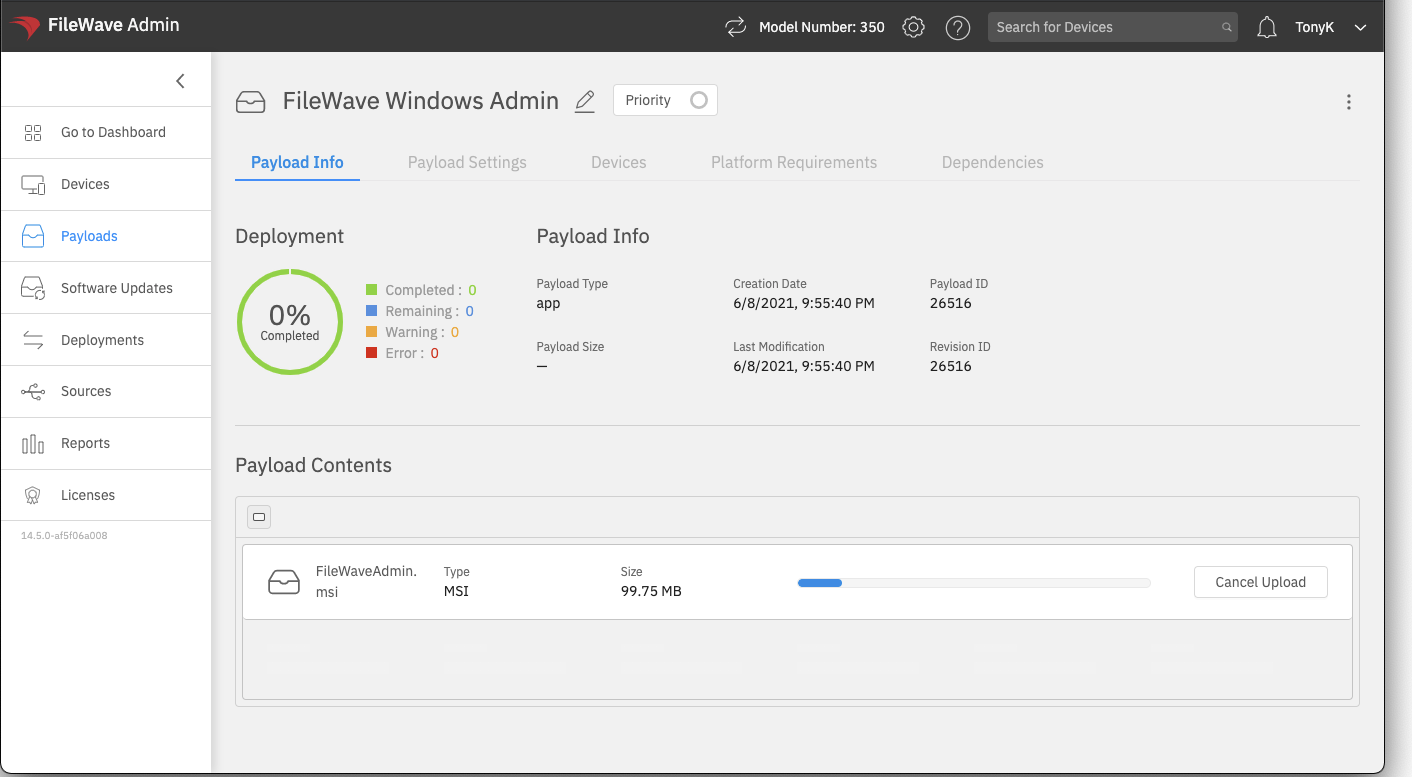](https://kb.filewave.com/uploads/images/gallery/2023-07/f2lYJq5O7dfiBdtr-image.png) Uploads created this way have two practical advantages: 1. The upload can recover from a temporary network interruption. 2. You do not need to stay on the upload screen. You can move to another area of FileWave Anywhere or start another Payload upload while the first one continues. After the Payload uploads, you can make simple changes such as removing or replacing a file and setting installer properties: [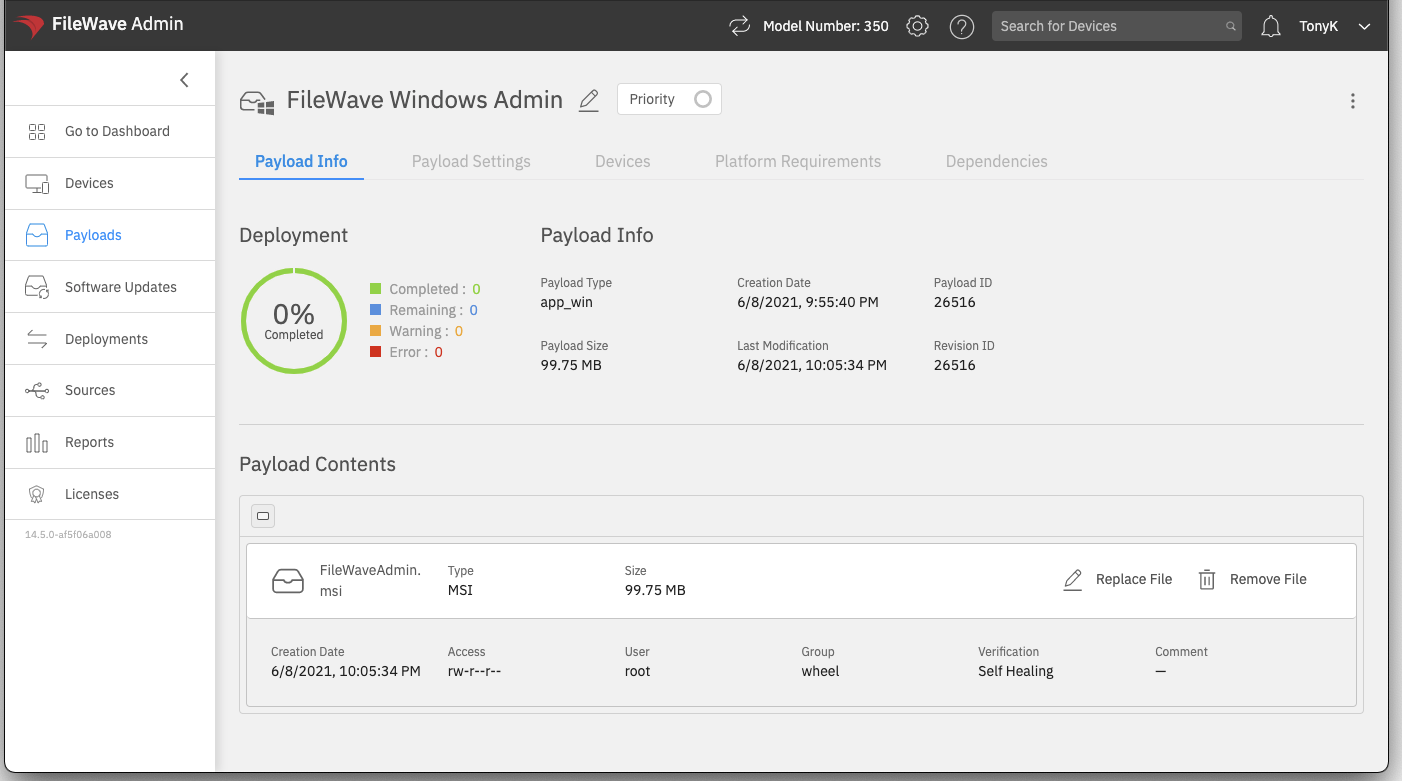](https://kb.filewave.com/uploads/images/gallery/2023-07/W6CbxzlhvR5i8vP5-image.png) For Payloads that need scripts, revisions, or more advanced file-level control, use FileWave Central. FileWave Anywhere is best for direct MSI and PKG installer Payloads.**Need revisions for MSI or PKG installers?** Use FileWave Central and follow [Desktop PKG and MSI Filesets](https://kb.filewave.com/books/filesets-payloads/page/create-and-update-pkg-and-msi-filesets). For a PKG or MSI Fileset that only contains the installer, drag the new installer onto the existing Fileset and choose to add a revision. If you duplicate a revision because the Fileset also contains other files or scripts, keep the replacement installer filename the same as the original when you manually replace it.
Edits made to Payloads in FileWave Anywhere take effect immediately. There is no separate Save button for these modifications, so review the Payload before assigning it to devices.