# Change the Language in FileWave Central or Anywhere (macOS)

## What

FileWave Central and FileWave Anywhere can use the system or browser language, or you can select another supported language.

## When/Why

Use this when an administrator needs FileWave in a different language from the Mac or browser, such as running Central in English on a Mac configured for German.

## How

##### **FileWave 16.2.0 and later**

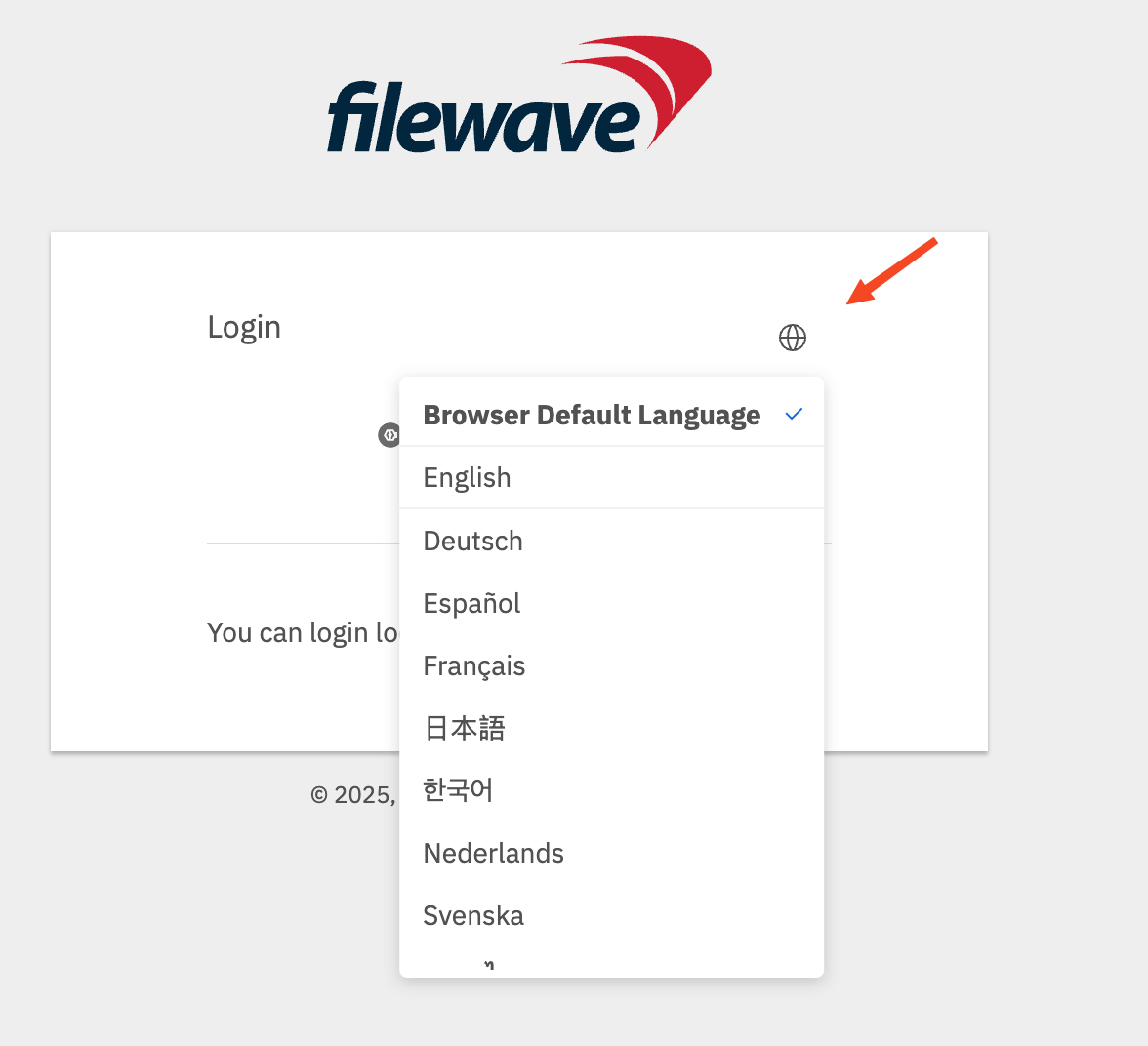
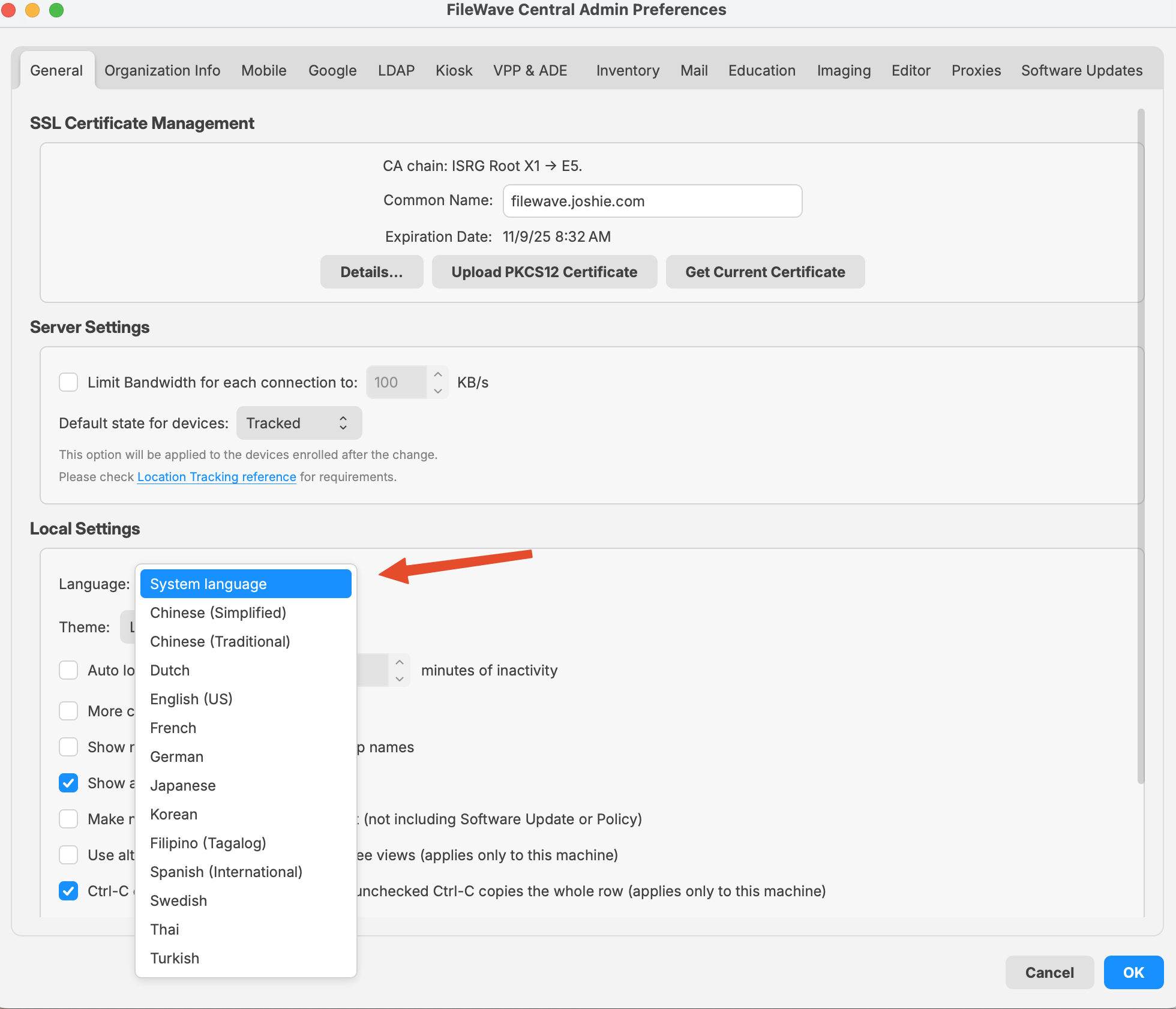
In FileWave Central, open **Admin Preferences &gt; General &gt; Local Settings** and choose a language. In FileWave Anywhere, select the globe on the login page, then choose **Browser Default Language** or a listed language. The Central control is also available on Windows.

<table id="bkmrk-" style="border-collapse:collapse;width:100%;"><colgroup><col style="width:50%;"></col><col style="width:50%;"></col></colgroup><tbody><tr><td>[![image.png](https://kb.filewave.com/uploads/images/gallery/2025-08/scaled-1680-/V1WGBxoBq2lSpxVR-image.png)](https://kb.filewave.com/uploads/images/gallery/2025-08/V1WGBxoBq2lSpxVR-image.png)  
</td><td>[![image.png](https://kb.filewave.com/uploads/images/gallery/2025-08/scaled-1680-/ssygEWpYF2TwblHK-image.png)](https://kb.filewave.com/uploads/images/gallery/2025-08/ssygEWpYF2TwblHK-image.png)  
</td></tr></tbody></table>

##### **FileWave 16.1.x and earlier on macOS**

For FileWave versions earlier than 16.2.0, launch Central with the command below to override its language. FileWave Anywhere uses the browser language.

This example starts Central in US English. Replace `en_US` with another locale code from the table.

```
/Applications/FileWave/FileWave\ Admin.app/Contents/MacOS/FileWave\ Admin --lang en_US &
```

<table id="bkmrk-language-locale-code" style="width:108.452%;height:357.563px;"><thead><tr style="background-color:rgb(251,238,184);height:29.7969px;"><th style="width:26.4274%;height:29.7969px;">**Language**

</th><th style="width:15.1713%;height:29.7969px;">**Locale Code**

</th><th style="width:58.4013%;height:29.7969px;">**Notes**

</th></tr></thead><tbody><tr style="height:29.7969px;"><td style="width:26.4274%;height:29.7969px;">**English (US)**

</td><td style="width:15.1713%;height:29.7969px;">en\_US

</td><td style="width:58.4013%;height:29.7969px;">Use for American English.

</td></tr><tr style="height:29.7969px;"><td style="width:26.4274%;height:29.7969px;">**German**

</td><td style="width:15.1713%;height:29.7969px;">de\_DE

</td><td style="width:58.4013%;height:29.7969px;">Standard locale for German in Germany.

</td></tr><tr style="height:29.7969px;"><td style="width:26.4274%;height:29.7969px;">**French**

</td><td style="width:15.1713%;height:29.7969px;">fr\_FR

</td><td style="width:58.4013%;height:29.7969px;">Standard locale for French in France.

</td></tr><tr style="height:29.7969px;"><td style="width:26.4274%;height:29.7969px;">**Korean**

</td><td style="width:15.1713%;height:29.7969px;">ko\_KR

</td><td style="width:58.4013%;height:29.7969px;">Korean for South Korea.

</td></tr><tr style="height:29.7969px;"><td style="width:26.4274%;height:29.7969px;">**Japanese**

</td><td style="width:15.1713%;height:29.7969px;">ja\_JP

</td><td style="width:58.4013%;height:29.7969px;">Japanese for Japan.

</td></tr><tr style="height:29.7969px;"><td style="width:26.4274%;height:29.7969px;">**Chinese (Simplified)**

</td><td style="width:15.1713%;height:29.7969px;">zh\_CN

</td><td style="width:58.4013%;height:29.7969px;">For Mainland China.

</td></tr><tr style="height:29.7969px;"><td style="width:26.4274%;height:29.7969px;">**Chinese (Traditional)**

</td><td style="width:15.1713%;height:29.7969px;">zh\_TW

</td><td style="width:58.4013%;height:29.7969px;">For Taiwan.

</td></tr></tbody></table>