**Assumptions for the examples below:** 1) You downloaded PsTools and unzipped it. 2) You launched Command Prompt as a domain admin or another account with the needed rights on the remote device. 3) You changed into the directory where PsTools is located.
Connect to the remote computer by name in an interactive PsExec shell: ``` psexec64 \\computername -h cmd ``` You should end up in a shell like the one below. Type `exit` to leave the remote shell. [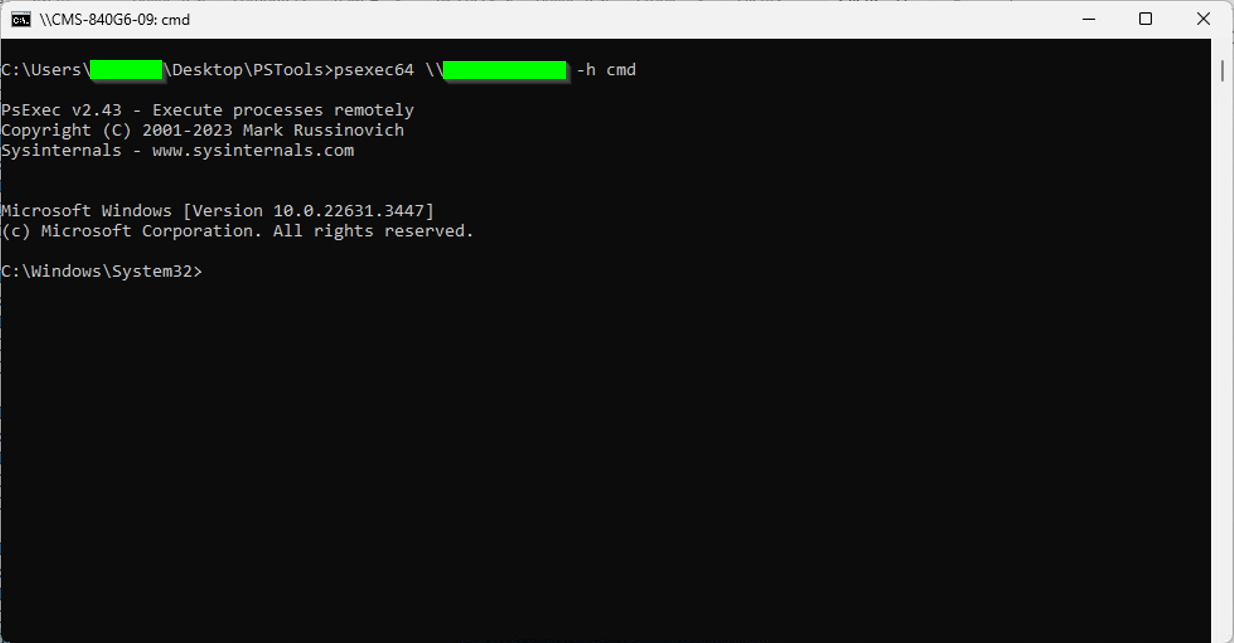](https://kb.filewave.com/uploads/images/gallery/2024-05/CwfTGWcpSghoTMos-image.png) From that shell, you can run normal Windows command-line tools on the remote device. These examples are useful when a Windows client is not reporting correctly. 1. Check the FileWave Client service: - ``` sc query filewavewinclient ``` [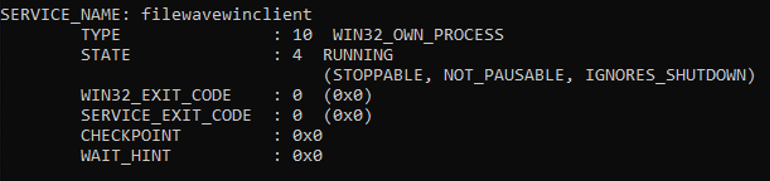](https://kb.filewave.com/uploads/images/gallery/2024-05/EFH8hn8CF60dOUD2-image.png) 2. Stop the FileWave Client service: - --- ``` sc stop filewavewinclient ``` 3. Start the FileWave Client service: - --- ``` sc start filewavewinclient ``` 4. If the service will not start or stop, identify and stop the process directly: 1. Find the FileWave Client process. - ``` tasklist | findstr fwcld ``` - [](https://kb.filewave.com/uploads/images/gallery/2024-05/ahddHIXSHiUMjOuZ-image.png) 2. Kill the process by PID. - ``` taskkill /PID 16264 /F ``` -The same pattern can help with a stuck Windows Update agent. When Windows Update hangs and the service will not stop, `tasklist /svc | findstr wuauserv` identifies the process that owns the service. A reboot can also clear the condition, but it interrupts whoever is using the device.
5. Check the FileWave Client log for entries from today: - ``` type c:\programdata\filewave\fwclient\fwcld.log | findstr mm-dd ``` - Replace `mm-dd` with today's month and day, such as `05-16`. 6. Get the IP address of the workstation: - ``` ipconfig ``` 7. Restart the device immediately. This interrupts any active user session, so check before running it on a device in use. - ``` shutdown -r -t 0 -f ``` 8. Check whether other users are logged in: - ``` quser ``` - [](https://kb.filewave.com/uploads/images/gallery/2024-05/fbQGBi4UEdXl5b3a-image.png) 9. Get the last boot time: - ```powershell Get-CimInstance -ClassName Win32_OperatingSystem | Select-Object LastBootUpTime ``` - [](https://kb.filewave.com/uploads/images/gallery/2024-05/elLO7EOAz4KuwdN1-image.png) ## Related Content - [PS Tools](https://learn.microsoft.com/en-us/sysinternals/downloads/pstools) - [Windows command-line reference (SS64)](https://ss64.com/nt/) - [wmic deprecation](https://techcommunity.microsoft.com/blog/windows-itpro-blog/wmi-command-line-wmic-utility-deprecation-next-steps/4039242)