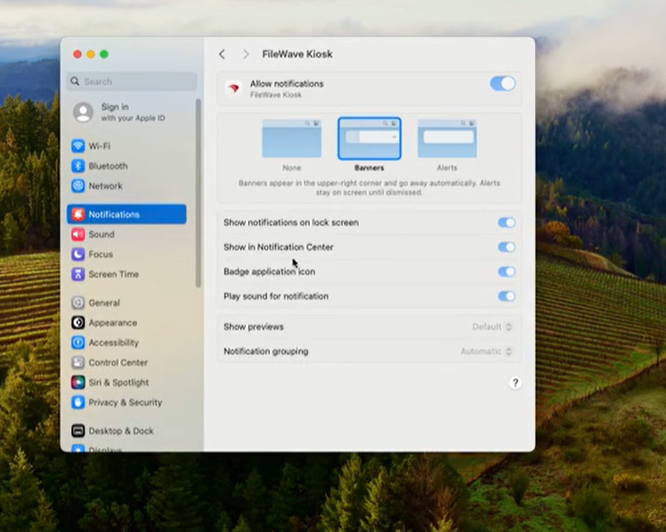
Force Enable Notifications on iOS and macOS for FileWave Kiosk
What
To ensure that notifications from the FileWave Kiosk and End User Notifications are consistently displayed on macOS and iOS/iPadOS devices, administrators can deploy an Apple Profile that forces notifications for the relevant Kiosk app bundle identifiers. This profile enforces the display of notifications and prevents end users from disabling them, ensuring important messages and alerts are always visible to users.
Bundle identifier note: the macOS Kiosk app remains com.filewave.kiosk2. For iOS/iPadOS, use com.filewave.ios.app.kiosk2 on FileWave 15.3.0 through 16.2.x, and use com.filewave.ios.app.kiosk3 on FileWave 16.3.0 and later.
When/Why
When to Use
- Critical Communications: When you need to guarantee that essential notifications, such as security alerts or mandatory updates, reach all macOS users without the risk of being muted or disabled.
- User Compliance: In environments where user interaction with notifications is crucial for compliance or operational reasons.
- Standardizing User Experience: To provide a consistent notification experience across all macOS devices in your organization.
Why Use This Feature
- Ensure Visibility: By forcing notifications, you eliminate the possibility of users missing important information due to disabled notifications.
- Prevent User Modification: Users will not have the ability to disable or modify notification settings for the FileWave Kiosk app, maintaining administrative control.
- Improve Compliance: Helps in meeting organizational policies that require certain notifications to be acknowledged by users.
- Enhance Support Efficiency: Reduces support tickets related to users not receiving critical notifications.
How
You can either use our premade Fileset: Profile - Apple FWKiosk Notifications.fileset.zip or you can create it yourself using the below steps. If you are on FileWave 16.3.0 or later, review the iOS/iPadOS entry in that profile and update it to com.filewave.ios.app.kiosk3 before deployment.
In FileWave Central or Anywhere you can create the profile. The images that follow are from Central, but the process is the same in Anywhere.
-
Filesets → New Fileset → Apple → Profile and then fill out the General information as below.
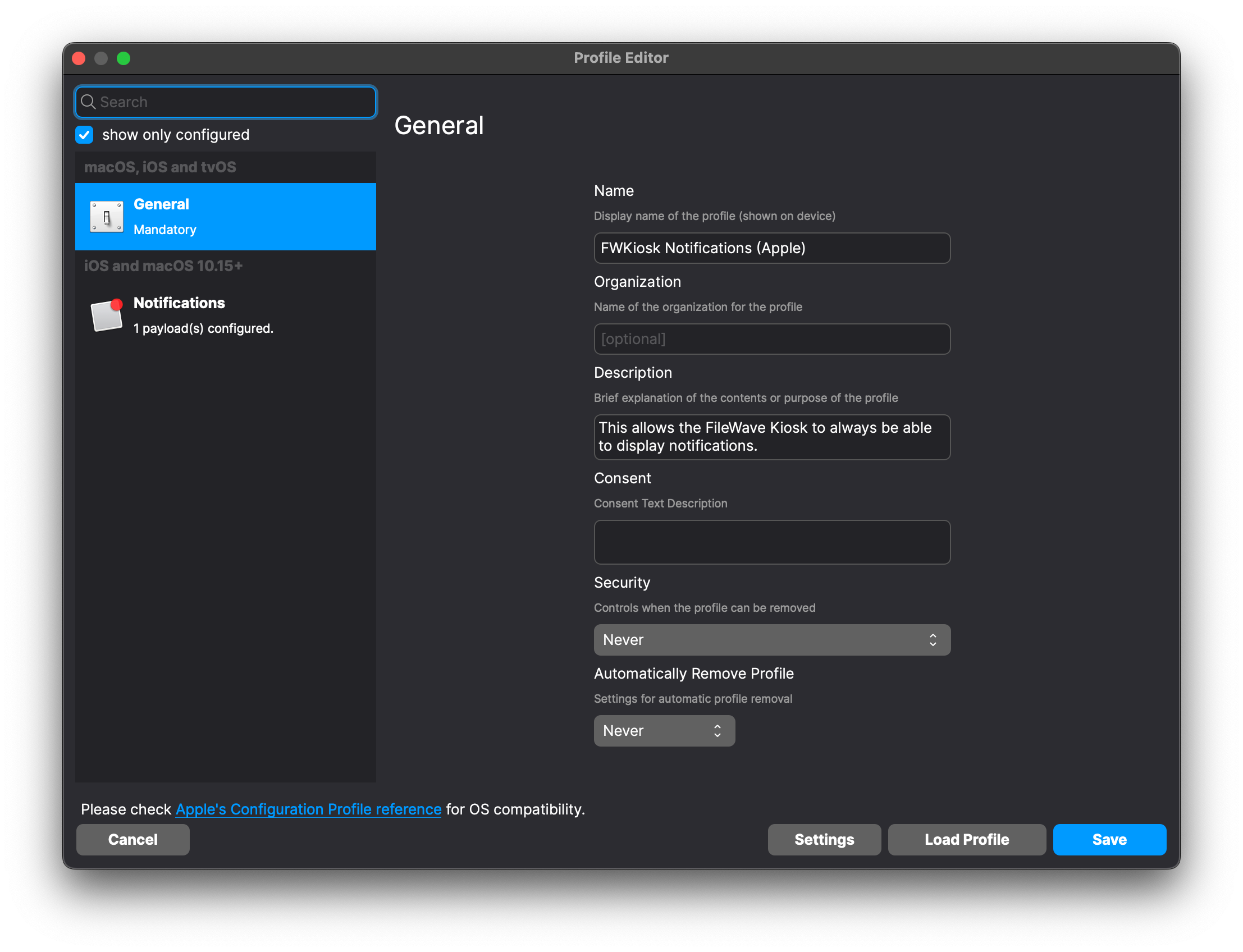
-
Search “Notifications” to easily find that and then add it as shown.
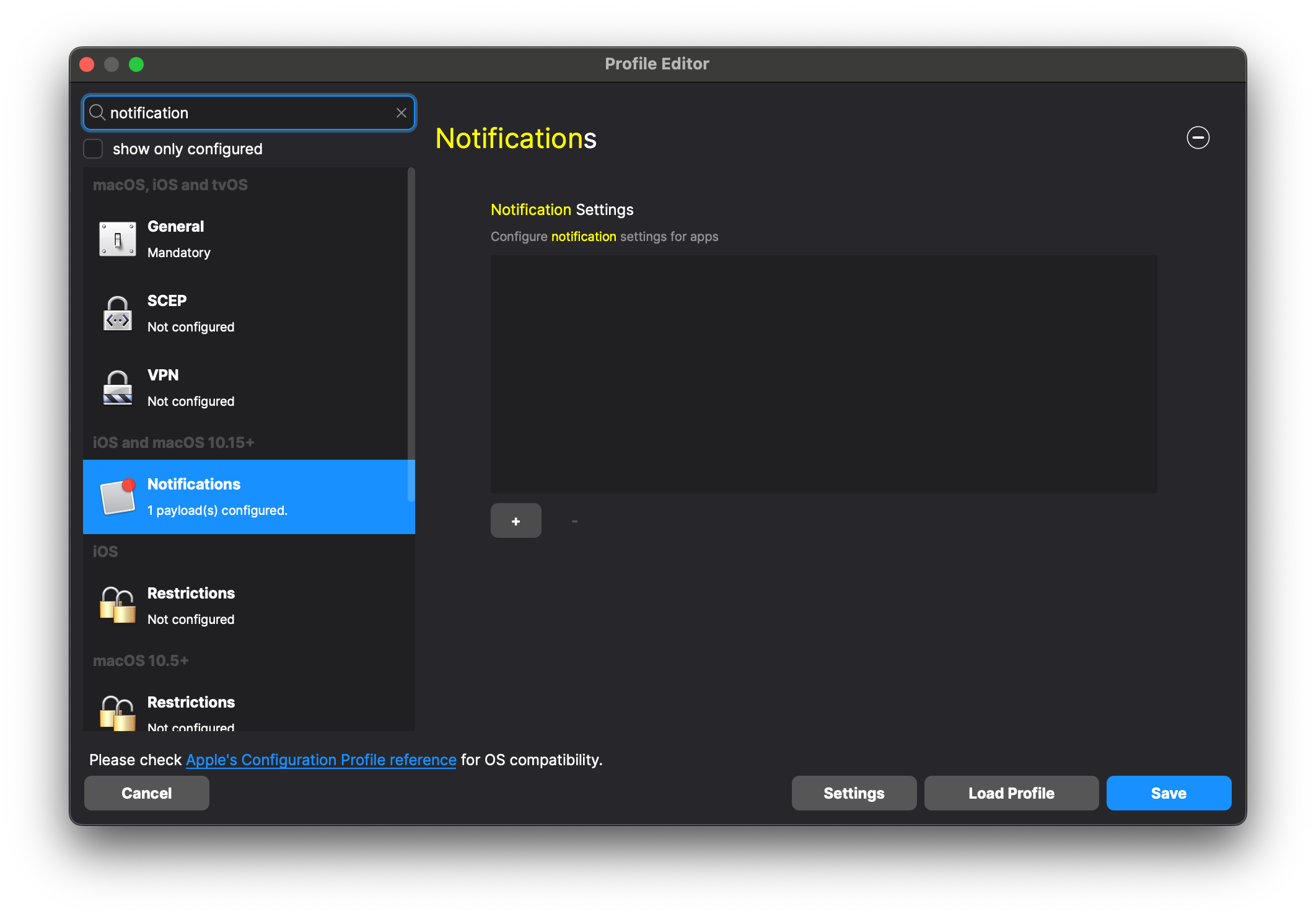
Type in the Bundle Identifier and then select it and click Next
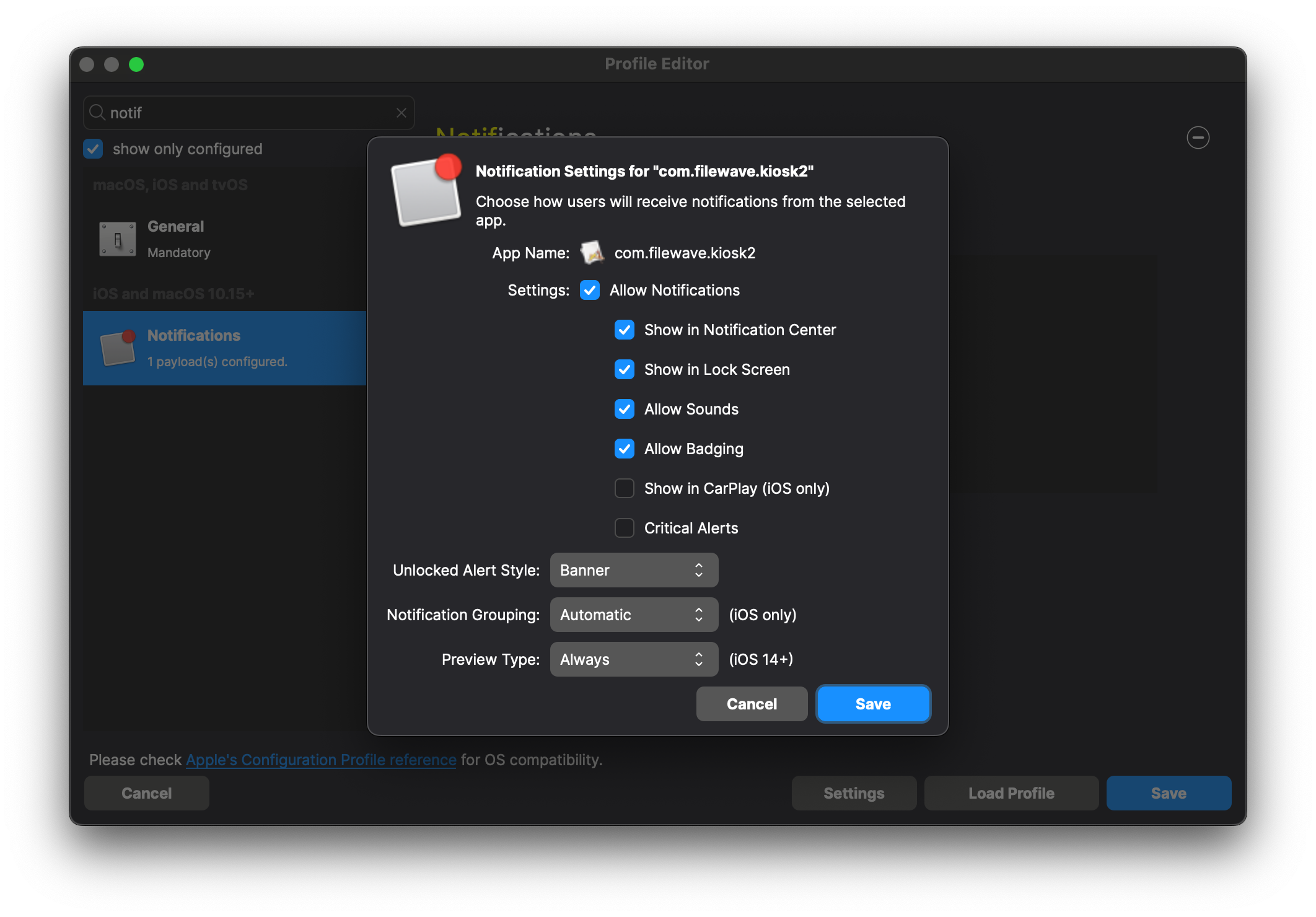
Bundle Identifier for macOS Kiosk: com.filewave.kiosk2 and then repeat for iOS/iPadOS using com.filewave.ios.app.kiosk2 on FileWave 15.3.0 through 16.2.x or com.filewave.ios.app.kiosk3 on FileWave 16.3.0 and later
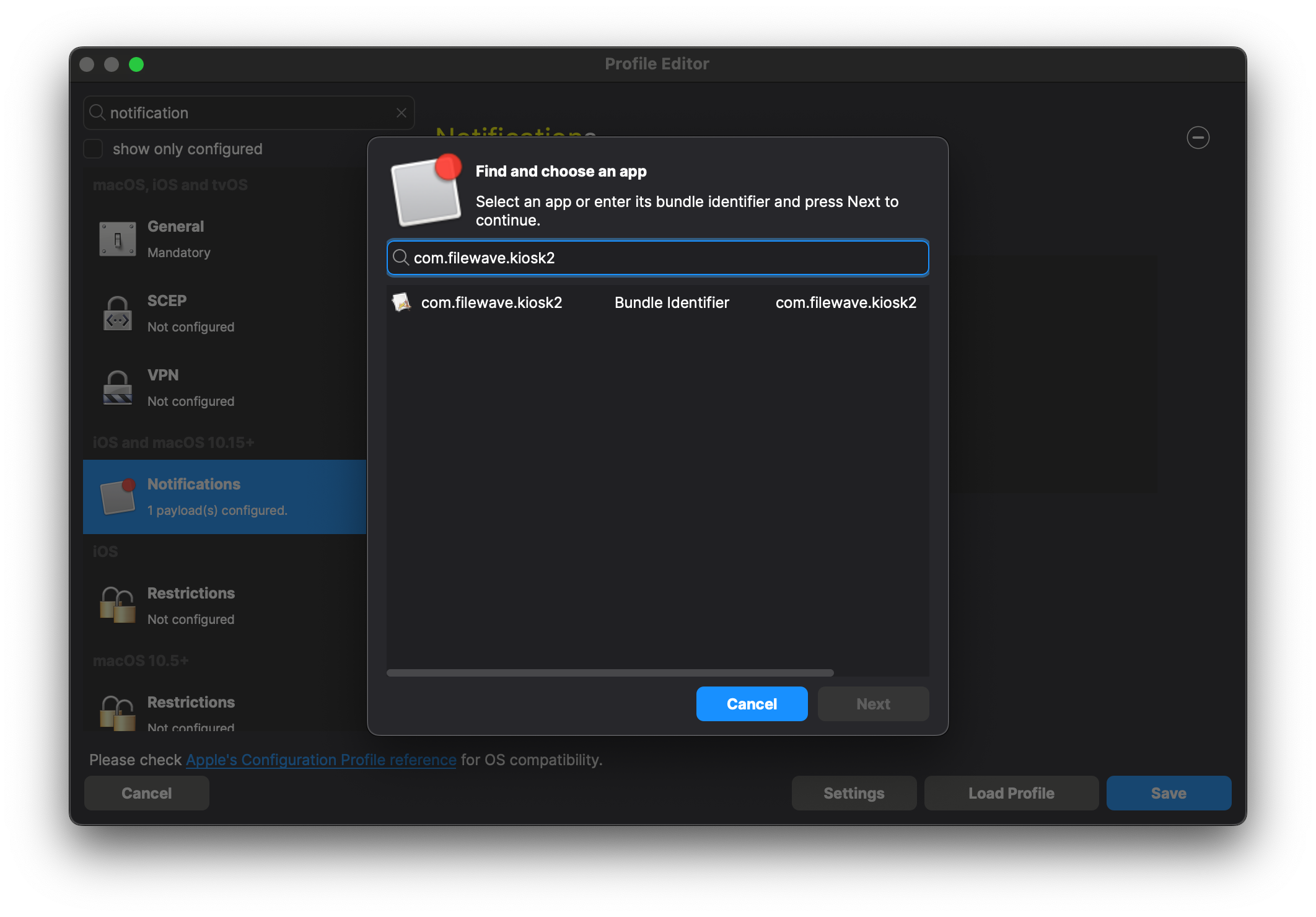
-
-
Set up behavior that you would like for the notifications and click Save
-
-
Save the profile and then deploy it to desired device(s).
Device Behavior
- Directly examining a macOS device will look as follows: