Legacy Web Clip App Portal for Older iOS and iPadOS Devices
What this workaround provides
An older iOS or iPadOS device that cannot install the current FileWave Kiosk app can open the legacy web App Portal through a Web Clip.
When to use it
Use this only as a temporary access path while an older device remains in service. The Web Clip does not make an unsupported operating system or device supported by FileWave.
Create the Web Clip
The Web Clip opens the legacy App Portal for the specific device by using its FileWave device ID in the URL.
-
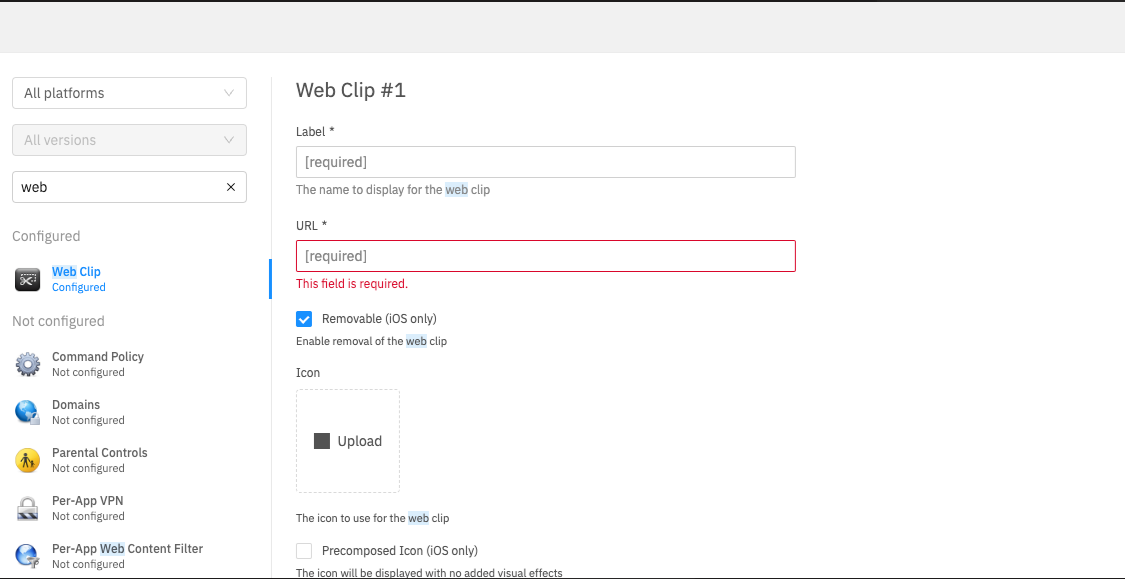
Create a new Apple profile with a Web Clip payload in FileWave Central or FileWave Anywhere.

- Enter
https://fqdn:20443/ios/recommended_apps/%device_id%#appsin the URL field, replacingfqdnwith the FileWave Server's DNS name. Keep the%device_id%placeholder unchanged. -
Deploy profile to desired device(s).