The Missing Device message appears only when the user opens Kiosk. If users need instructions before they open Kiosk, also send a FileWave End-User Notification.
## When/Why This is useful for end-of-year student device returns, overdue loaner laptops, leased-device turn-ins, or any managed device that should display clear return instructions when the user opens Kiosk. For example, a school can set the message to “End of Year Reminder: Please return your device to the school’s IT office.” A corporate IT team can use the same state to tell an employee where to return a loaner or lease-replacement device. ## How In FileWave Central, right-click the macOS or Windows client, select **Client State > Missing**, and run a **Model Update**. The next time the user opens FileWave Kiosk, Kiosk shows the Missing Device message instead of normal self-service content. For example, in an educational setting, the Kiosk might display a custom message like: *“End of Year Reminder: Please return your device to the school’s IT office. This device is needed for inventory and future student use.”* Configure this text in FileWave Central under **Preferences > Organization Info**. You can set the Lost Mode Message, add a Lost Mode Footnote, and include an organization contact number that appears as a clickable link.Kiosk shows the Missing Device message only after Kiosk opens. If you need the user to see return instructions immediately, send a pop-up through [FileWave End-User Notifications](https://kb.filewave.com/books/kiosk/page/filewave-end-user-notifications-155 "FileWave End-User Notifications") and include a link to your return form or internal instructions.
While the device remains in the Missing state, Kiosk blocks installation, uninstallation, and normal self-service access until the device is recovered, replaced, or moved out of the Missing state. ## Notes on the Missing Device message - When a macOS or Windows client is marked as **Missing** in FileWave Central, a **Missing Device** message appears in Kiosk, similar to the Device Locked message. - The Missing Device message includes any custom **Lost Mode Message** and **Lost Mode Footnote** set in FileWave Central under **Preferences > Organization Info**. - By default, if no custom message is set, the following message appears: “This device is currently marked as missing. Self-service Kiosk is not available. Please contact your administrator.” - **Kiosk restrictions:** While in the Missing state, Kiosk prevents installation, uninstallation, and normal access to self-service options, similar to Device Lock behavior. - To set the displayed text, open FileWave Central and go to **Preferences > Organization Info**: - If only the **Lost Mode Message** is set, it will display alone. - If only the **Lost Mode Footnote** is set, the default lost mode message will appear with the custom footnote. - If an organization contact number is set, it will be displayed as a clickable link for easy access. [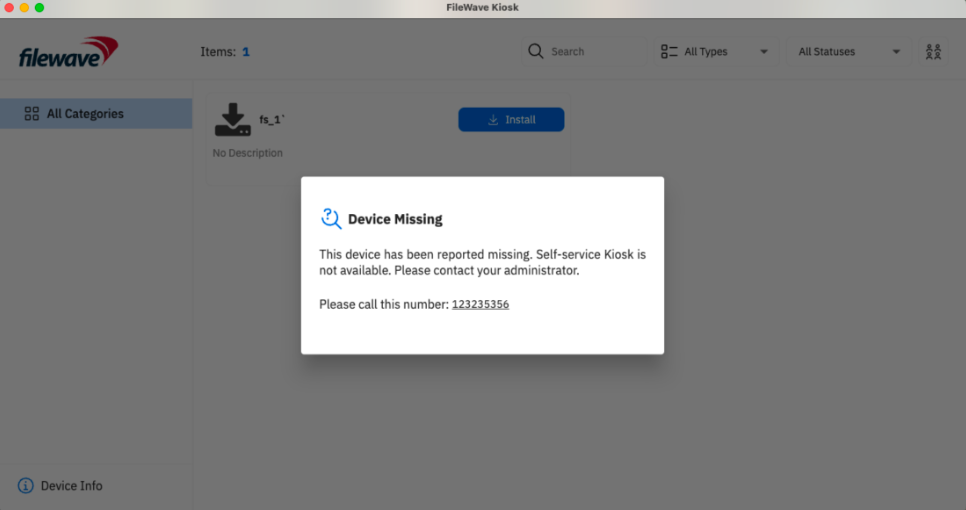](https://kb.filewave.com/uploads/images/gallery/2025-02/dJLIG2vAttPSKUQ7-image.png) [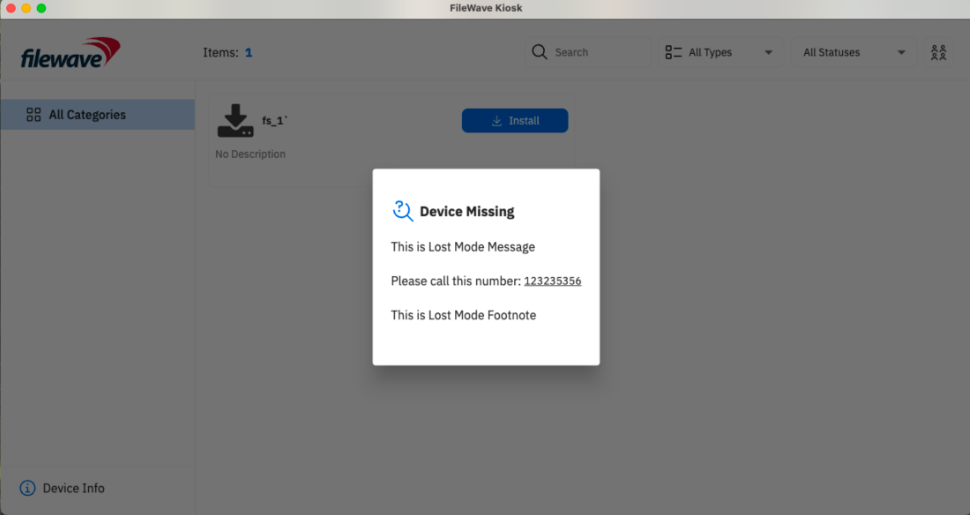](https://kb.filewave.com/uploads/images/gallery/2025-02/5ZenF5VC3OaxrhP5-image.png) ## Related Content - [FileWave End-User Notifications](https://kb.filewave.com/books/kiosk/page/filewave-end-user-notifications-155 "FileWave End-User Notifications")