# Alternate Browser Configuration on iOS/iPadOS
## What
It can be desirable to use browsers, other than Safari. Apple now provide two such methods for i(Pad)OS.
- Web Clip URLs sent to devices to open particular pages
- Changing the default browser i(Pad)OS 18+
## When/Why
Internal policy may suggest a different browser is used for compatibility. Perhaps though, it is better to allow users to choose their preferred browser, but delivery of certain Web Clips contain pages better suited to a different browser.
Where an alternate browser is targeted, that browser must already be installed on the device.
## How
### Web Clip URL
Page may need to be a non-secure or secure link, http or https respectively. Be sure to test the URL link before mass deployment.
Configuring a Web Clip Payload to use either http or https, will cause the Web Clip to open in the users chosen default browser. This will be Safari, if not changed.
For example, on an non-configured device, meaning Safari is default, either of the following should open using Safari:
- `http://ww.filewave.com`
- `https://www.filewave.com`
Each browser has an identifier which may be set to force the Web Clip to open in that browser, including:
| Browser | Browser URL Prefix | Browser URL Secure Prefix |
| Google Chrome | googlechrome:// | googlechromes:// |
| Firefox | firefox://open-url?url=http:// | firefox://open-url?url=https:// |
| Microsoft Edge | microsoft-edge-http://
| microsoft-edge-https://
|
#### Example
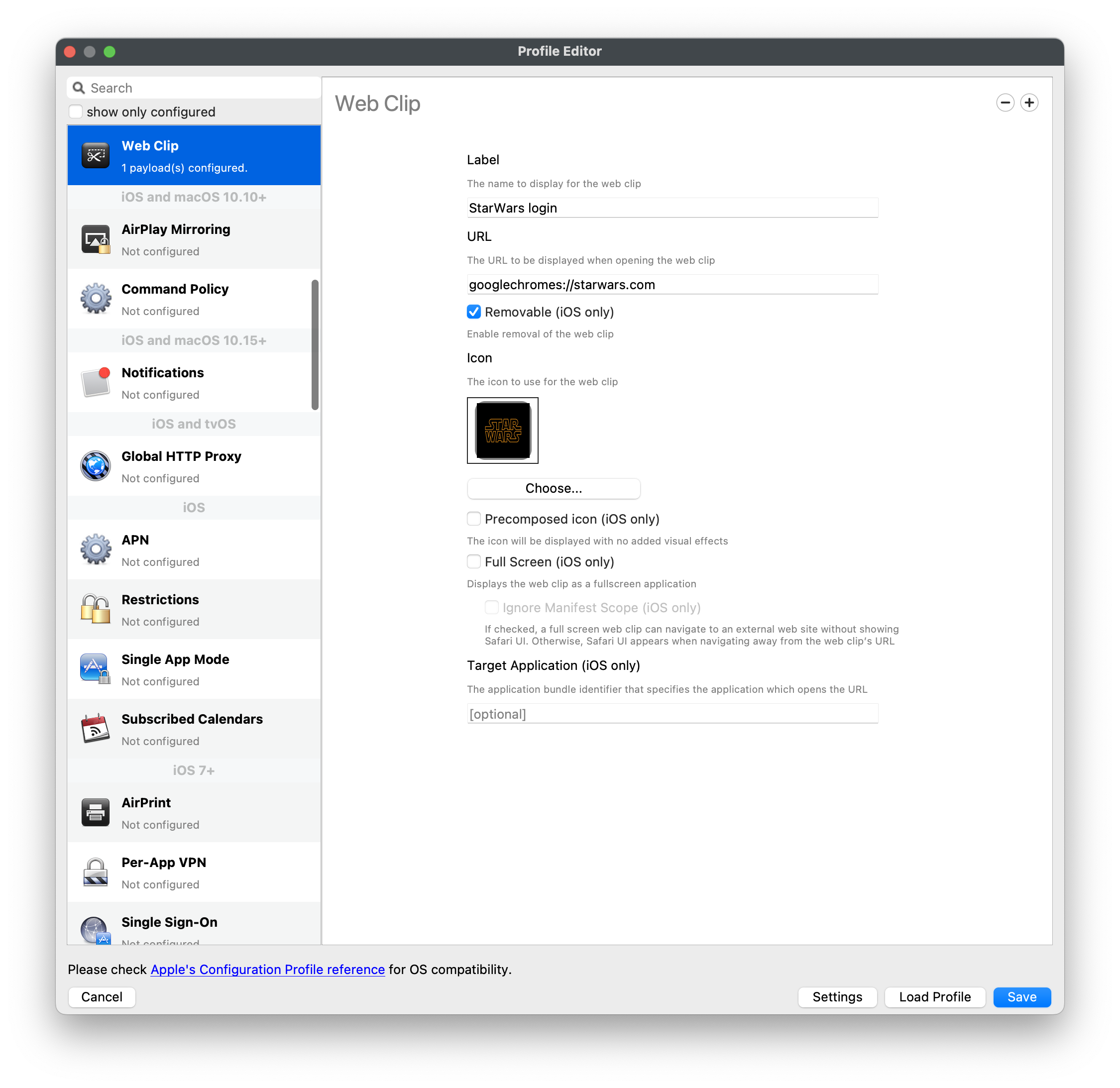
Imagine the Google Chrome web browser is the chosen target application for the Web Clip, either of the following should open using the Google Chrome browser:
- `googlechrome://www.filewave.com`
- `googlechromes://www.filewave.com`
Using the latter example, this is how this should look in the URL of the Profile Payload:
[](https://kb.filewave.com/uploads/images/gallery/2023-07/AnVDO2ukFadqeroL-image.png)
### Force Default Browser
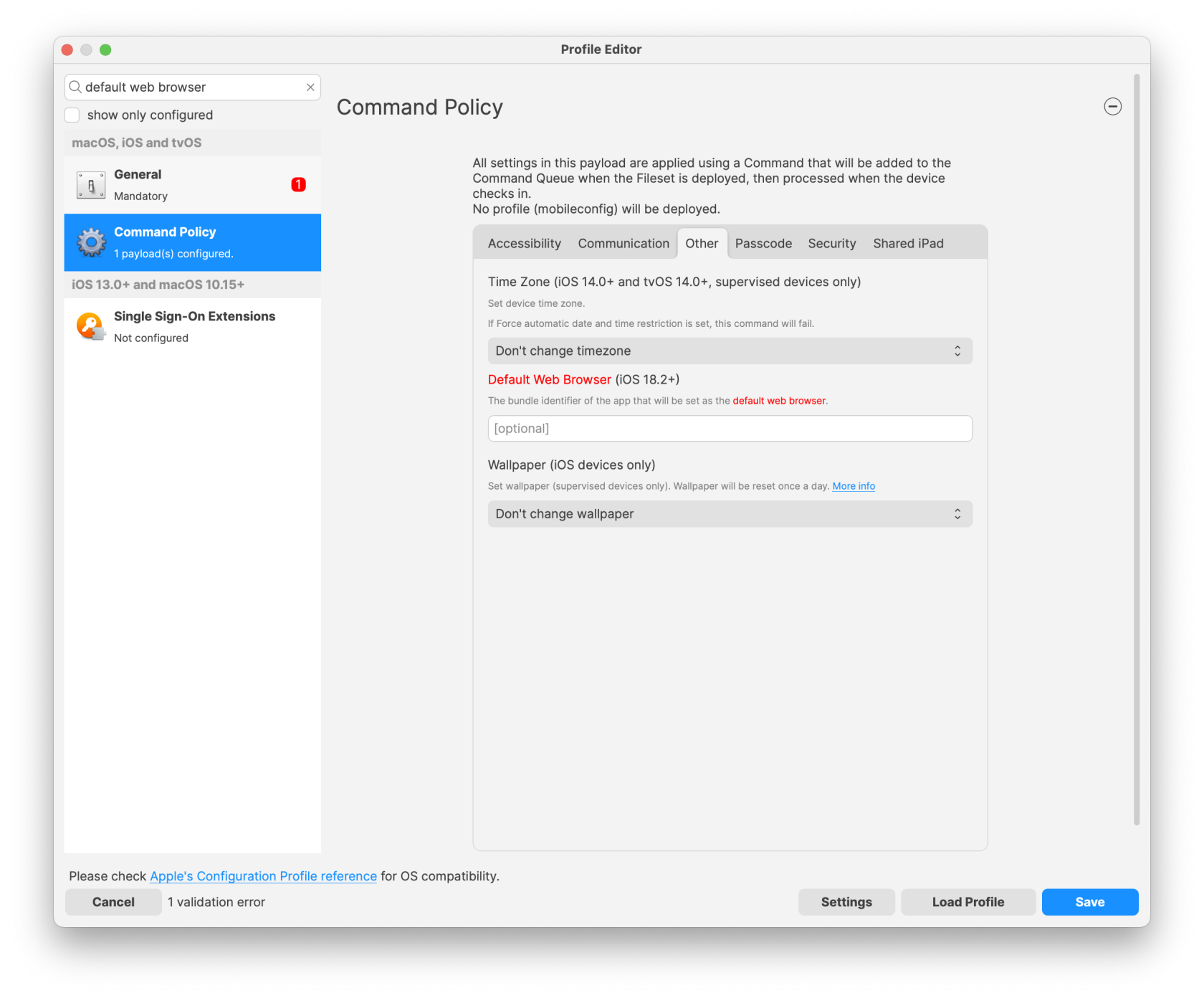
As of FileWave 16, it is now possible to leverage the newly added Apple feature to force a different default browser on i(Pad)OS 18.2+.
This is a command sent to devices:
[](https://kb.filewave.com/uploads/images/gallery/2025-04/etw3yVRSyReD3Mk7-image.png)
In this instance, it should be the Bundle ID of the Application, e.g.
| Browser | Bundle ID |
| Safari
| com.apple.mobilesafari |
| Firefox | org.mozilla.ios.Firefox |
| Opera | com.opera.OperaTouch |
| Microsoft Edge | com.microsoft.msedge |
| Google Chrome | com.google.chrome.ios |
| Brave | com.brave.ios.browser |
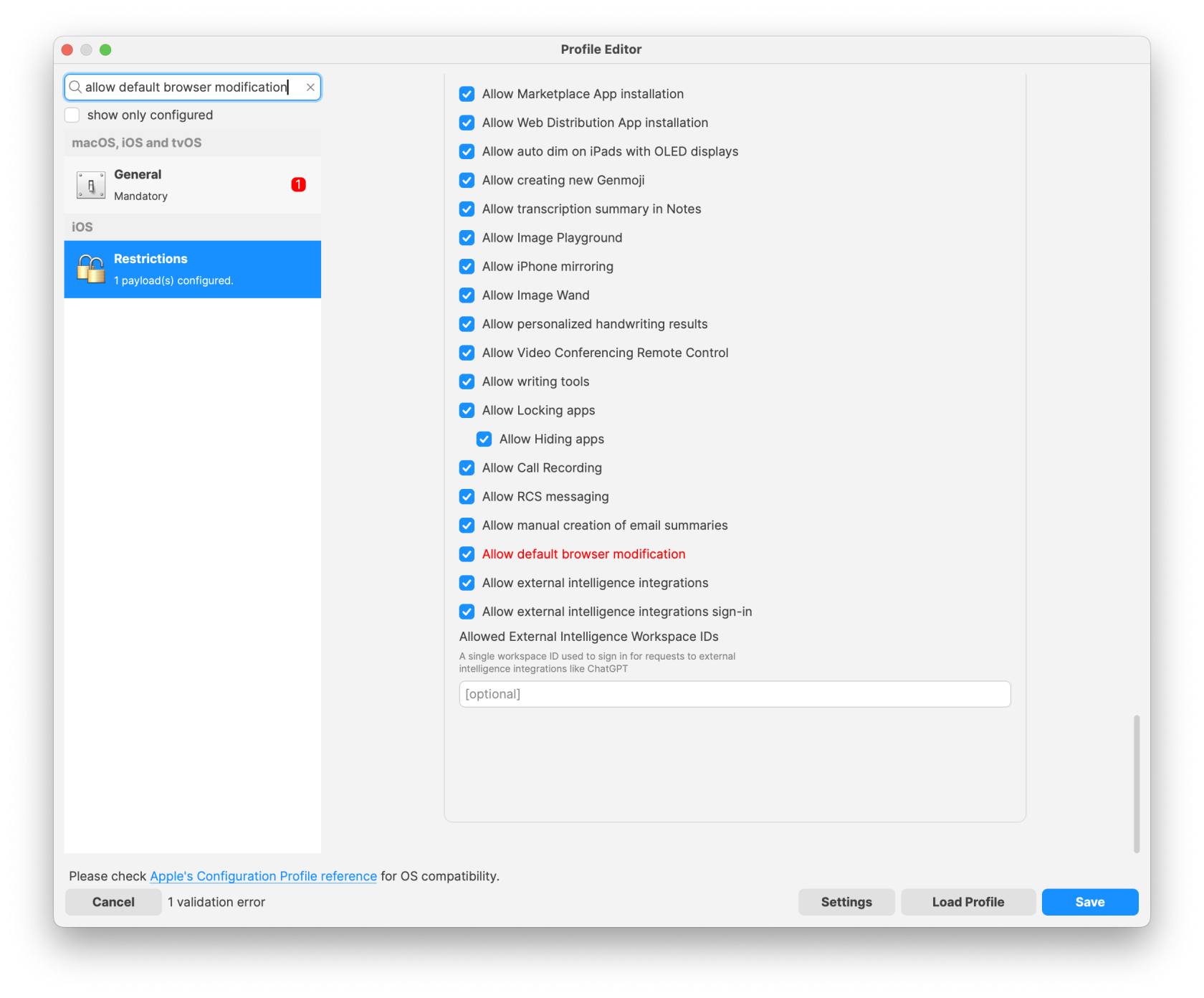
As a Command, it does allow users to overrule the chosen Browser, but as with other commands, the policies are re-pushed every 24hours. However, it is possible to prevent users from altering the default browser with a restrictions profile:
[](https://kb.filewave.com/uploads/images/gallery/2025-04/TJ8pBU1IKQBC2Xcu-image.png)
As per Apple's documentation, this restriction does not prevent the MDM command from setting an alternate browser:
[](https://kb.filewave.com/uploads/images/gallery/2025-04/FNTRHEKRYgAo6Uf1-image.png)
## Related Content
- [Managing Web Clips on iOS / iPadOS](https://kb.filewave.com/books/profiles-apple/page/managing-web-clips-on-ios-ipados "Managing Web Clips on iOS / iPadOS")