# Set Safari Homepage (macOS)

## Description

This profile changes the Safari Homepage for the currently logged in user.

<p class="callout info">This recipe was tested on 10.13.2 with Safari 11.0.2</p>

## Ingredients

- FW Admin

## Directions

1. Create a New Desktop Fileset and select the **Profile** option
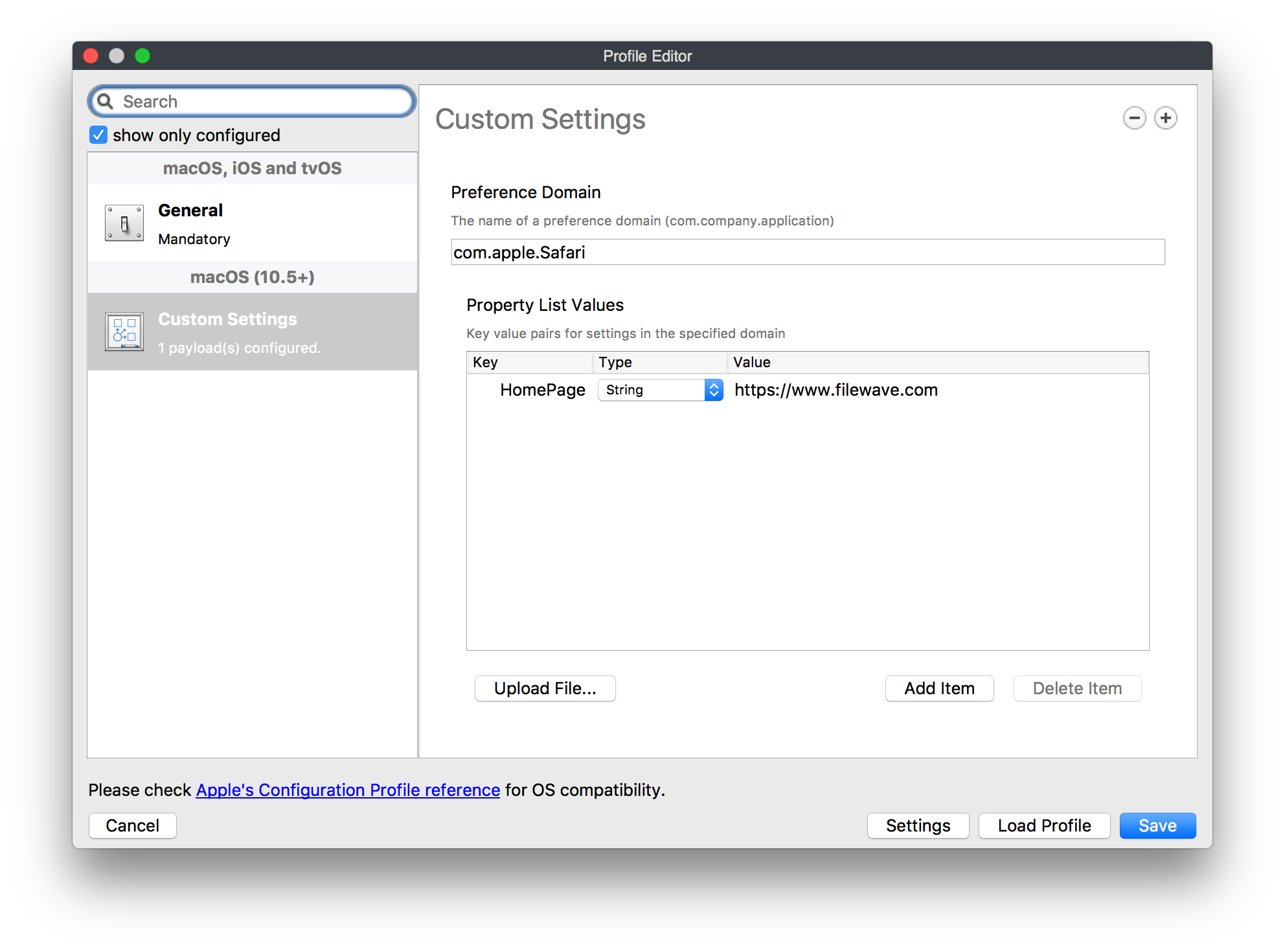
2. Name the profile in the **General** payload and fill out the **Custom Settings** payload with the following information where the value can be whatever site you wish:  
      
    Preference Domain : com.apple.safari   
    Key: HomePage  
    Type: String   
    Value: [https://www.filewave.com  ](https://ww.filewave.com/)
![RecipeSafairHomePage-CustomSettings.png](https://kb.filewave.com/uploads/images/gallery/2023-05/scaled-1680-/Jf12XMbkhzj4Lvhw-recipesafairhomepage-customsettings.png)

 3. Close the **Profile Editor**

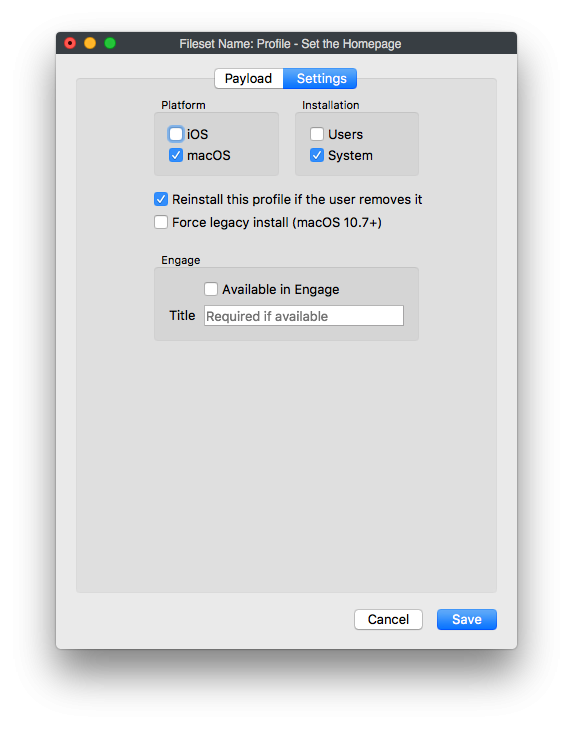
 4. Double click on the newly created profile → select the settings tab → uncheck the box for "Users" under installation and check the box for "System" under installation.
![Screen Shot 2018-01-03 at 9.07.36 AM.png](https://kb.filewave.com/uploads/images/gallery/2023-05/scaled-1680-/9kSmidKEbDJOCVR4-screen-shot-2018-01-03-at-9-07-36-am.png)

 5. Then deploy the profile out to your selected macOS devices.

### Notes

Some additional options that may require consideration:

<div class="code panel pdl conf-macro output-block" data-hasbody="true" data-macro-id="294059c0-55ce-41e2-890d-f5be81a4cae6" data-macro-name="code" id="bkmrk-additional-keys"><div class="codeHeader panelHeader pdl">**Additional keys**</div><div class="codeHeader panelHeader pdl"></div></div>```
Key: LastSafariVersionWithWelcomePage-v2
Type: String
Value: 9.0
(Description: Show Safari Welcome Page to new users.  String set as last version of Safari welcome page was shown; may require changing with newer versions of Safari)

Key: NewWindowBehavior
Type: Number
Value: 0
(Description: Policy for new window contents. 0 = show homepage\, 1 = show empty page\, 2 = show same page as current window/tab\, 3 = show bookmarks)


Key: NewTabBehavior
Type: Number
Value: 0
(Description: Policy for new tab contents. 0 = show homepage\, 1 = show empty page\, 2 = show same page as current window/tab\, 3 = show bookmarks)
```