Signed Apple Profiles
What
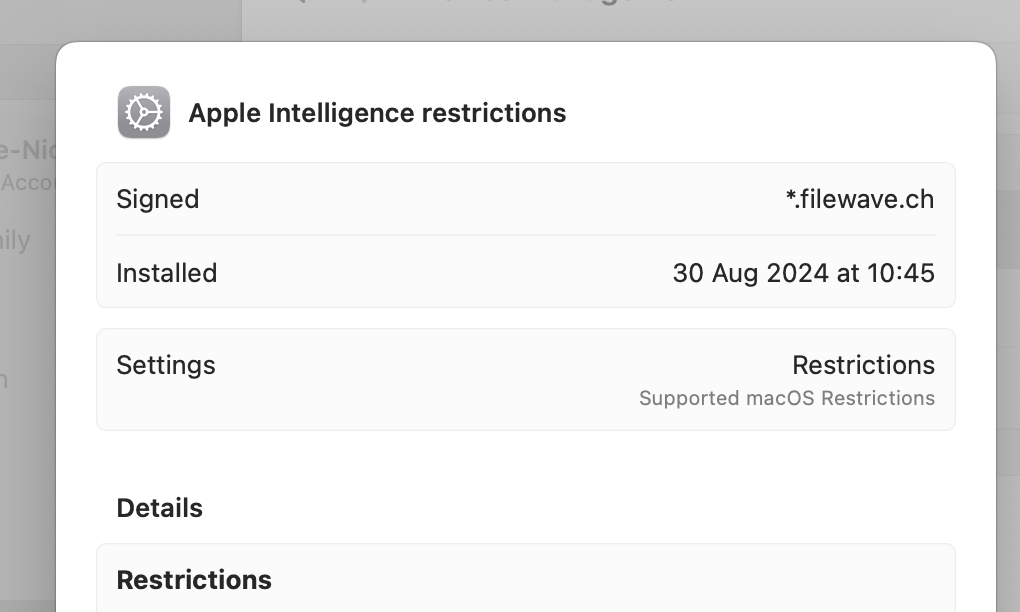
FileWave automatically signs configuration profiles deployed to Apple devices. Profile signing helps verify the authenticity and integrity of the profile so the device can detect whether the profile was altered after signing. FileWave also lets you export a signed profile when you need to use that profile outside of FileWave, such as with Apple Configurator.
When/Why
When does profile signing occur?
- During deployment: Apple configuration profiles are signed automatically when FileWave prepares them for deployment. You do not need to manually enable signing for normal profile deployment.
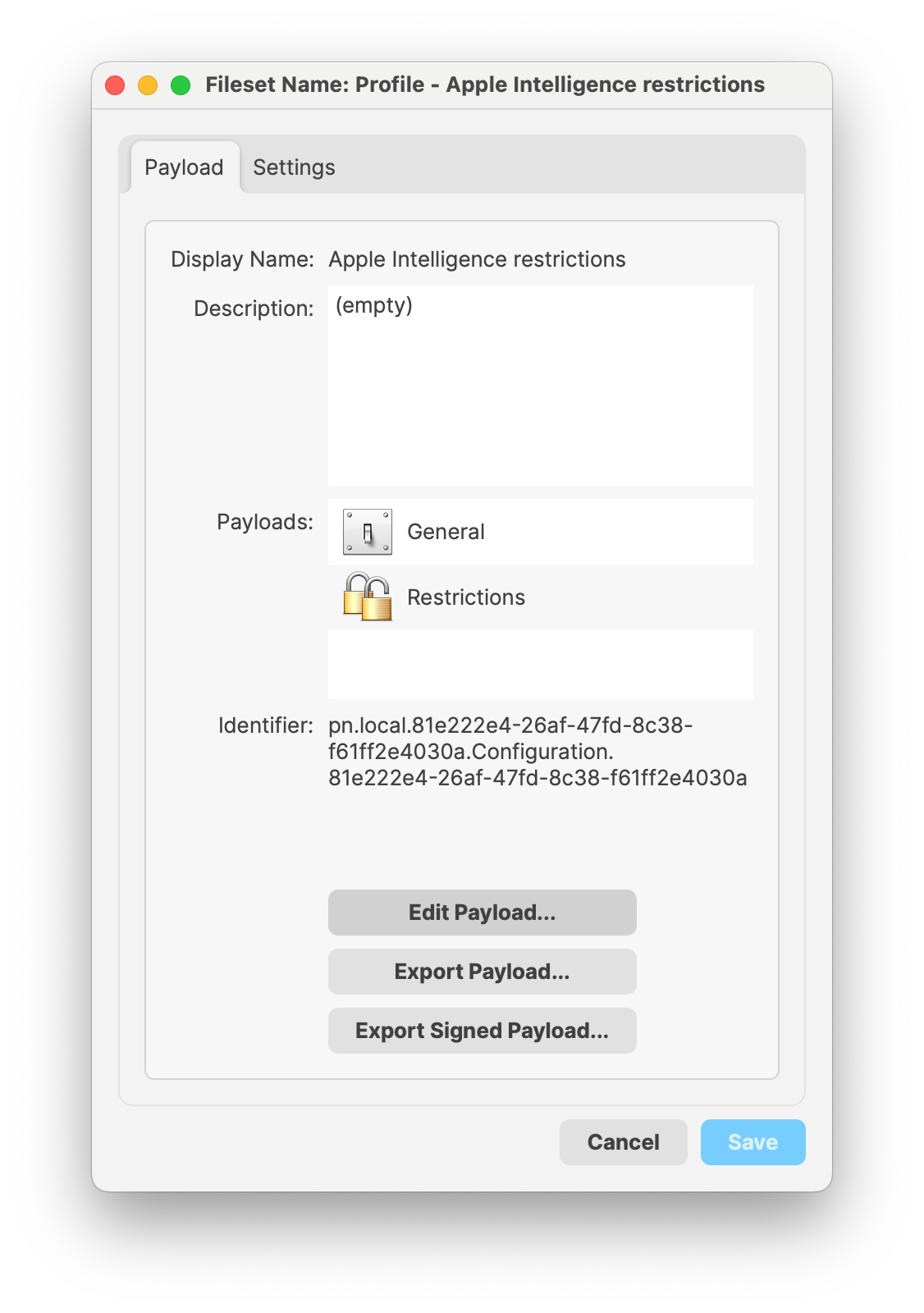
- During export: Use Export Signed Payload... when you need a signed
.mobileconfigfor use outside of FileWave.
Why is profile signing important?
- Trust: Signing identifies the profile as coming from a trusted source.
- Integrity: Signing helps confirm the profile content has not changed between signing and installation.
- Compliance: Many organizations require signed profiles as part of their device-management security policy.
- Reuse: Exporting a signed profile helps keep the same profile consistent when it is installed through another Apple management workflow.
How
Deploying signed profiles
Deploy the Apple profile normally. FileWave signs the profile as part of the deployment process.
Exporting signed profiles
If you need to use the signed profile outside of FileWave, open the profile Fileset properties and choose Export Signed Payload....