Import the example Fileset first, but do not associate it with production devices until you have replaced the placeholder script with the tenant-specific Microsoft script and tested the result.
In the Microsoft Defender portal, go to **System > Settings > Endpoints > Device management > Onboarding**. Select **Windows 10 and 11** and the local script deployment method, then download the onboarding package. Microsoft documents the current Windows onboarding flow here: [Onboard Windows client devices to Microsoft Defender for Endpoint](https://learn.microsoft.com/en-us/defender-endpoint/onboard-client). Microsoft also documents the local script method here: [Onboard devices using a local script](https://learn.microsoft.com/en-us/defender-endpoint/configure-endpoints-script). [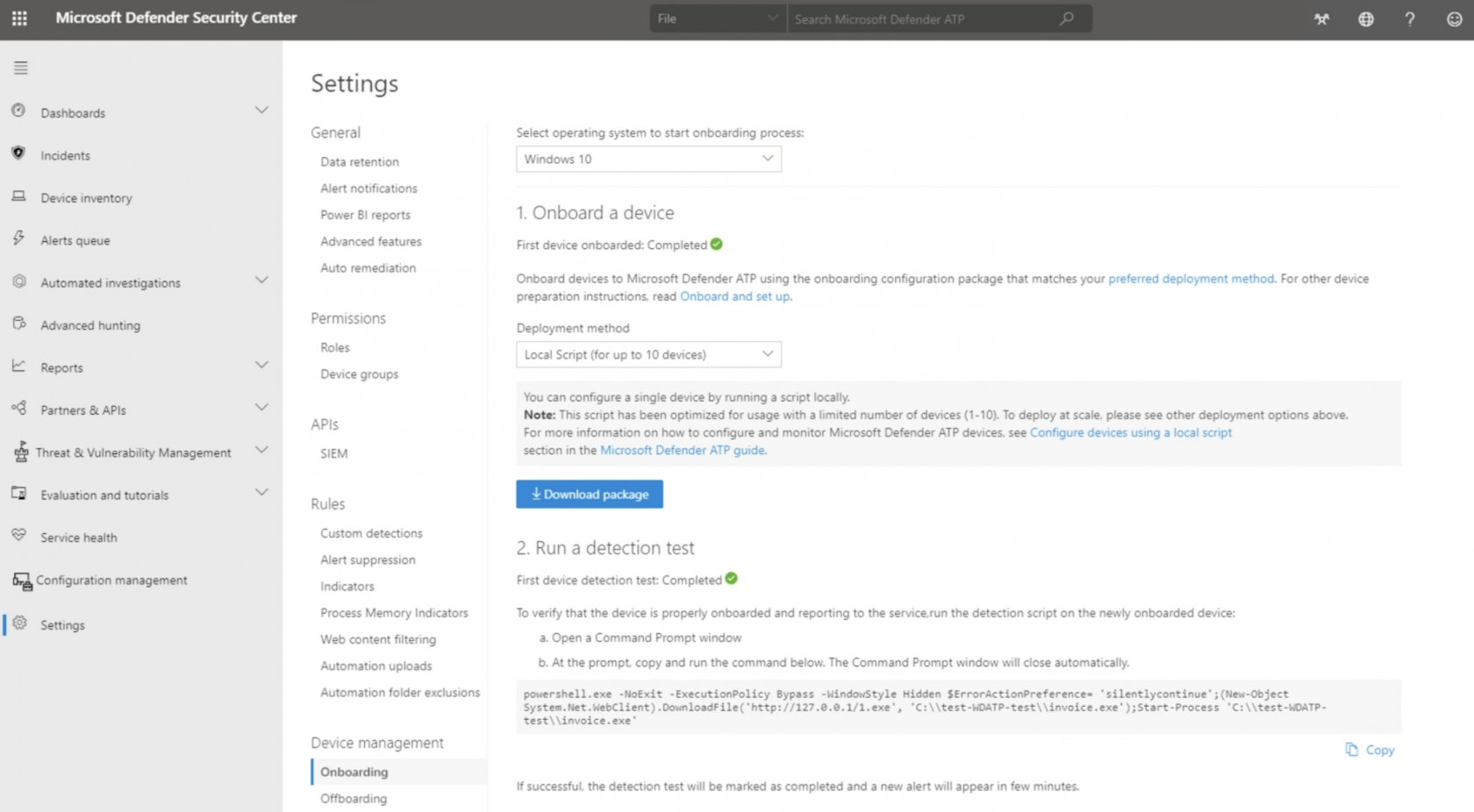](https://kb.filewave.com/uploads/images/gallery/2023-09/NwiTfImjvlnYyyIb-image.png)The Microsoft-generated onboarding script contains tenant-specific onboarding data. Treat it as tenant-specific configuration; do not reuse it across tenants or paste a script generated from another customer account.
The tenant-specific data can be seen in the script near the `OnboardingInfo` registry value, for example: ``` REG add "HKLM\SOFTWARE\Policies\Microsoft\Windows Advanced Threat Protection" /v OnboardingInfo /t REG_SZ /f /d "{\"body\":\"{\\\"previousOrgIds\\\":[],\\\"orgId\\\":\\\" ``` ## Directions 1. Download the example Fileset and import it into FileWave. 2. In the imported Fileset, edit the placeholder script file. Microsoft currently provides the local onboarding script in the downloaded ZIP package as `WindowsDefenderATPLocalOnboardingScript.cmd`. If the example Fileset uses a `.bat` placeholder, paste the Microsoft-generated script contents into that placeholder and keep the Fileset execution settings pointed at the same file. [](https://kb.filewave.com/uploads/images/gallery/2023-09/TPpuf58pZuyXWVO5-image.png) [](https://kb.filewave.com/uploads/images/gallery/2023-09/y2zmbv6KdScYaZg8-image.png) ### Assign to devices Assign the Fileset to a small test group first, preferably by using a Deployment for new workflows. Associations can still be used where appropriate. Update the Model, let the test devices check in, and confirm the devices appear correctly in the Microsoft Defender portal before expanding the scope.If you adapt this recipe for offboarding, download a fresh offboarding package from Microsoft when needed. Microsoft states that local offboarding packages expire seven days after download.