As described, this only blocks macOS Installer Applications. Preventing users from using Software Updates can only be achieved with [Defer Apple OS Updates](https://kb.filewave.com/books/software-updates-apple/page/defer-apple-os-updates) and you should consider this because Software Update is capable or running the upgrade even with this solution in place.
Apple automatically instals the latest installer application on devices, allowing users to upgrade to the next major release of macOS. The following provides a method to prevent users from running the application, ensuring administrators have the required time to prepare the business.The provided Fileset includes an unaltered version of the Open Source Software [Pashua](https://www.bluem.net/en/projects/pashua/), which is licensed under the [3-Clause BSD License.](https://opensource.org/licenses/BSD-3-Clause)
The attached Fileset uses Pashua configuration files such as `warning_en.txt` and `warning_de.txt` to control the warning window text and placement. If the warning title and message overlap on newer macOS releases, adjust those Pashua layout values in the Fileset and test on the target macOS version before redeploying.
## Information The attached Fileset prompts users with a message, including alternate languages. There is also allowance for control over which versions of macOS Installers are blocked. The only requirements are the following Filesets: - [mac0S - Block macOS Installer Pashua Daemon.fileset.zip](https://kb.filewave.com/attachments/252) If running macOS 13 or higher, this profile is also required. - [Profile - Block Notifications](https://kb.filewave.com/attachments/247)A requirement script is included to ensure the profile is installed first, before downloading and installing the blocker.
Optionally the following Custom Field may be used to monitor the quantity of times users attempt to upgrade devices: [macOSAppInstallerBlockAttempts.customfields.zip](https://kb.filewave.com/attachments/129)The above installs launchd services. Disassociation of the Fileset will unload these services as well as remove all files.
**macOS 13+ Login Items:** The user-visible notifier runs from the LaunchAgent label `com.filewave.blockmacosinstall.notifier`. To prevent standard users from disabling that background item, deploy a macOS Managed Login Items profile for that label where supported. The attached notification profile only controls notifications; it is not a Managed Login Items profile.
## Directions The Fileset is currently configured to block `Install macOS Ventura.app` and future versions of the macOS installer app; it would also stop beta installer apps in that version range. Version control is managed by the plist file in `/usr/local/etc/block_macos_updates/`: ``` com.filewave.blockmacosinstaller_user.plist ``` Contents of the file: ```The script defines a version to block (and versions above) in the case that no plist file is found. This is set to 15, since this should never be the case and is a capture to prevent unwanted updates in this unexpected instance.
## Message Localisation When the installed service blocks the App, a message is reported to the user. Examples have been provided for English and German. 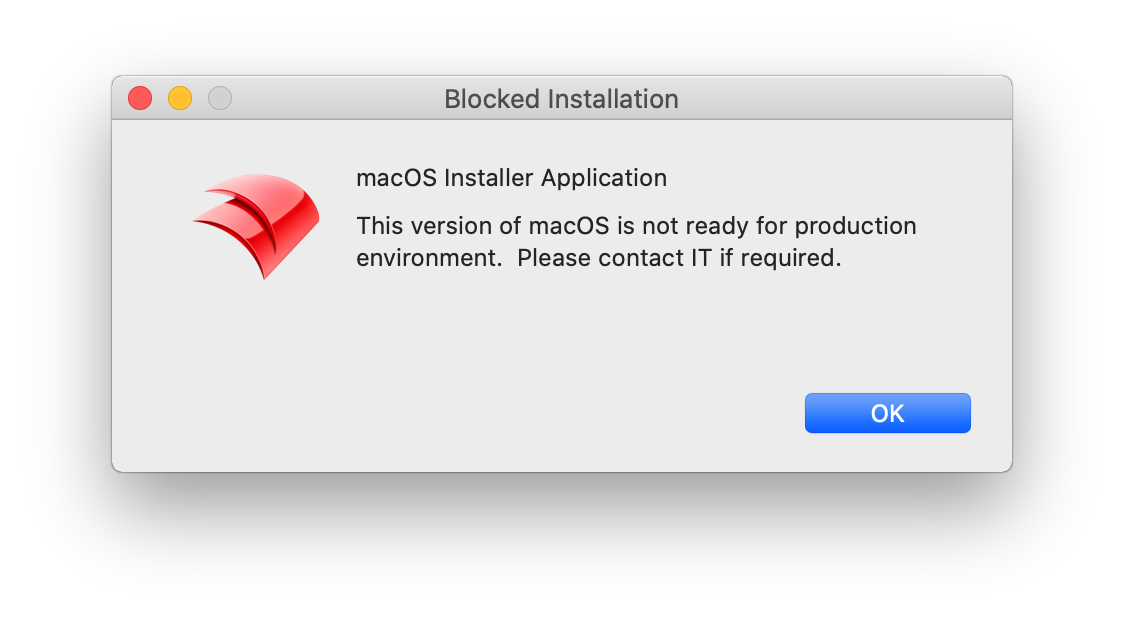 The language is determined by the first two characters from the following command: ``` $ defaults read -g AppleLanguages | awk -F "\"" '/\"/ {print $2; exit}' en-GB ``` As such en-GB, en-US, en-AU, etc will all result in an English version. Language template files are stored in the path: ``` /usr/local/etc/block_macos_updates/ ``` English and German respectively: - warning\_en.txt - warning\_de.txt Copy and edit the files appropriately for additional languages. ## Example to add French User has French language set: ``` $ defaults read -g AppleLanguages | awk -F "\"" '/\"/ {print $2; exit}' fr-FR ``` Based upon this, create a copy warning file (note the suffix '\_fr'): - warning\_fr.txt Edit '\*.title' and default message 'txt1.default' appropriately: ``` # Set window title *.title = Installation bloquée # Introductory text txt.type = text txt.default = macOS Installer Application txt.height = 100 txt.width = 310 txt.x = 100 txt.y = 120 txt1.type = text txt1.default = Cette version de macOS n'est pas prête pour l'environnement de production. Veuillez contacter le service informatique si nécessaire. txt1.height = 100 txt1.width = 310 txt1.x = 100 txt1.y = 50 img.type = image img.x = 20 img.y = 70 img.maxwidth = 64 img.path = /usr/local/etc/FileWave_Icon.png ```Text content will impact the view. Consider changing height, x and y values if the view does not appear as intended.
Upload and replace the 'img.path' as your own company logo for customisation.
## Logging The launchd scripts have additional logging which will be available in Apple's Console (Debug level Info). For example: [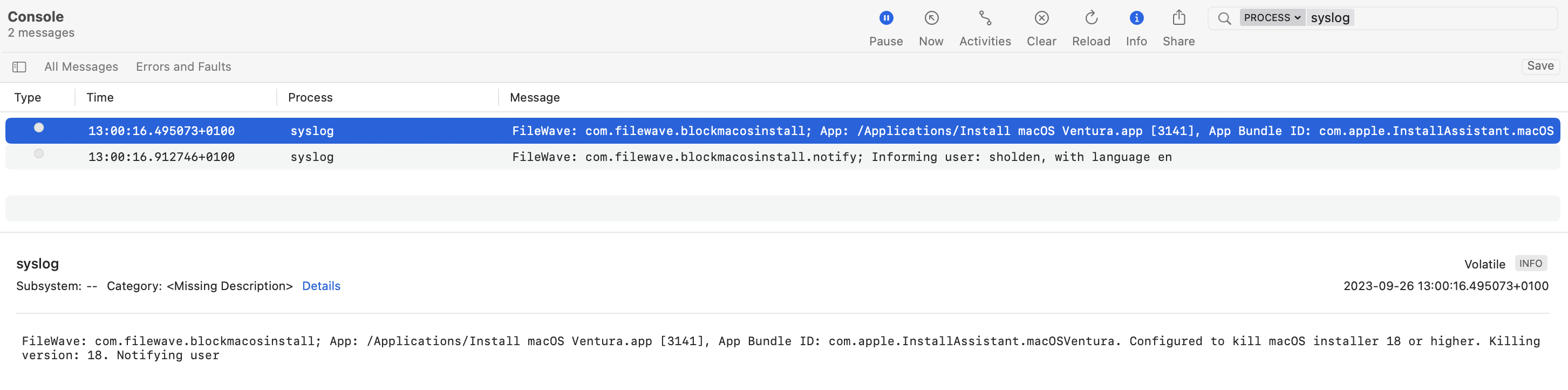](https://kb.filewave.com/uploads/images/gallery/2023-09/1BoIBOfhvUMIjmwi-image.png)