# Inventory Items in Scripts
## What
- Each inventory item, including each Custom Field, has an internal name.
- Scripts can use that internal name to read inventory values supplied by FileWave.
- Add the internal name as either a launch argument or an environment variable for the script.
- This applies to Custom Field scripts, Policy Blocker scripts, and Fileset scripts.
## When
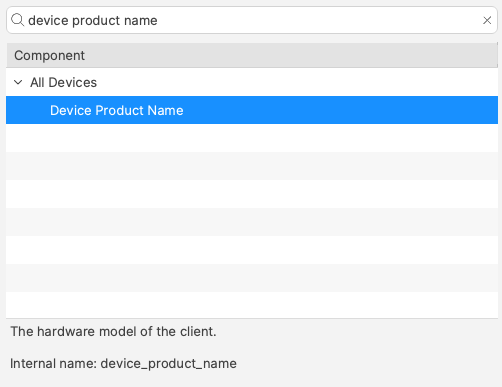
Find the internal name in the Inventory Report editor (formerly the Inventory Query Editor). The example below shows the internal name ‘device\_product\_name’.
Add that value to the script as either a launch argument or an environment variable.
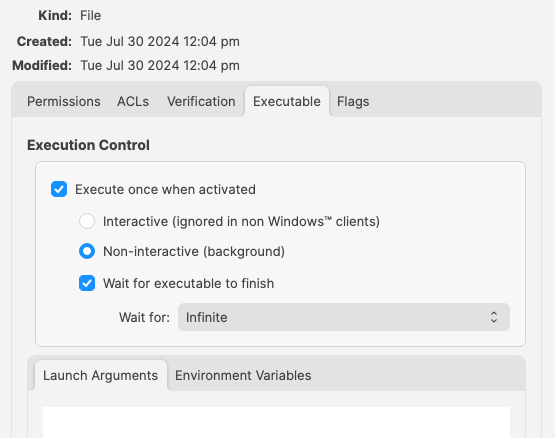
But, which should be used?
## How
Either method can work. Choose the one that makes the script easiest to read and maintain:
- Launch Arguments are referenced by their numerical position
- Environment Variables are referenced by a chosen name
- Custom Fields have an abbreviated name and a full name. Custom Field names could overlap with a built-in Inventory Item.
### Built-In Inventory
In most cases, environment variables are easier to read because the script can use a meaningful variable name instead of relying on launch-argument position.
For example:
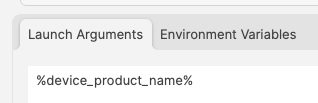
Could be referenced in a script as:
| macOS shell | echo $1 |
| Windows Powershell | echo $args\[0\] |
But to make the parameters more easily recognisable for anyone reading the script, it could be desirable to name them:
| macOS shell | ```
product_name=“$1”
echo $product_name
```
|
| Windows Powershell | ```
$product_name=“$args[0]”
echo $product_name
```
|
References to the provided inventory parameters in the script now makes more sense, but as mentioned, Environment Variables take this a step further:
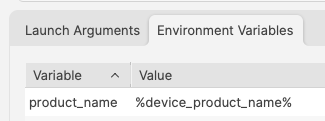
A variable name is already defined and this can be referenced in the script directly
```
echo $product_name
```
### Improvements
#### First Improvement
To improve the readability of the script further, consider setting the variable name to match the value, e.g:
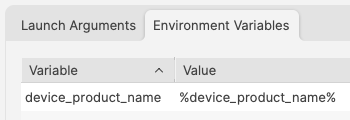
```
echo $device_product_name
```
#### Second Improvement
When referencing a Custom Field in a script, it could be referenced in one of two ways.
Example Custom Field: State
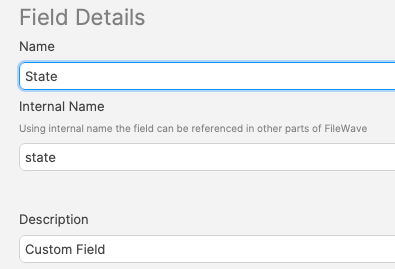
Note, the description has been used to indicate this is a Custom Field. Inventory Query editor shows Description.
This could be referenced with:
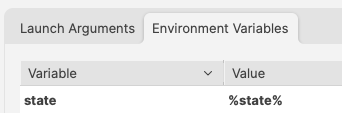
and
```
echo $state
```
However, there is a built-in Inventory Item called State. So there are now two Internal Names of ‘state’
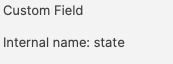

The above scripted example for 'state' would actually report the built-in value, not the Custom Field. There is, though, a hidden prefix that can be used.
This Custom Field could be referenced as either:
- %state%
- %CustomFields.state%
The latter prevents an unexpected collision with the matching built-in internal name. To make the parameters obvious when reading the script:
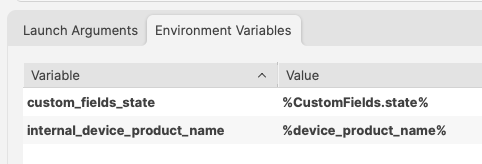
```
echo $custom_fields_state
echo $internal_device_product_name
```
Notice, despite no prefix existing for built-in Inventory Items, by including a prefix for both variables in the Environment Variables definitions, reading the script will be much clearer.
Anyone reading the script is now aware that state is a Custom Field, without having to cross reference anything. Likewise, the reader also is aware that the device\_product\_name also comes from Inventory, again, without any cross reference necessary.
### Unknown Inventory
Not all Inventory Items are available as parameters.
The FileWave Client builds the inventory report and returns it to the server. Custom Fields, including server-side Administrator Custom Fields, are available to the client. Inventory returned only by MDM is not available to client-side scripts because the client does not know those server-side values.
%CustomFields.location%