**FileWave 16.4 and later:** Use [Checking Apple Profile Compatibility](https://kb.filewave.com/books/top-tips/page/checking-apple-profile-compatibility-164) to compare the profile with Apple’s published platform, operating-system, and enrollment requirements before deployment.
### Key aspects: - A Profile may contain multiple Payload types - Multiple Profiles may be pushed to each device - macOS devices have an additional option: should the Profile be set against the User or the System? Example Profile with multiple Payloads: 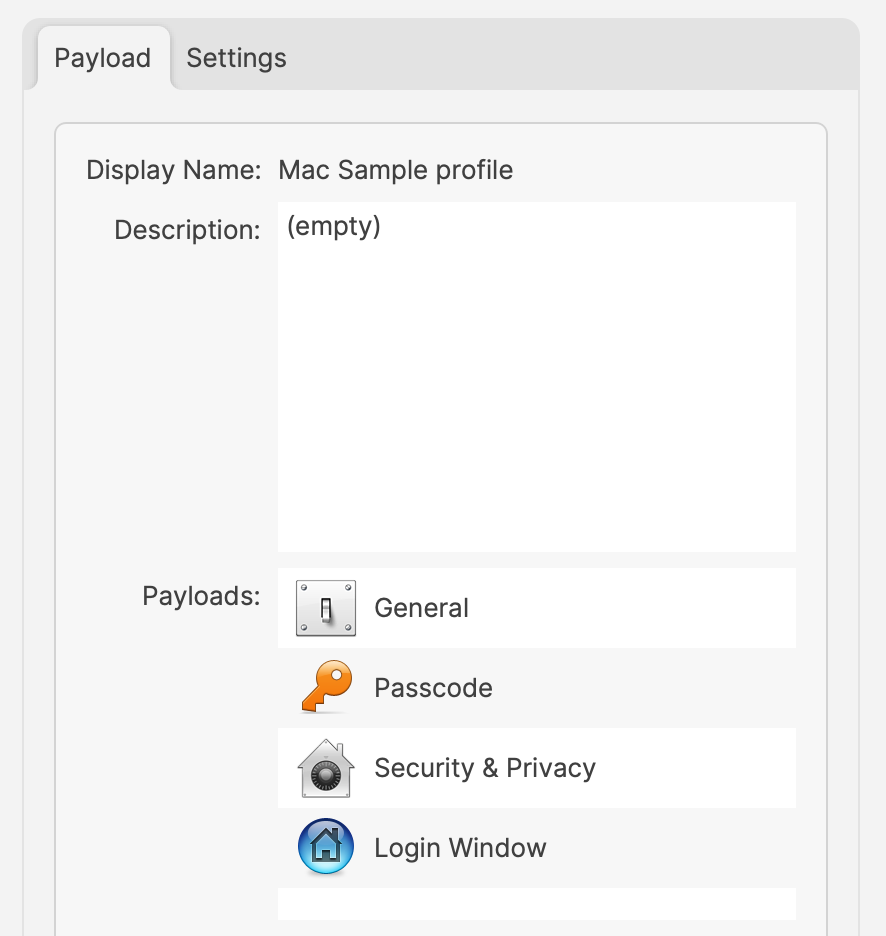 For the same above Payload, the Settings show: 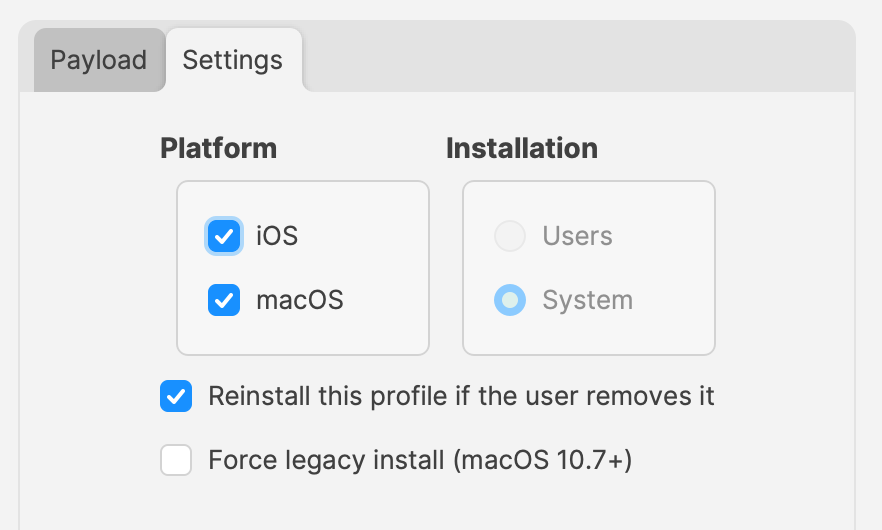 Apple’s implementation is such, that only one local user can be managed (the first user after enrolment). However, any amount of directory users can be managed. This restriction applies to User set Profiles only. Not all Payload types can be User or System. Some may only be User or only System, rather than the choice. From the screenshot above, the Settings show System is the only choice and is therefore greyed out. Possibly, one of the most important consideration:Where multiple Profiles are assigned which contain the same Payload type (but differing settings), Apple do not guarantee the experience. There used to be a suggestion for restrictive Payload settings, the most restrictive wins, but other Payload types have always had this mention.
## How Firstly, overlapping Payloads should be avoided, to ensure experience is by design, not luck. Next, from the above, Profiles can contain many Payloads, but should they? Consider: - Having an experience that is undesired in the Profile - Needing to ‘Force Reinstall’ a Profile ### Undesired Experience: More items in the Profile makes it harder to identify anything occurring that is undesired. Removing the undesired experience temporarily, whilst identifying, involves removing the entire Profile, which could easily be undesirable in its own right. By creating multiple Profiles with different Payloads, instead of one massive Profile with lots of Payloads, makes identifying and resolving unexpected experiences, much more easily with less impact. ### Force Reinstall This option can be desirable for a few reasons, but consider this example: - Profile contains a Payload with a value that is set by way of a Custom Field or Inventory item. - Custom Field or Inventory Item is altered and devices need that new value to be applied within the Profile Payload An example Web Clip Payload, using a Custom Field to populate the value: 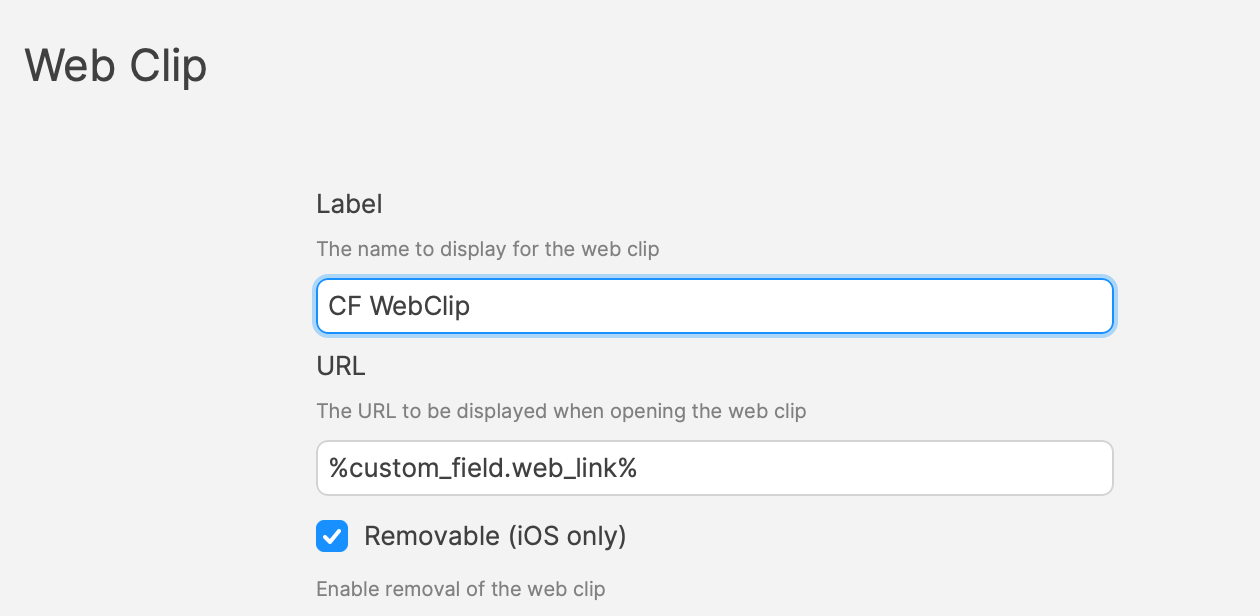 When a Profile is altered, FileWave will note the Profile as Modified and the Profile will be redelivered with the new settings. However, when changing Custom Field or Inventory values, there is no change to the Profile. The Payload referencing the Custom Field or Inventory item is still referencing this, it is only during delivery that the value is noted and entered in the Profile. As such, if the referenced Custom Field or Inventory values are altered for devices, the current Profile will need to be reinstalled. A ‘Force Reinstall’ will ensure this occurs, but two things occur from this action. The current Profile is removed and the updated Profile is installed. Consider, what is the consequence of Profile removal? With the above in mind, always consider what is being included in a Profile and therefore keep each Profile lean in content; try not to overload too many Payloads into one Profile. ### Overlapping Payloads What is an overlapping Payload. This is when two or more Profiles are trying to manage the same thing, but with different settings. This shouldn’t be confused with multiple allowed Payloads. For example: Profiles to manage the Dock. One Profile sets the dock on the right and the other on the left. This is overlapping and should be avoided: 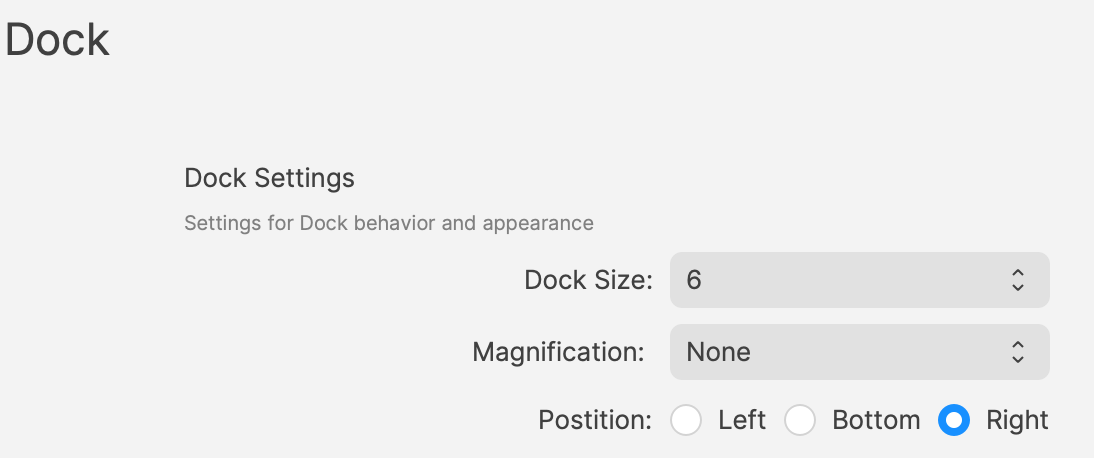 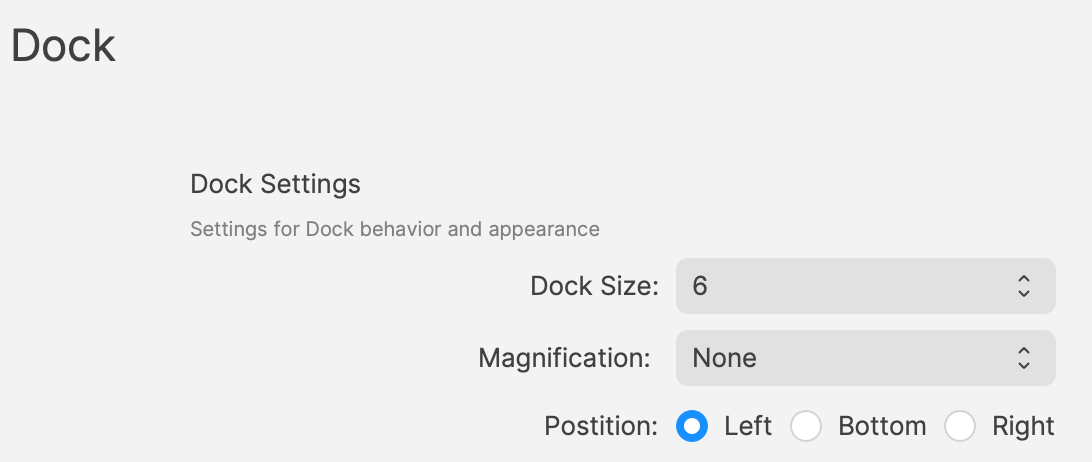 If both of the above were assigned to a device, how could the device possible determine which should be obeyed? Profile to provide certificates. One Profile provides one certificate and another Profile provides a different certificate. This isn’t overlapping. Providing multiple certificates is desirable and need not be from one single Profile. ### User vs System Within the settings of Profiles is an option to define whether the Profile should apply to users or system. Some Payloads may be set as User or System only, but not either, whilst others may be either. A Profile must have a setting, so a default will be used when a Profile Payload is first added. Always check to confirm it is set as desired. A Profile may only have one setting applied. FileWave will therefore prevent the addition of a User only Payload to a Profile already containing another Payload set as System. However, where Payloads may be either, if a Profile already contains a Payload, any additional Payloads that can be added will all be set with the same setting. For example: - Create a new Profile and add the Login Window Payload - Save the Profile and re-open to observe the Settings (should be shown as System and greyed out) - Create another new Profile and add a Dock Payload - Save the Profile and re-open to observe the Settings (should show as either System or User, but defaulted to System). - Change to User, save and re-observe the change It can be seen that the Login Window is System only, yet the Dock Payload could be either - Re-open the Login Window Profile created above and add the Dock Payload to this Profile - Save and re-open to observe the Settings The Settings remain as System and the applied Dock Payload will therefore be set for the System and not User. If a Dock Profile of User were required, it should not be included in a Profile that already contains a Payload that is set as System. ## Why Should all of the above be of consideration? Why would User be chosen over System? If System will work for all users, why not just set all Profiles as System where possible. However, what if the settings included were only for users, but not for a hidden Admin account. This local admin account is not managed by MDM. By setting System level, any Profiles built this way will impact this user, along with the managed local user and any directory users. This may be undesirable. Passcode policy could be an example. Some Payload types require certain types of enrolment. Many Payload settings require Supervision, for example. macOS devices managed via User Enrolment, do not qualify as Supervised. 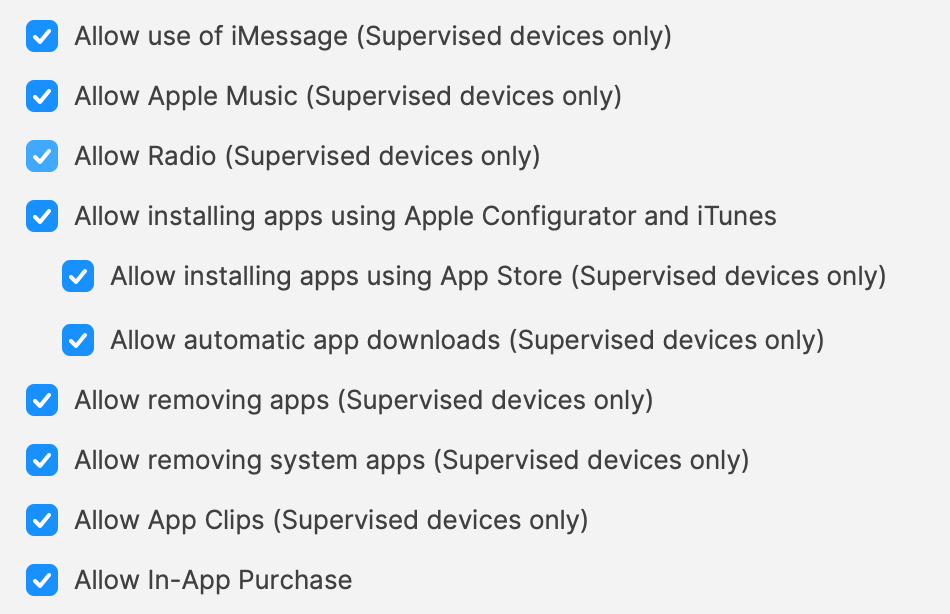 ### FileWave 16.4 Profile Editor considerations #### Configure Dock settings independently FileWave 16.4 extends granular configuration to the macOS Dock payload. Configure only the Dock settings the profile should manage—for example, the required Dock applications—without forcing unrelated properties such as size or animation behavior. Granular settings make focused profiles easier, but they do not make overlapping Dock profiles safe. Keep the profile narrow and use [Checking Apple Profile Compatibility](https://kb.filewave.com/books/top-tips/page/checking-apple-profile-compatibility-164) before targeting mixed macOS versions. #### Allow List and Deny List terminology FileWave 16.4 follows Apple’s current **Allow List** and **Deny List** terminology in the Profile Editor. Existing profiles created with the former Whitelist/Blacklist field names continue to work without being rebuilt. When a profile is edited, FileWave maintains compatibility with older and newer Apple operating systems so a mixed-version fleet does not require duplicate profiles solely for the terminology change. ### Planning The above comes down to planning. Profiles could contain multiple Payloads based upon functionality and for User or System determined targeting. Who needs to be managed? Local user (all or just managed) and/or directory users. Consider the impact if a Profile were ‘Force Reinstalled’ or if it was deemed necessary to temporarily remove the association to one or more devices, for whatever reason. Also give thought to how devices will be purchased and enrolled depending upon what needs to be managed. Using a BYOD scheme and only using User Enrolment will greatly reduce what can be managed, whist ADE(DEP) gives the maximum amount of control through Profiles. Will the choice made, incur additional concerns over security, if desired management cannot be achieved?