# Active Directory Join (Windows)
## Description
This Fileset is designed to bind Windows computers to a Directory structure. By associating this Fileset the binding process can be automated.
## Ingredients
- Active Directory domain
- Windows 10 or 11 filewave client
- FileWave Admin
## Directions
1. Download the Active Directory join fileset template: [Active Directory Join.fileset.zip](https://kb.filewave.com/attachments/122)
2. Unzip and import the fileset into FileWave Admin.
3. Open the Fileset, highlight the join\_ad.ps1 script and choose Get Info > Executable > Environment Variables.
4. Modify these variables to reflect the Active Directory environment:
```
user
password
domain
ou
```
THIS SCRIPT WILL FORCE THE MACHINE TO RESTART. IF THAT IS NOT THE BEHAVIOR THAT IS DESIRED REMOVE THIS LINE FROM THE JOINDOMAIN.PS1 FILE:
Restart-Computer -Force
THIS SCRIPT WILL DELETE ITSELF ONCE IT HAS RUN ON THE CLIENT MACHINE LOCALLY.
**Example**:
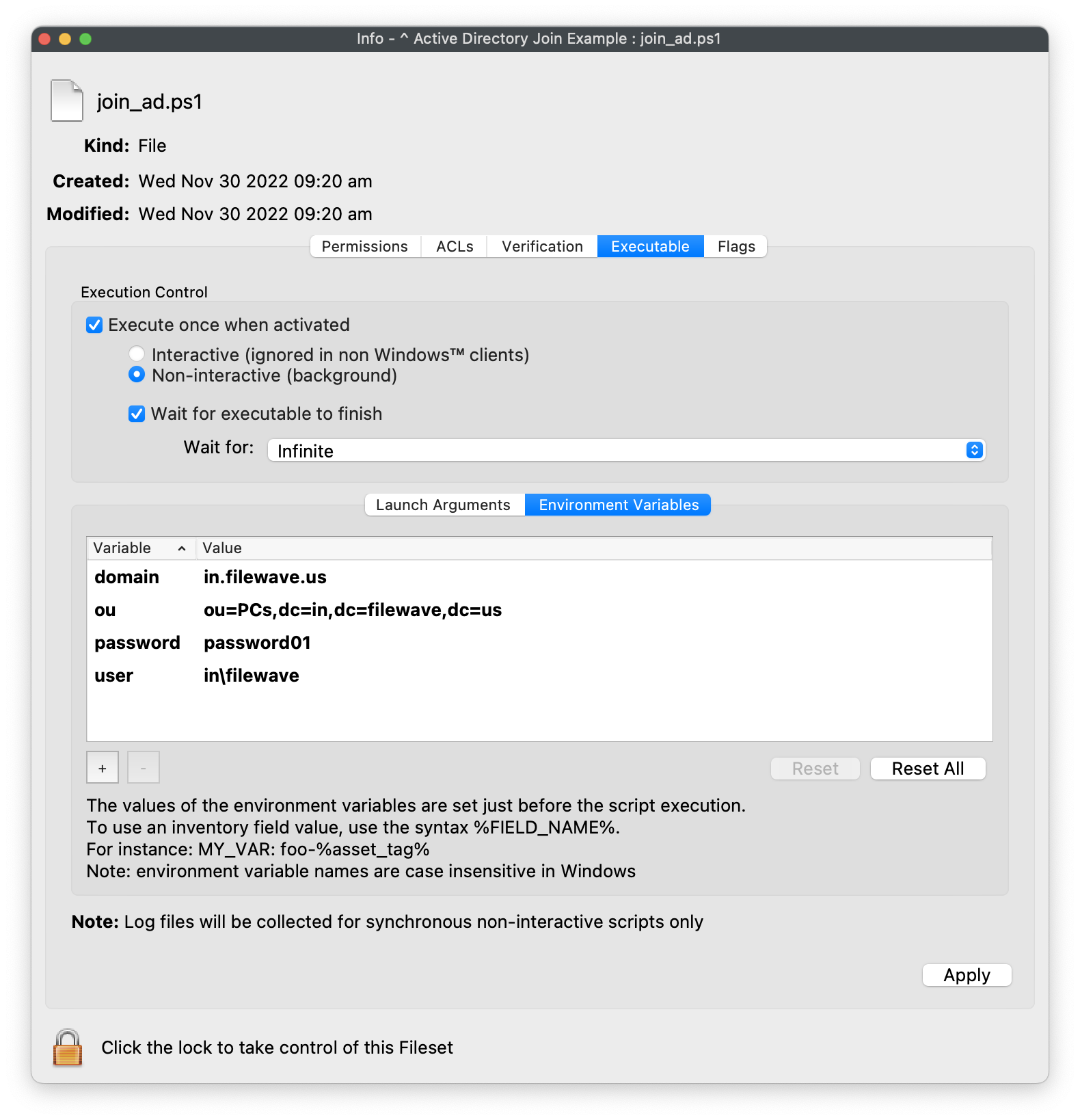
For the user, please use full path like
e.g. "domain\\username"
Save changes and associate the Fileset to either Windows 10 or 11 client machines!