Supported font type This Fileset was tested with TrueType (.ttf) fonts on Windows 10 Pro 1803 and 1903. Test the edited Fileset on your current Windows build before broad deployment.
Registry EditingThis Fileset edits the Windows registry. Follow the setup steps carefully so only the font files you intend to deploy exist in the suggested folder.
### Information Download and import the Fileset, then replace the placeholder with the fonts you want to deploy. ##### [Windows Instal Fonts.fileset.zip](https://kb.filewave.com/attachments/107) ### Description The Fileset consists of: - An activation script - A folder for the font files, with a placeholder file 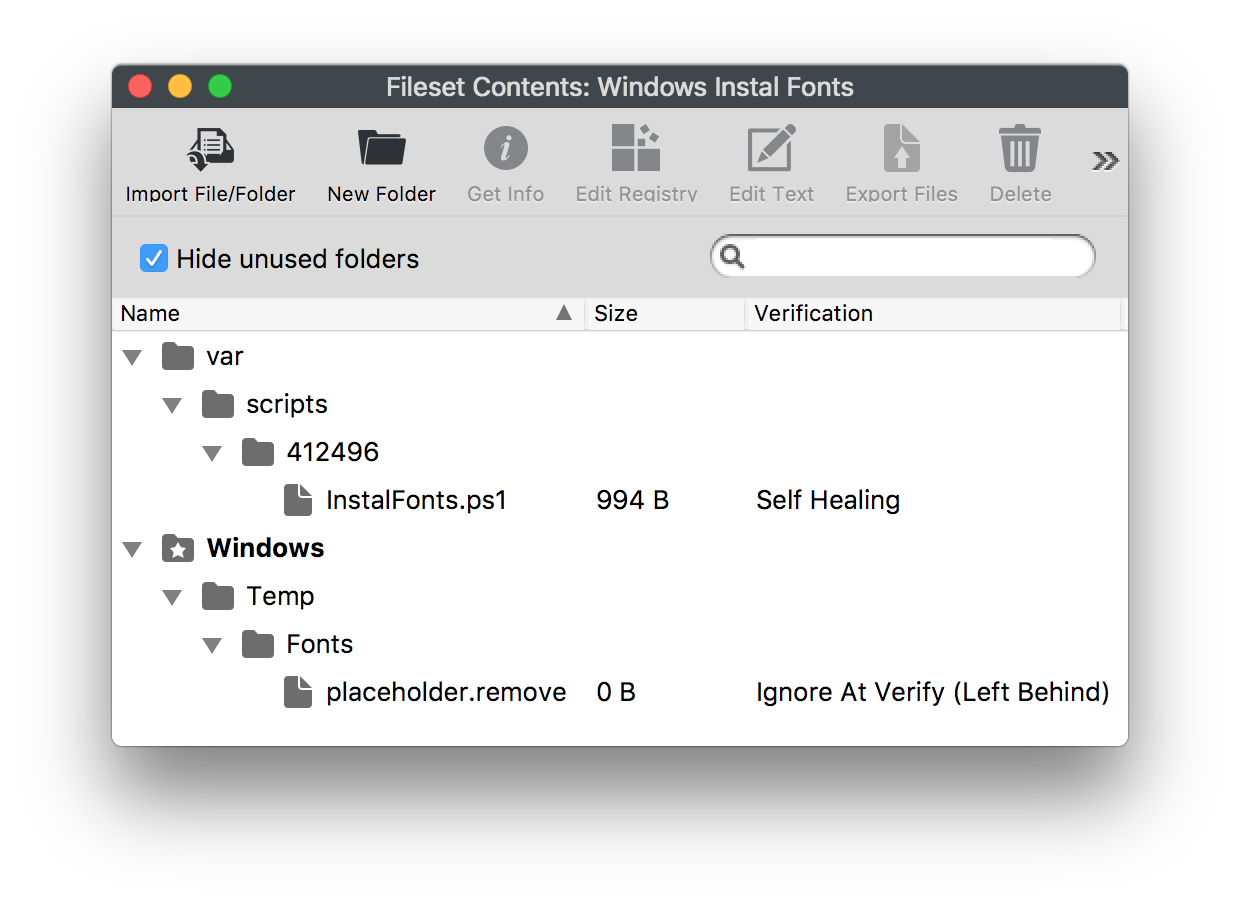 #### Adding Fonts - Select the font files in macOS Finder or Windows Explorer. - Drag them into the Fileset folder **Windows > Temp > Fonts**. - Select the Fonts folder in the Fileset, choose **Get Info > Verification**, then set **Ignore At Verify** and **Apply to Enclosed**. - Remove the `placeholder.remove` file. Example, Montserrat font: 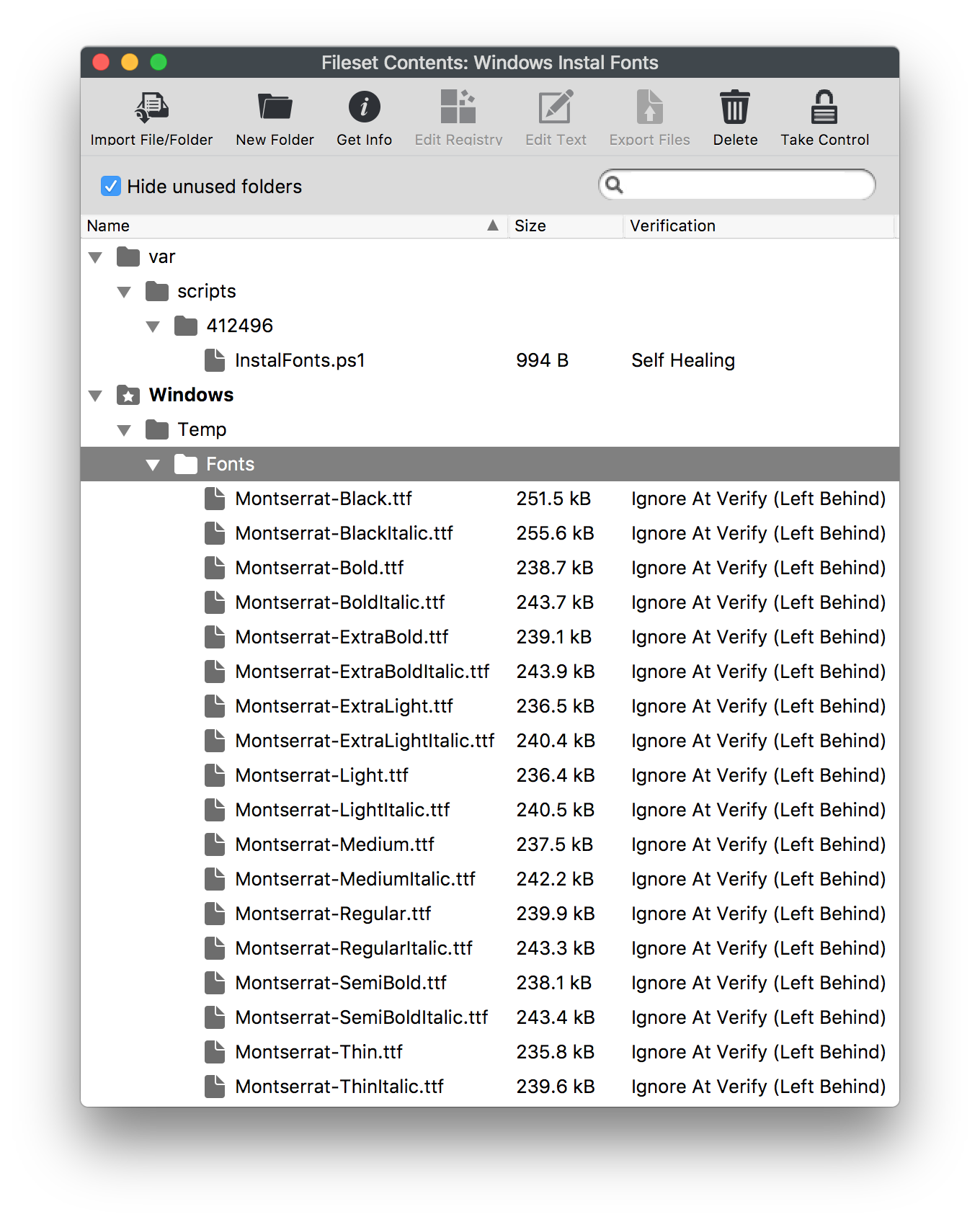 #### Deployment On association and activation, the script will: - Copy all files from `C:\Windows\Temp\Fonts` to `C:\Windows\Fonts` if they do not already exist. - Create a registry entry for each copied file if one does not already exist. - Remove each file from the temporary directory: `C:\Windows\Temp\Fonts`. #### Changing Temporary Folder To use a different temporary folder: - Drag the fonts to the desired location in the Fileset. - Change the launch argument to match: **InstalFonts.ps1 > Get Info > Executable**. 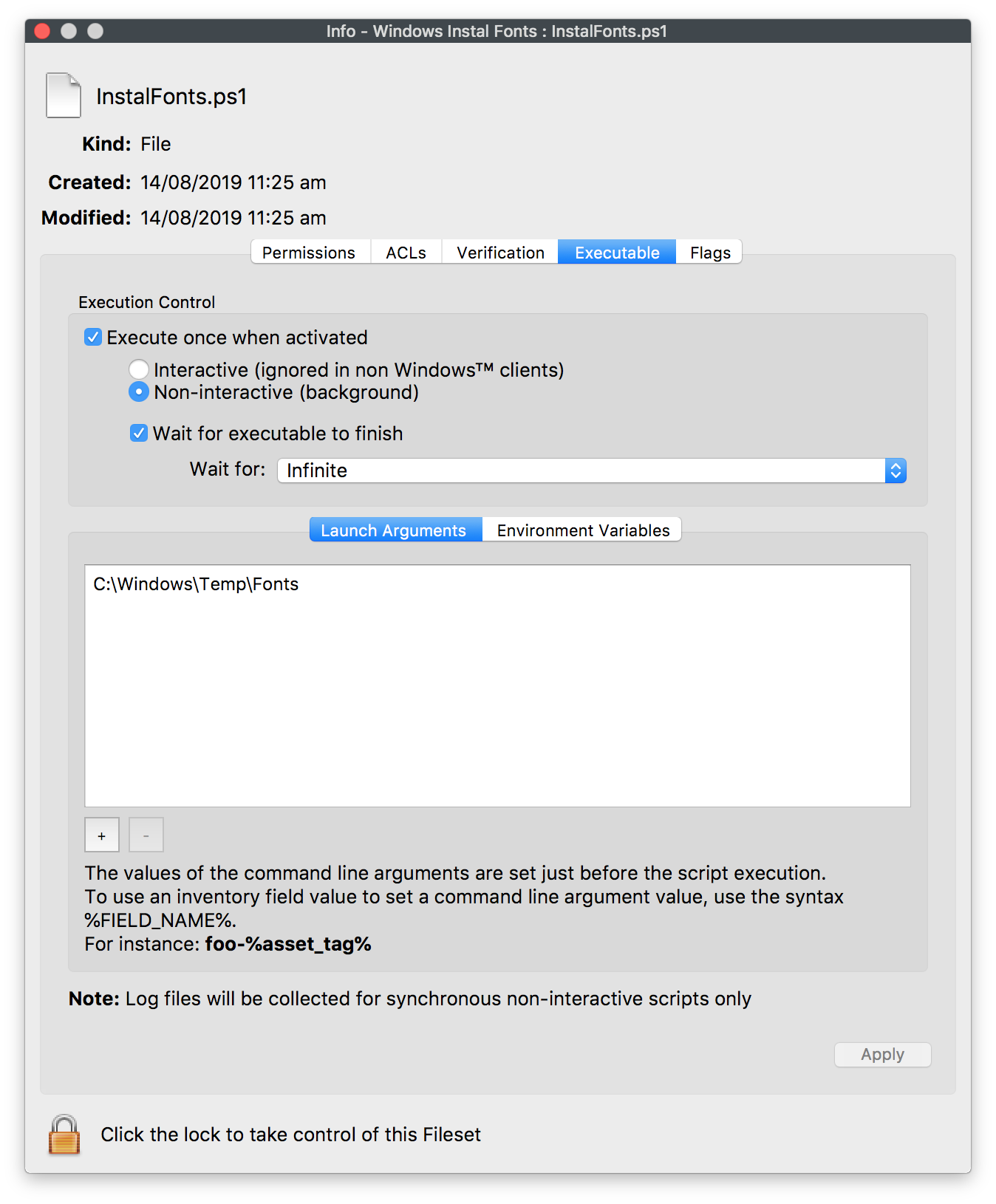 Test on a small group of appropriate Windows devices before deploying broadly.