
Minimum OS version for enrolling Apple devices via ADE
What
MDMFileWave serverscan have the ability to enforcerequire a minimum operating system version on enrolling devices when usingduring Automated Device Enrollment (ADE). ThisDuring feature was added in FileWave version 15.1.0 for macOS 14.0 Sonoma and iOS/iPadOS 17.0. Apple does not support this feature on older versions of macOS or iOS/iPadOS.
When/Why
Minimum OS version allows to ensure that devices are onenrollment, the necessary OS version before being put into production. The MDM willserver sendcan areturn JSONApple's 403required software update response when the device requestsis below the enrollmentconfigured profile.minimum version. The device then guides the user through the required update before Setup Assistant can continue.
Apple supports this minimum-version ADE workflow on devices running iOS 17, iPadOS 17, macOS 14, visionOS 26, or later. Older operating systems cannot use this ADE enforcement behavior.
When/Why
Use a minimum OS version when organization-owned devices must be updated before they enter production. If the minimum operating system versiondevice is needed,below the userrequired willversion, beenrollment guided through a process of updatingpauses, the device.update Restartsruns, will be performed automatically. Once completed,and the device returns to Setup Assistant andafter the update so the user can finish the enrollment and setup process.enrollment.
How
WithIn FileWave 15.1.0 support of minimum OS version was added. To specify minimum OS versionsCentral, open the DEP profile and go to Options →> Requirements. section.Enter Therethe areminimum separate fieldsversion for macOS and/or iOS/iPadOS. Use Apple's version format for the target operating system, and iOSchoose /a iPadOSversion minimumthat OSis versions.actually available for the device.
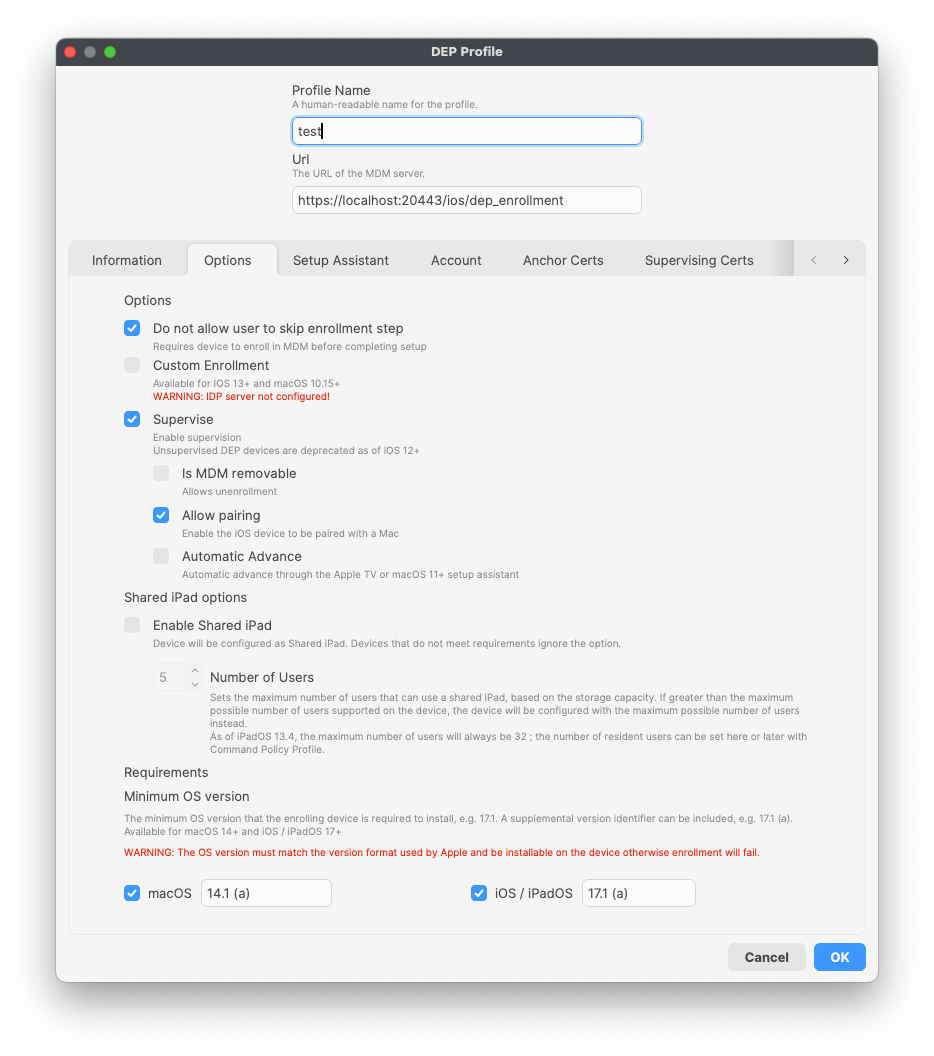
TheYou can also specify supplemental version identifiers can be specified in addition to the standard MAJOR.MINOR.PATCH formatformat. (forFor exampleexample: “17.1 (a).“)
What is displayed on the device?
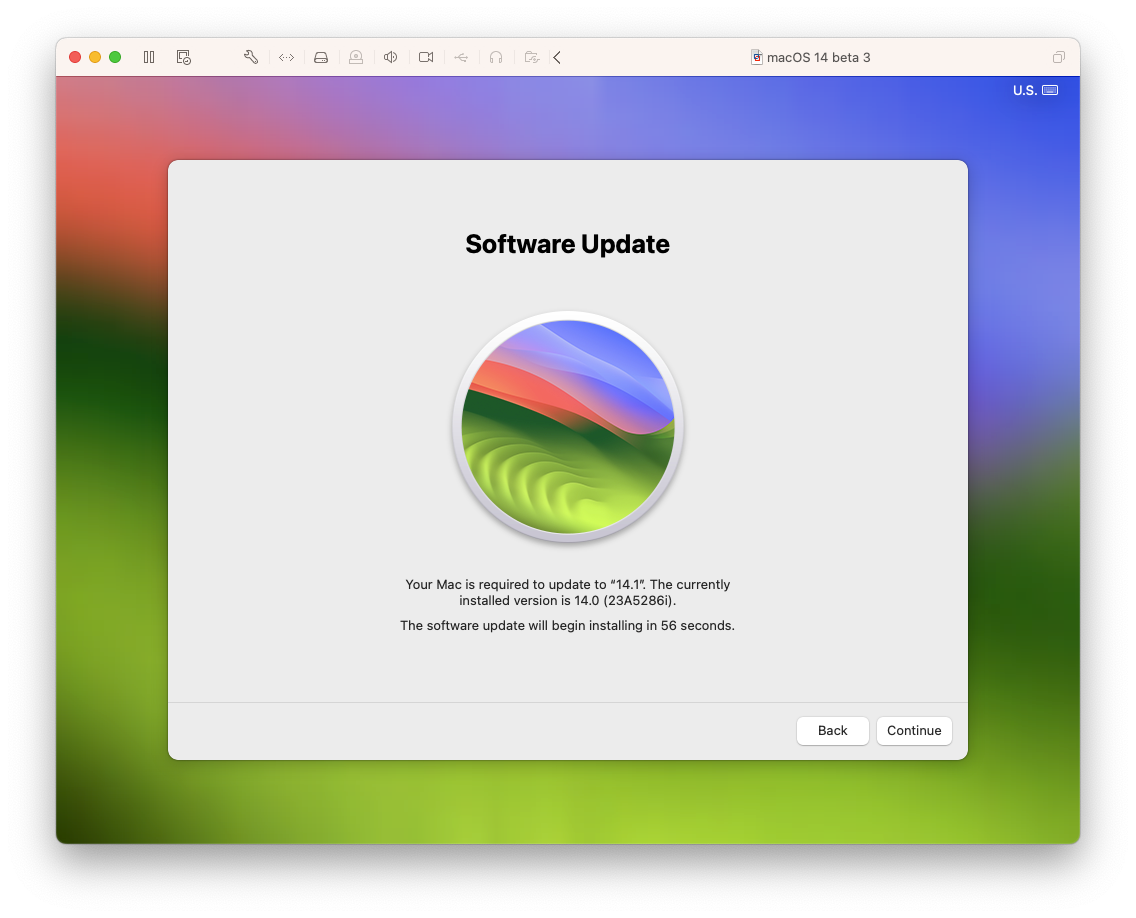
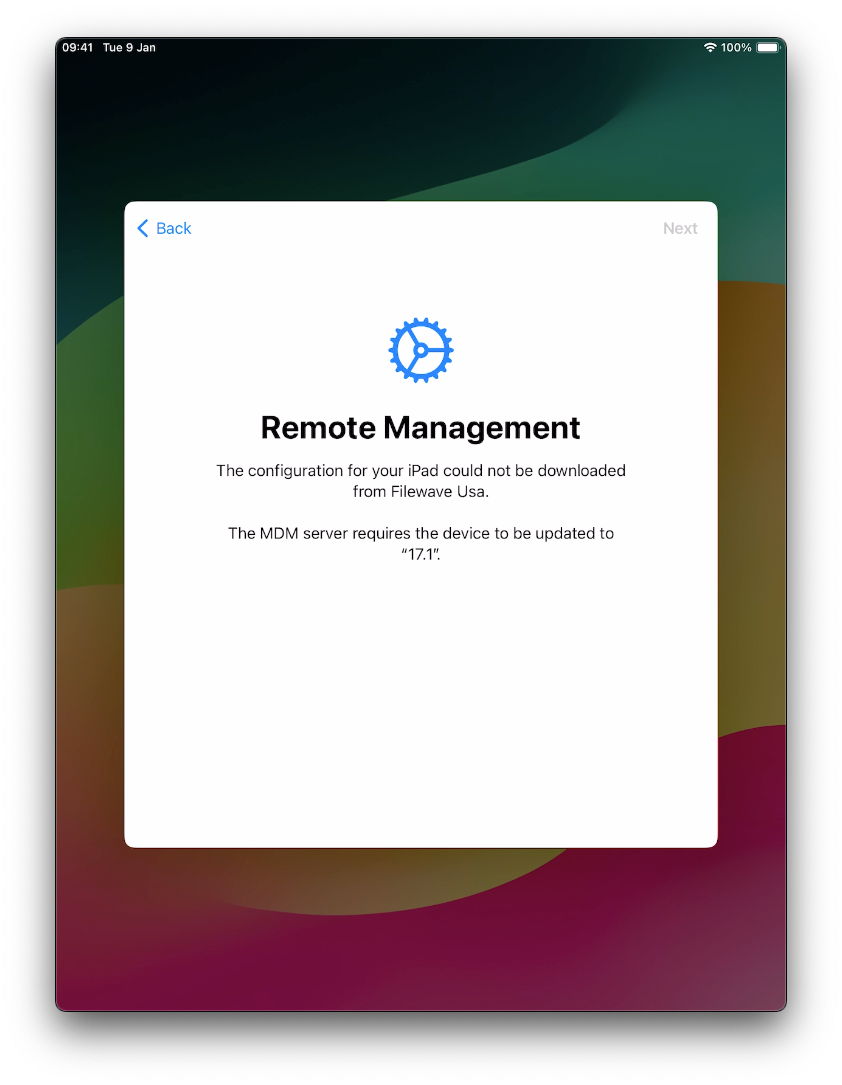
When minimum OS version is requested bythe MDM server specificrequires dialoga appearsminimum onOS version, the device.device displays Apple's software update or Remote Management flow before enrollment can continue.
For macOS:
For iPadOS:
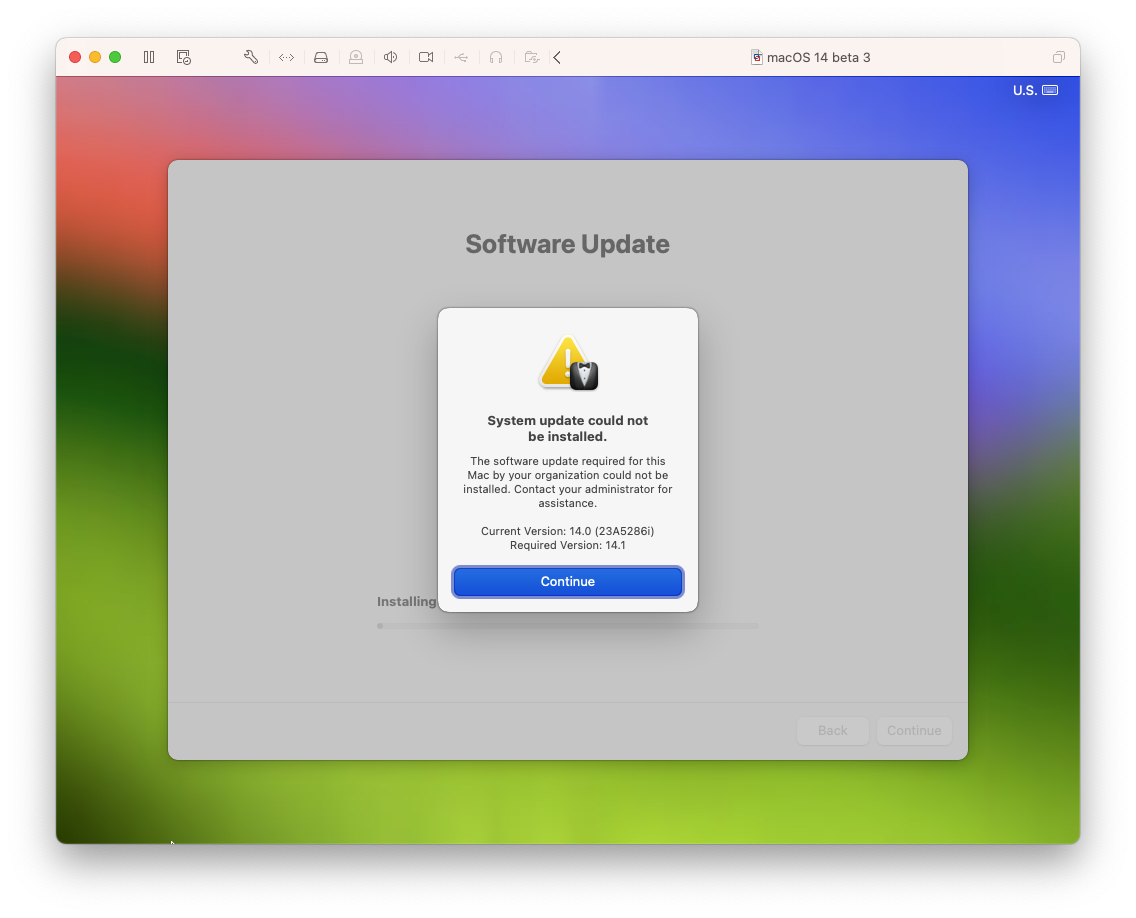
If a macOS device cannot install requestedthe OSrequired versionversion, nextmacOS dialogdisplays appears:an error dialog:
On iPadOSiPadOS, there is no specificseparate error dialog infor this case,case. justThe “Next“Next button isremains greydisabled, andso nothe wayuser tocannot pass.continue until the requirement can be met.
Related Content
Digging Deeper
During DEP profile handling, FileWave evaluates MachineInfo from the device is parsed on server side during DEP profile handling.device. If itMachineInfo containsincludes MDM_CAN_REQUEST_SOFTWARE_UPDATE flagset andto it’strue, True,FileWave compares the specifiedDEP profile's minimum OS version fromwith DEPthe profile is compared withdevice's OS_VERSION from MachineInfo according tofor the devicerelevant typeplatform.
FileWave orrequests iOS/iPadOS). Softwarean update request is sent to the device by MDM server in 2 cases:when:
IfThe current OS version islesslower than the minimum OSversionIfThe current OS version equals the minimum OSversionversion, but the current supplemental version identifier islesslower than the required supplementalversionidentifier.
The software update request fromis thea serverJSON looks403 response like 403 JSON response with next body:this:
{
    "code": "com.apple.softwareupdate.required",
    "details": {"OSVersion": <minimum OS version> }
}
In this case enrollmentEnrollment is interrupted by the Apple dialogs mentionedshown above.above until the device meets the requirement.