
Disable Chrome OS in FileWave
Use this workflow when you need to remove the Google OAuth token from FileWave and stop ChromeOS management for the environment. This disables ChromeOS integration in FileWave Central and returns the ChromeOS license count to zero.
Disable ChromeOS management in FileWave
-
Open Preferences in FileWave Central.
-
Go to the Chromebooks tab.
-
Click Configure OAuth token.
-
Sign in with your superuser credentials.
-
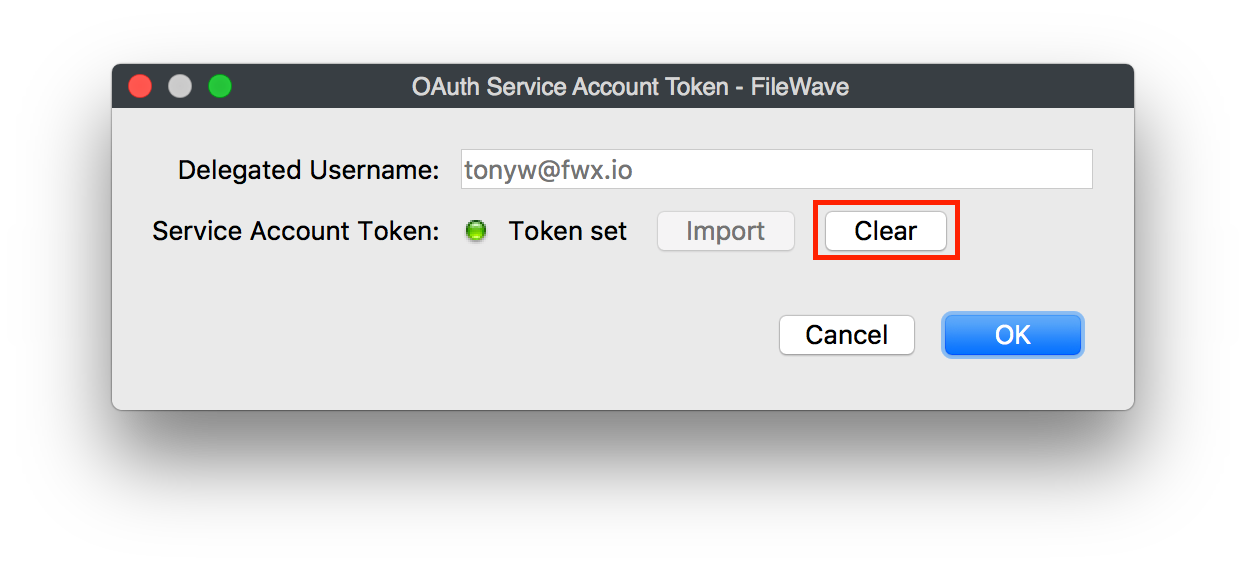
In the window that opens, click Clear.
-
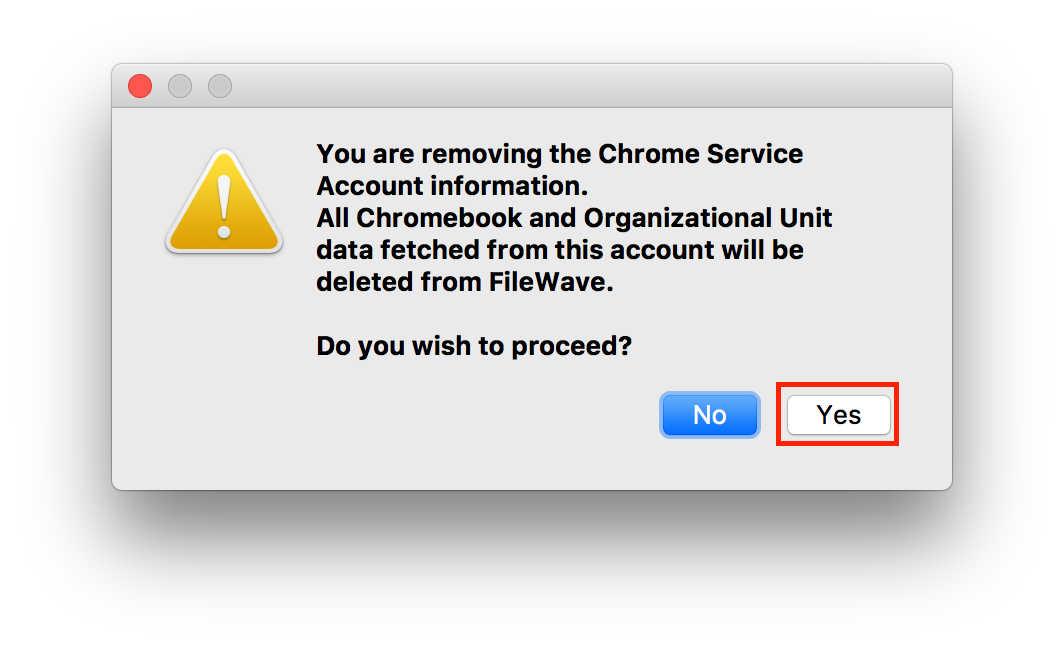
Confirm that you want to proceed by clicking Yes.
ChromeOS management is now disabled in FileWave, and the ChromeOS license count is zero.