
Disable Chrome OS in FileWave
These
Use stepsthis willworkflow walkwhen you throughneed to remove the processGoogle ofOAuth disablingtoken Chromefrom OSFileWave and stop ChromeOS management for the environment. This disables ChromeOS integration in FileWave Central and returns the ChromeOS license count to zero.
Disable ChromeOS management in FileWave
-
Open Preferences in
theFileWaveAdminCentral. -
Go to the Chromebooks
tabtab. -
Click Configure OAuth
tokentoken. -
Sign in with your
supersuperuseruser credentialscredentials. -
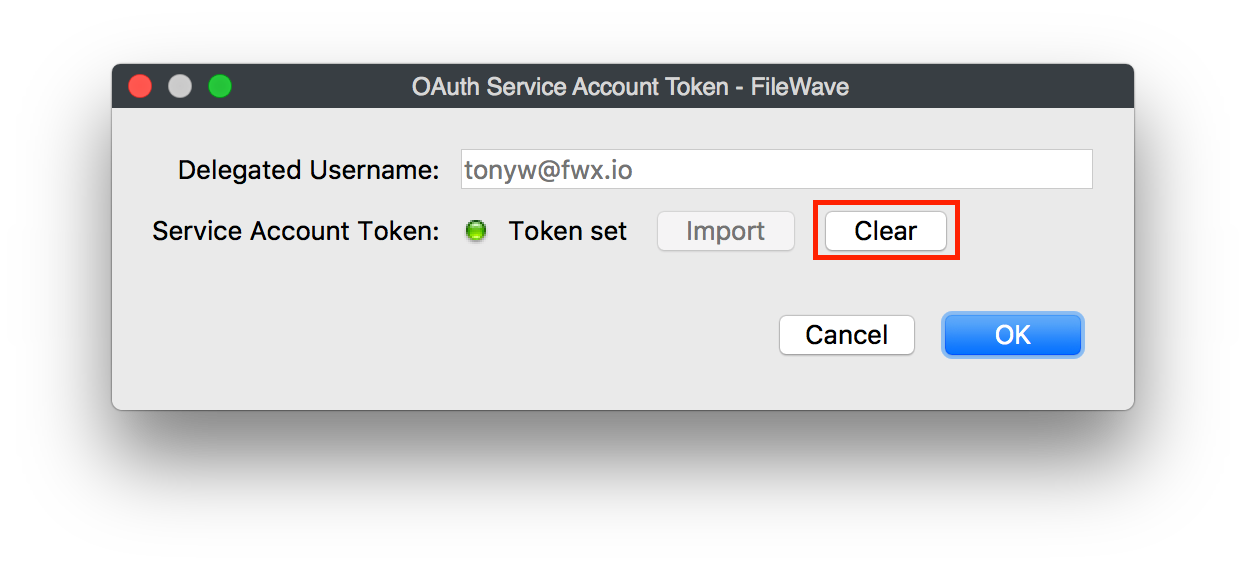
In the window that
pops up (seen below),opens, clickthe Clear buttonClear.
-
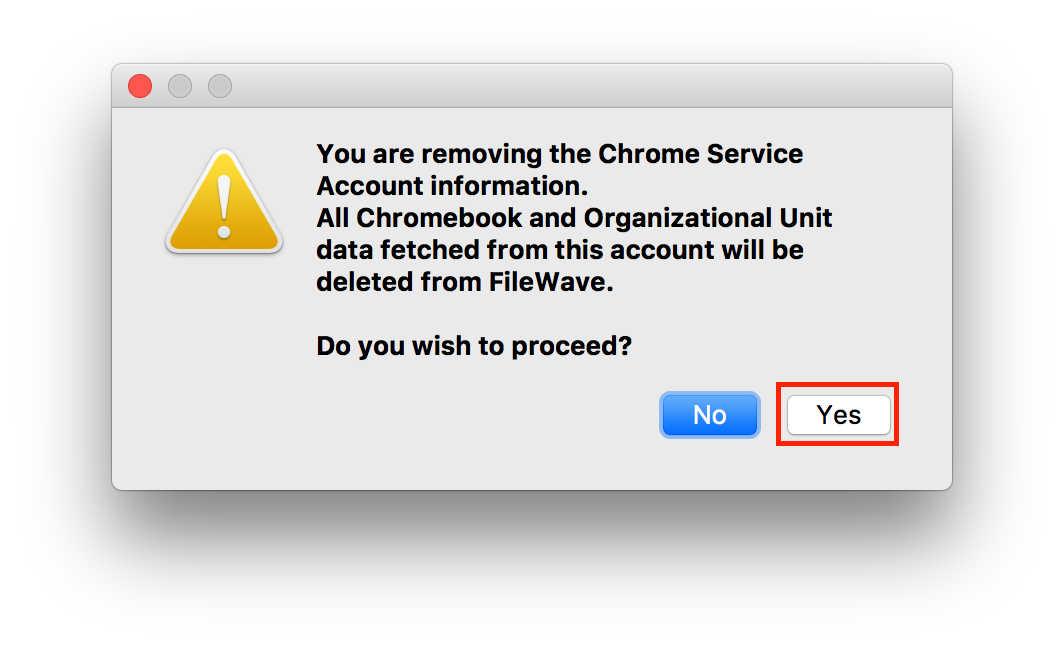
Confirm that you
wishwant toprocessproceed by clickingYesYes.
YouChromeOS havemanagement is now disabled Chromein OSFileWave, fromand FileWave.the AllChromeOS oflicense yourcount Chrome OS licenses are now atis zero.