Google Admin Sync Interval for ChromeOS
What
As an administrator managing ChromeOS devicesdevices, you may want to change thehow frequency that FileWave will sync with the Google Admin backend.
When/Why
Whenoften FileWave syncs with Google,Google thereAdmin. is
When/Why
FileWave whatsyncs OUChromeOS data from Google Admin, including the organizational unit a device isbelongs in that is synchronized.to. If you make frequent changes in managing your ChromeOS devices,changes, thena you may want toshorter sync moreinterval frequentlycan inhelp orderFileWave topick haveup thethose datachanges align more often.sooner.
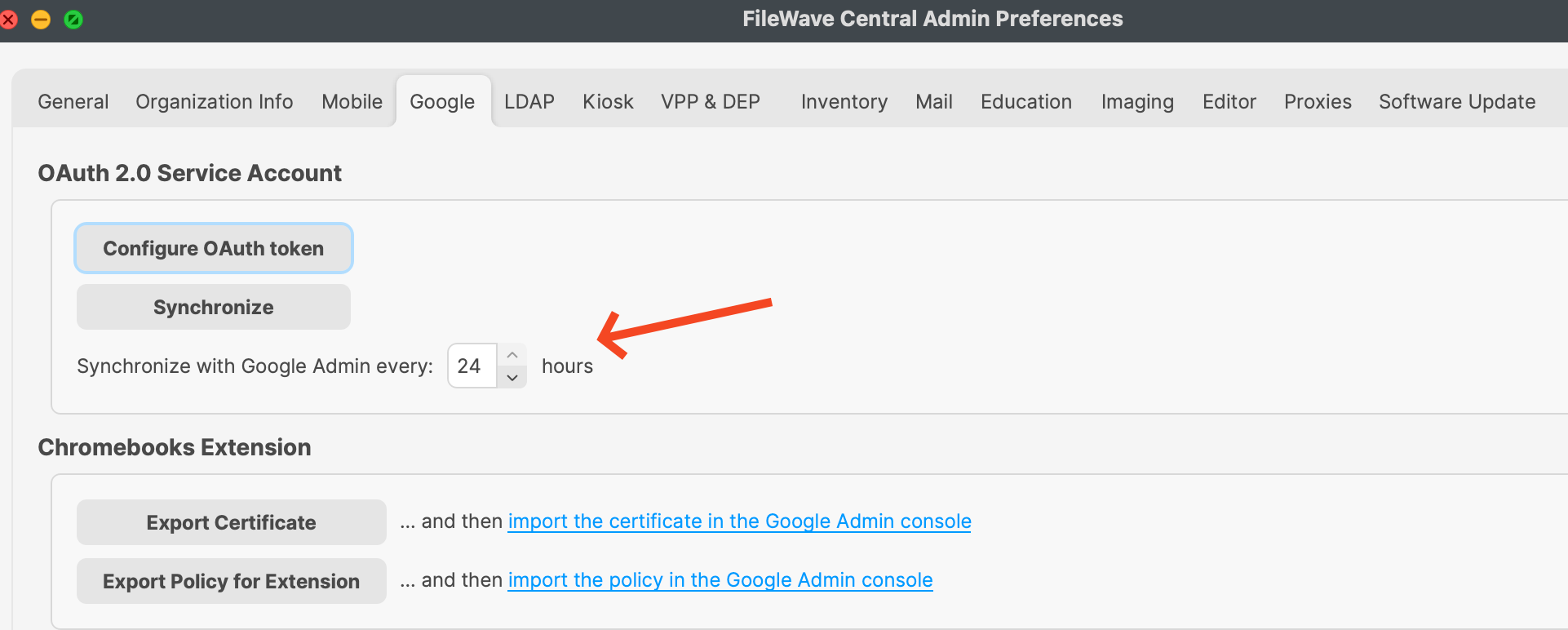
How
In FileWave CentralCentral, ->go to Preferences -> Google andGoogle, then adjust the amountvalue of hours between sync where it showsfor "Synchronize with Google Admin every 24 hours"hours." The value can be between 1 and 24 hourshours. withThe default is 24 being the default.hours.