Powerwash / Wipe Users on ChromeOS (15.3+)
What
Powerwash and Wipe Users are features on ChromeOS that allow users to reset theiractions you can send from FileWave. Powerwash resets the Chromebook to itsa originalfactory-reset state,state. effectivelyWipe erasingUsers allclears local user data andwhile returningkeeping the deviceChromebook to its factory settings. These features are particularly usefulenrolled for managingthe devices in environments where they are shared among multiple users, such as schools and businesses, or when preparing a device for a newnext user.
When/Why
Powerwash
Powerwash is the term used by ChromeOS for itsChromeOS’s factory reset process. WhenIt you Powerwash a Chromebook, the device undergoes a complete reset, removing allremoves user accounts, theirlocal files, and everydevice settingsettings, adjustmentso madeuse toit thewhen device. This process returns thea Chromebook tois itsbeing originalretired, state,reassigned just as it was out of the box. It'swith a straightforwardfull wayreset, toor ensuretroubleshooting that no personal data is left on the device, making it ready forrequires a newclean userdevice or for troubleshooting purposes.state.
Technical Perspective:
- Use Case: Ideal for individuals returning, selling, or reassigning their Chromebook. Also used for troubleshooting device issues that cannot be resolved through standard fixes.
- Process: Initiated through the settings menu under "Advanced" settings or via a keyboard shortcut at the login screen (pressing Ctrl + Alt + Shift + R).
- Considerations: Before performing a Powerwash, it's crucial to back up any important data stored on the device, as the process will delete everything.
Wipe Users
Wipe Users is athe featurereset aimedoption morefor at administrators managing multiple Chromebooks within an organization, such as a schoolshared or areassigned corporation.managed ThisChromebooks. featureIt allowsclears administrators to remotely clear alllocal user data from a Chromebook without affectingremoving the device'device’s enrollmentmanaged statusenrollment, inwhich amakes domain. It's particularlyit useful forbetween quicklystudents, preparingstaff, devicesor for new users without going through a full loaner-device setup process again.users.
Technical Perspective:
- Use Case: Primarily used by administrators to quickly clear all personal data from devices between different users while retaining device management settings and policies.
- Process: Can be executed remotely via Google Admin Console, under the device management section, allowing for bulk operations across multiple devices.
- Considerations: Ensures that devices remain under organizational control and policies after user data is wiped, streamlining the reassignment process.
BothFor PowerwashFileWave andadmins, the important difference is enrollment state. Use Wipe Users serve critical roles inwhen the management and maintenance of ChromeOS devices, ensuring data privacy and security while facilitating device transitionsshould betweenstay users.managed. PowerwashUse providesWipe Device/REMOTE_POWERWASH when you intentionally want a completefull reset for individual users or troubleshooting, while Wipe Users allows administrators to efficiently manage device readiness in a controlled environment without disrupting device enrollment and management settings. For organizations using Chromebooks, understanding and utilizing these features effectively can greatly enhance operational efficiency and device security.reset.
How
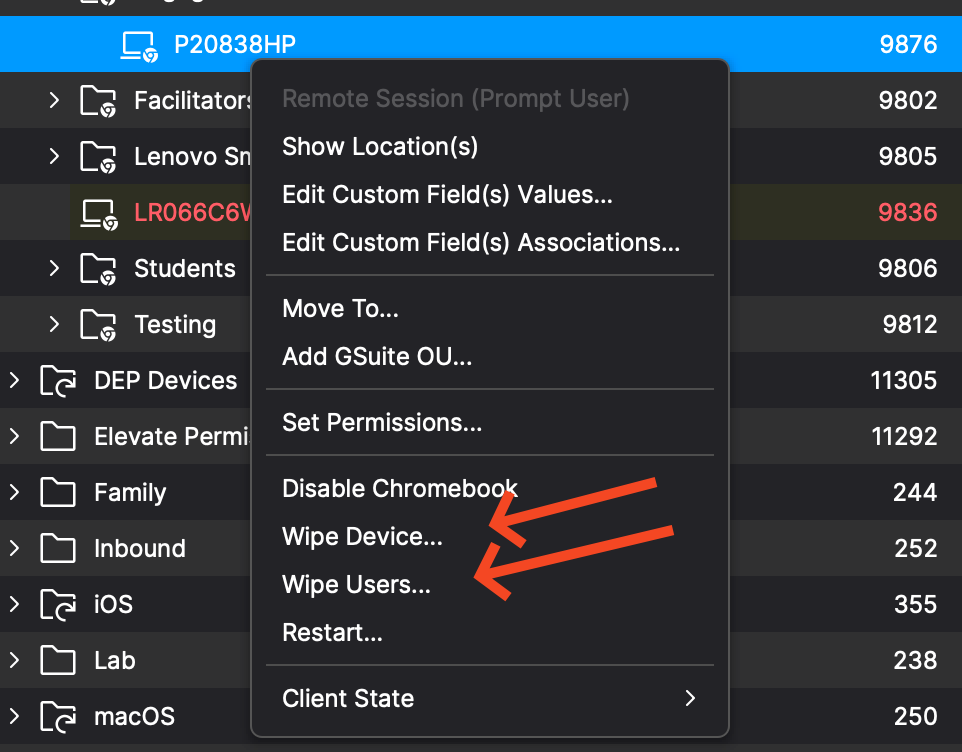
TheseTo commandssend areeither executedcommand, by right clickingright-click one or more Chromebooks and pickingchoose Wipe Device or Wipe Users as shown below..
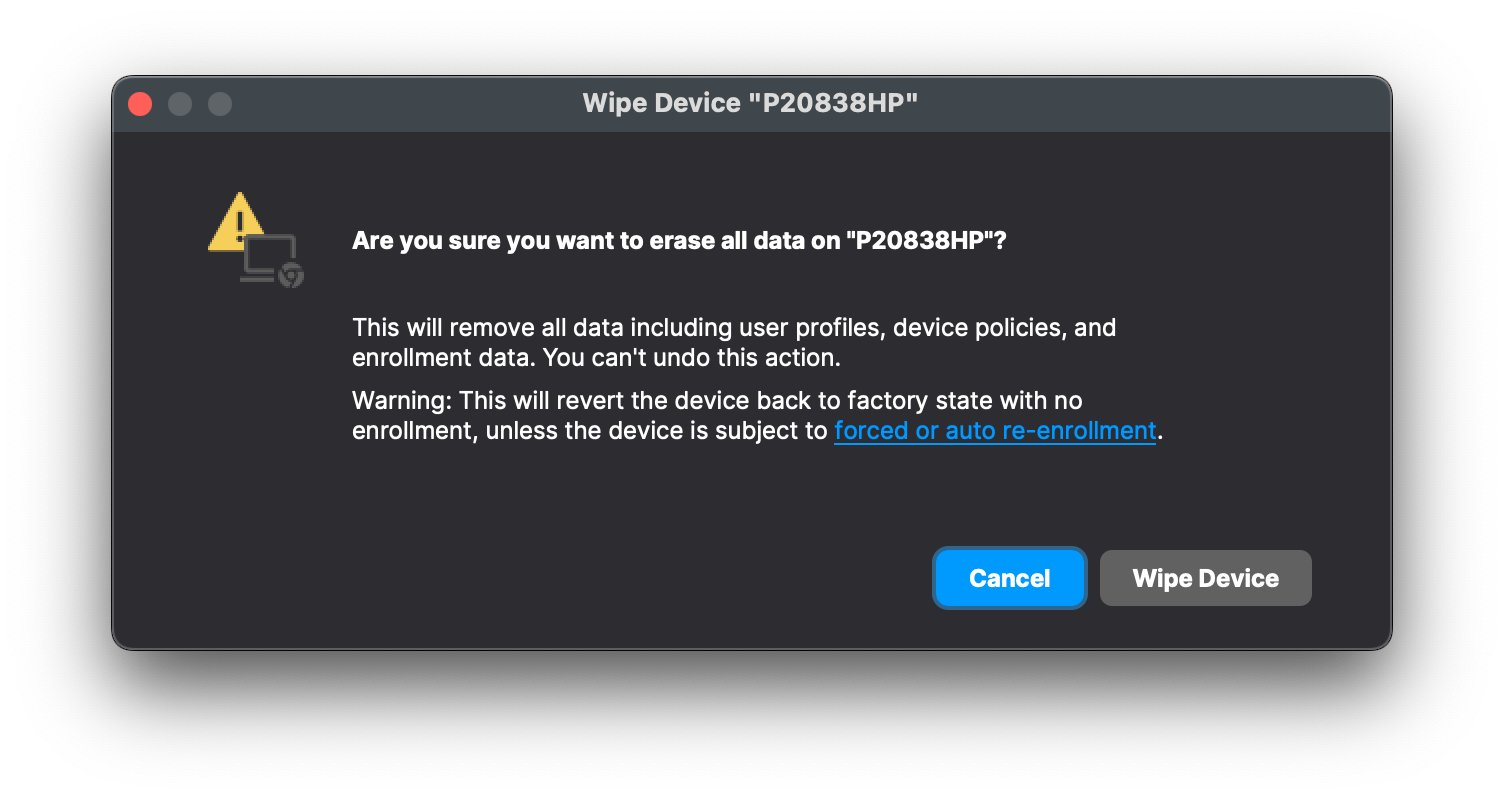
REMOTE_POWERWASH Command (Wipe Device)
-
Description: System administrators can remotely Powerwash ChromeOS devices, resetting them to factory settings for efficient troubleshooting and maintaining device security.
-
Execution: Initiates the Powerwash process, erasing all user data and configurations.
-
Access:
-
The REMOTE_POWERWASH command is
accessibleavailablethroughintheFileWave Centralasandwell asFileWave AnywhereAdminfor ChromeOS devices. -
Find the command in the dropdown menu labeled "Wipe device(s)..."
-
Modify Clients/Groups and Wipe Devices permissions are required.
-
When wiping a devicedevice, keepremember inthat mindWipe it willDevice fully wiperesets the Chromebook. If you need the device andto youre-enroll shouldafterward, considerreview Force wiped ChromeOS devices to re-enroll (15.3+).
WIPE_USERS Command
-
Description: System administrators can remotely
andwipesecurely wipelocal user data fromdevices,managedensuringChromeOScompliancedeviceswithwhiledatakeepingprotectiontheregulationsdeviceand maintaining organizational security.enrolled. -
Execution: Initiates the data-wiping process on all user accounts.
-
Access:
-
The WIPE_USERS command is
accessibleavailablethroughintheFileWave Centralasandwell asFileWave AnywhereAdminfor ChromeOS devices. -
Find the command in the dropdown menu labeled "Wipe user(s)..."
- Modify Clients/Groups and Wipe Devices permissions are required.
-
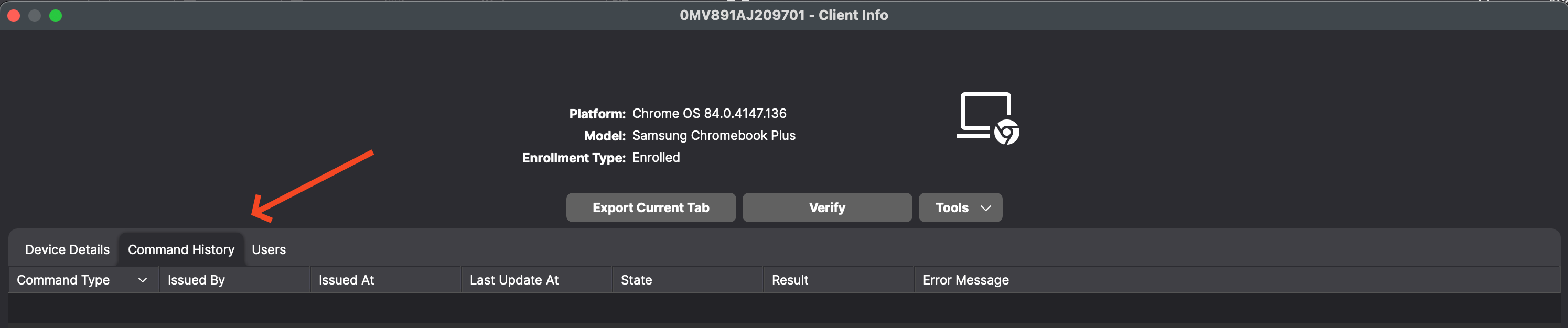
Command History tab
-
Description: Users can now view all information related to sending REMOTE_POWERWASH, WIPE_USERS, and REBOOT Commands in the Command History tab for Chromebook devices. As shown below you can see this when looking at device details for a Chromebook.