Reboot for ChromeOS (15.3+)
What
HereFor wean wantMDM (Mobile Device Management) administrator managing ChromeOS devices, the ability to explainremotely send a reboot command is a powerful tool for device maintenance and troubleshooting. This command ensures that devices are running smoothly, updates are applied, and any minor issues are resolved without the purposeneed offor thismanual content...i.e. what does this function do?intervention.
When/Why
Now
Understanding the Reboot Command
Practical Use Cases
Tips for MDM Administrators
By leveraging the reboot command through your MDM solution, you can maintain control over the ChromeOS devices within your organization, ensuring they remain secure, up-to-date, and operate without issues. This command is a straightforward yet essential part of device management that helps keep everything running smoothly.
How
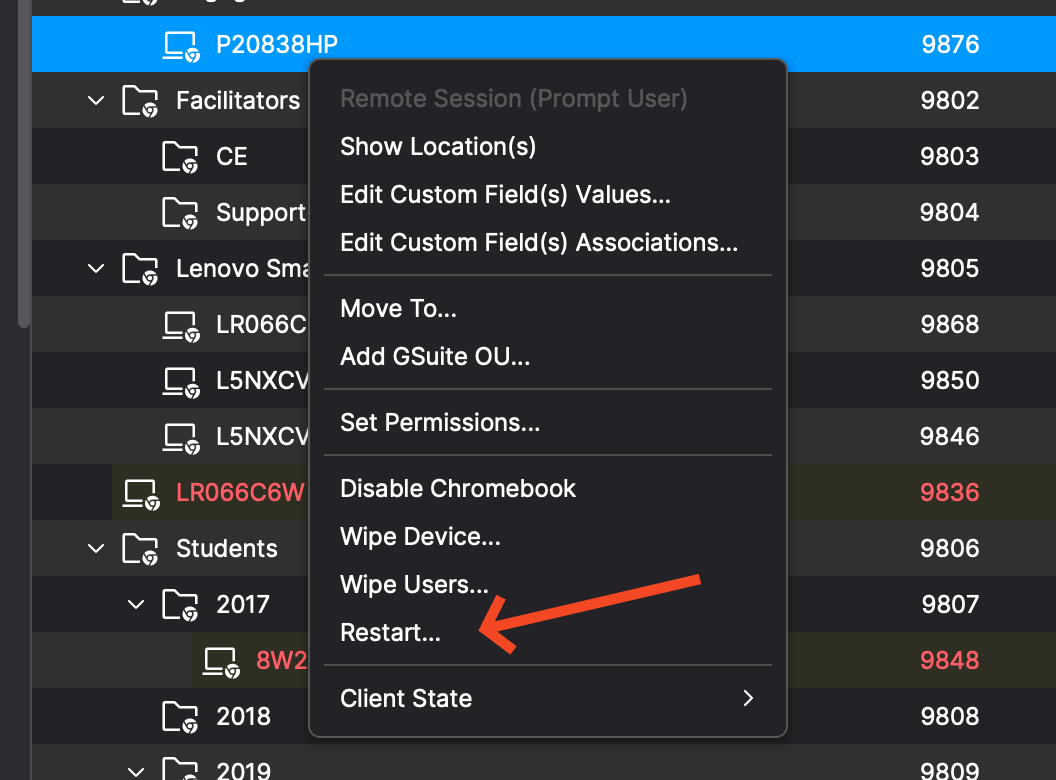
This command is executed by right clicking one or more Chromebooks and picking Restart... as shown below.
REBOOT Command
-
Description: Introducing the REBOOT command, enabling system administrators to reboot devices for troubleshooting remotely and applying system updates.
-
Execution: Initiates the remote reboot process on the selected devices.
Command History tab
-
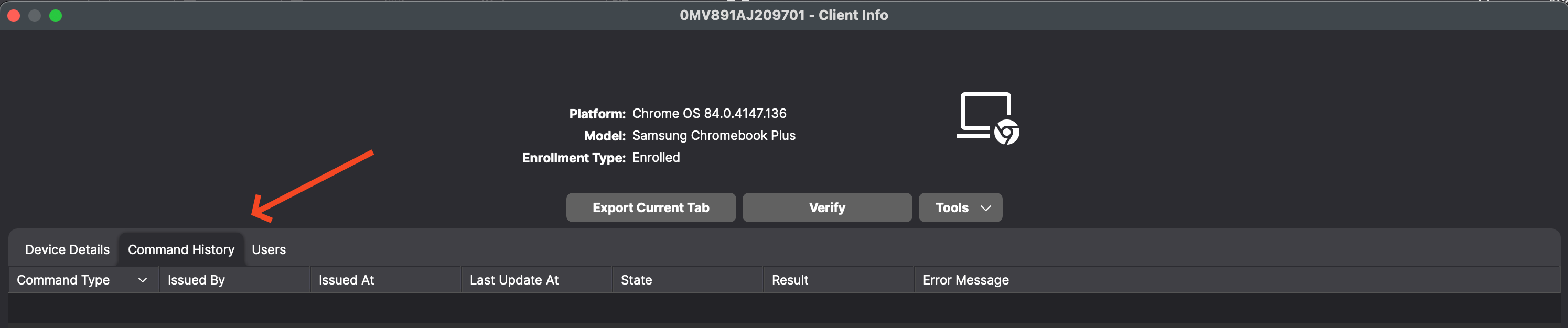
Description: Users can now view all information related to sending REMOTE_POWERWASH, WIPE_USERS, and REBOOT Commands in the Command History tab for Chromebook devices. As shown below you can see this when looking at device details for a Chromebook.