Import and Export Custom Field Definitions
StartingExport ina Custom Field definition when you want to reuse it on another FileWave versionServer 13.1or youkeep cana importportable copy. Importing restores the field definition, including its script and exportconfiguration, custombut field definitions. This is ideal for sharing powerful fieldsdoes not builtmake intoan standarduntrusted inventory.script safe.
AlwaysReview checkimported scripts before assignment.
Read the script, confirm the interpreter and permissions it expects, and test the Custom Field on a scriptsmall device group before deployingassigning toit all devices. No, really, always!broadly.
Exporting:Export Custom Field definitions
-
OpenInyourFileWave(AssistanceCentral,→open Assistants > Custom Fields→>) "Edit CustomFields" UIFields. -
Select one or more custom fields
-
PressSelect"Export"Export. -
Save the "FileWave Custom Fields.customfields" file
-
Share online, or store for later
Importing:Import Custom Field definitions
-
Download the custom field file
-
OpenInyourFileWave(AssistanceCentral,→open Assistants > Custom Fields→>) "Edit CustomFields" UIFields. -
PressSelect"import"Import,Browsethenforchoosefilethe.customfieldsfile. -
If the
filesetimported Custom Field contains a script, verify it is safe and appropriate for yourenvironmentenvironment. -
AssociateUse Edit Custom Field Associations to assign the fieldwithto theneededrequireddevice(s)devices or groups. -
You may also want to import custom field values
See Custom Fields for more on assigning fields to devices, and importing custom field values.
Conflicts:
Custom vs Internal
FileWave will let you re-use an internal name that is the same as another inventory element. If a Custom Field were added with an internal name of 'location', two 'location' internal names would co-exist the built-in internal name and the added Custom Field.
A prefix may be added to avoid confusion on matching inventory names. The prefix varies depending upon the method being used to reference the internal name.
| Method | Prefix | Example |
| MDM Profile | custom_field | %custom_field.location% |
| Scripted (Launch Argument or Environment Variable) | CustomFields | %CustomFields.location% |
Custom vs Custom
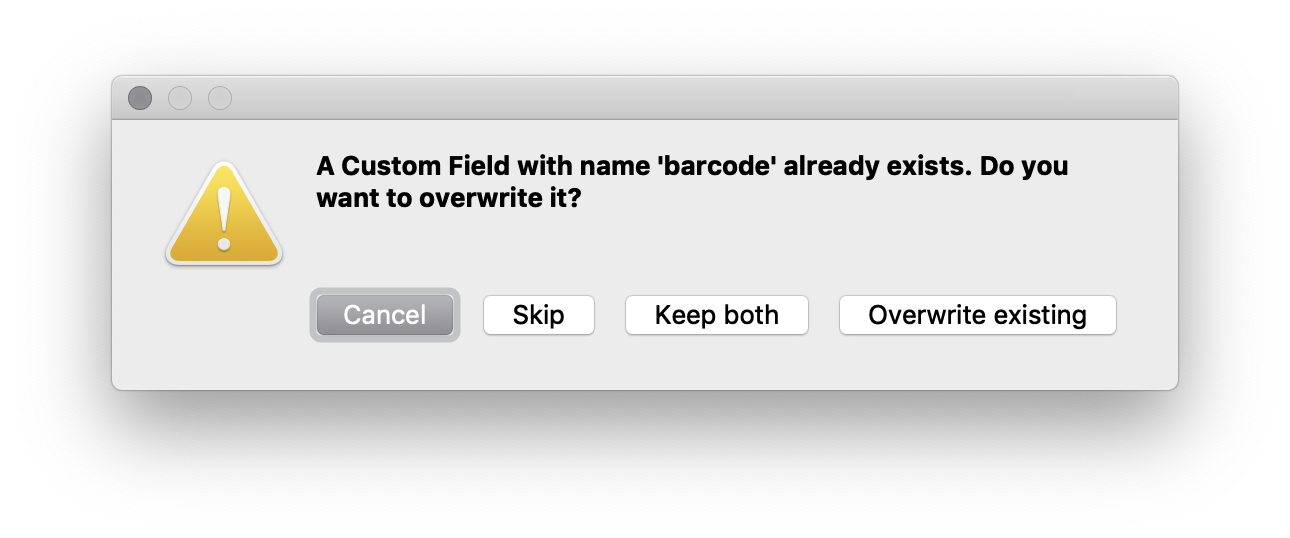
If you are importing a custom field with an internal name that is the same as an existing custom field internal name you will see:
-
Cancel - Stops the whole process and makes no changes
-
Skip - If importing a custom fields file with multiple entries you can skip the one that is conflicting and continue
-
Keep both - This will add _2 to the internal name of the field you are importing
-
Overwrite existing - Replace your existing entry entirely (as long as it isn't used in smart groups, inventory queries, etc)
JustAvoid becauseoverwriting youuntil CANdependencies overwriteare anreviewed.
Import existingthe custom field doesn't mean that is a good idea. Best practice would be to import itdefinition as an additional field when possible, compare both definitions, and resolve the conflict manually.deliberately.
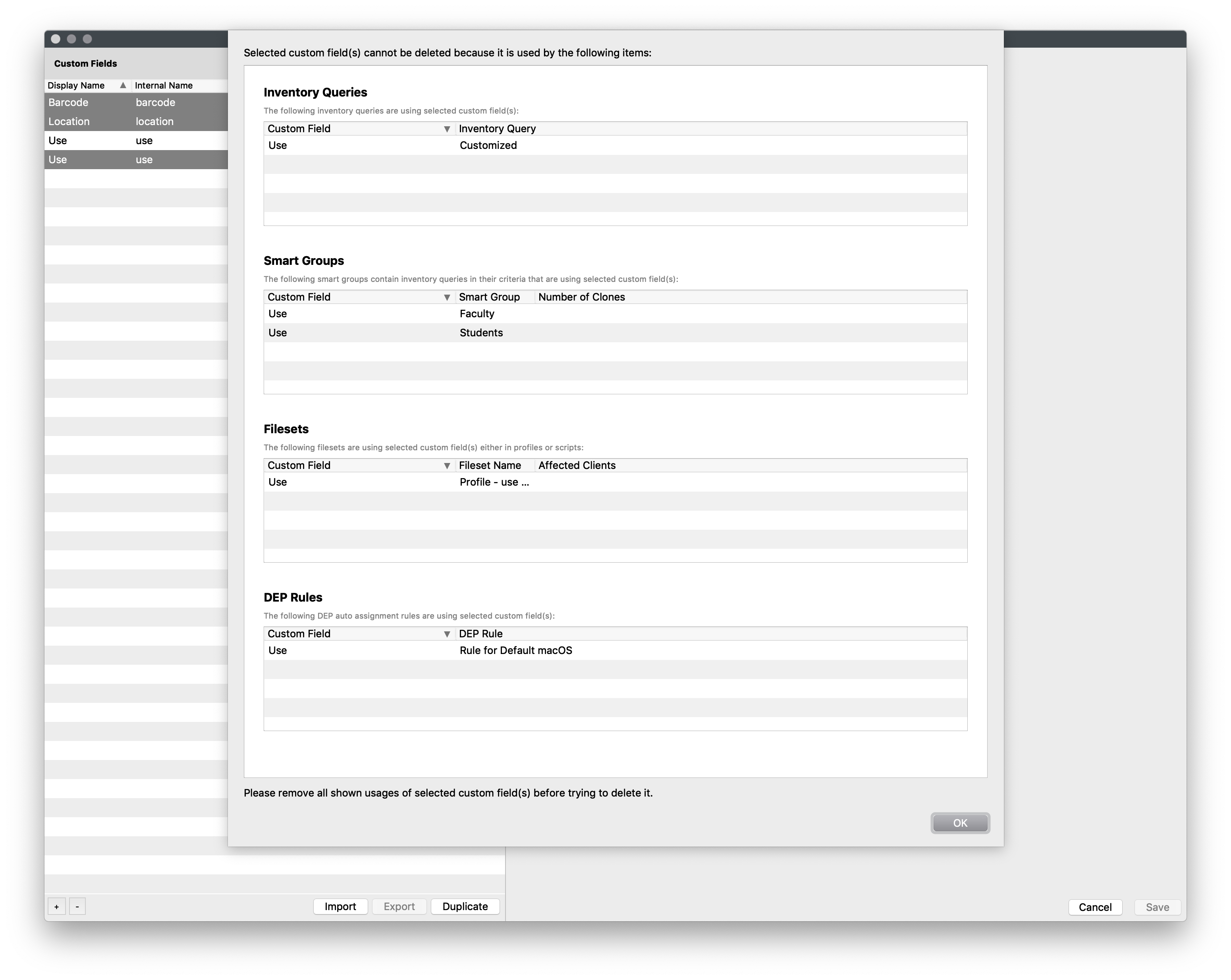
If the internal names are in use (Smart Groups, InventoryReports Queries(formerly Queries), DEPAutomated auto)Device Enrollment) when you press "overwrite existing" you will see this telling you where it is in use: