
Running Built-in PowerShell Commands with Custom Fields
In FilewaveFileWave, when using custom fields forWindows PowerShell scripts the commands arerun runfrom Custom Fields in a 32-bit environment.context. Some built-in PowerShell commandscmdlets require 64-bit toPowerShell, work. In order to run the commandsso you need to modifylaunch the 64-bit executable explicitly.
The example below lists the members of the local Administrators group. If you run it directly as a PowerShell Custom Field, it may fail because FileWave starts it in 32-bit PowerShell.
Get-LocalGroupMember -Group 'Administrators' | Select Name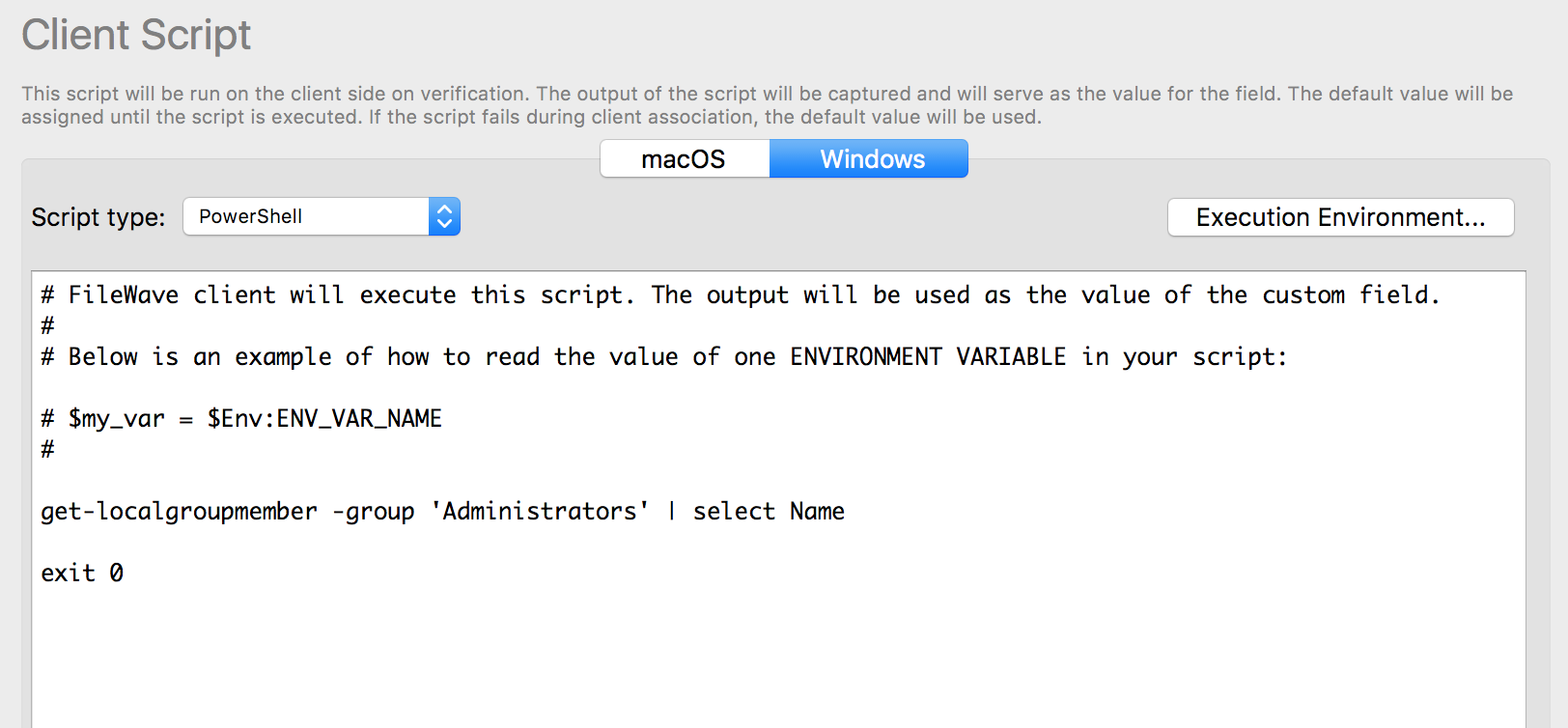
To run the command toin launch64-bit thePowerShell, correct PowerShell environment.
An example of this is with the below PowerShell command to list the local Admin accounts on a given device. The screen shot below shows how you would normally setupcreate the Custom Field in your environment. The issue is that this command needs to be run inas a 64BAT bitscript environmentand while FileWave defaults to 32 bit when executingcall the commands.64-bit
get-localgroupmemberfirst. -group 'Administrators' | select Name
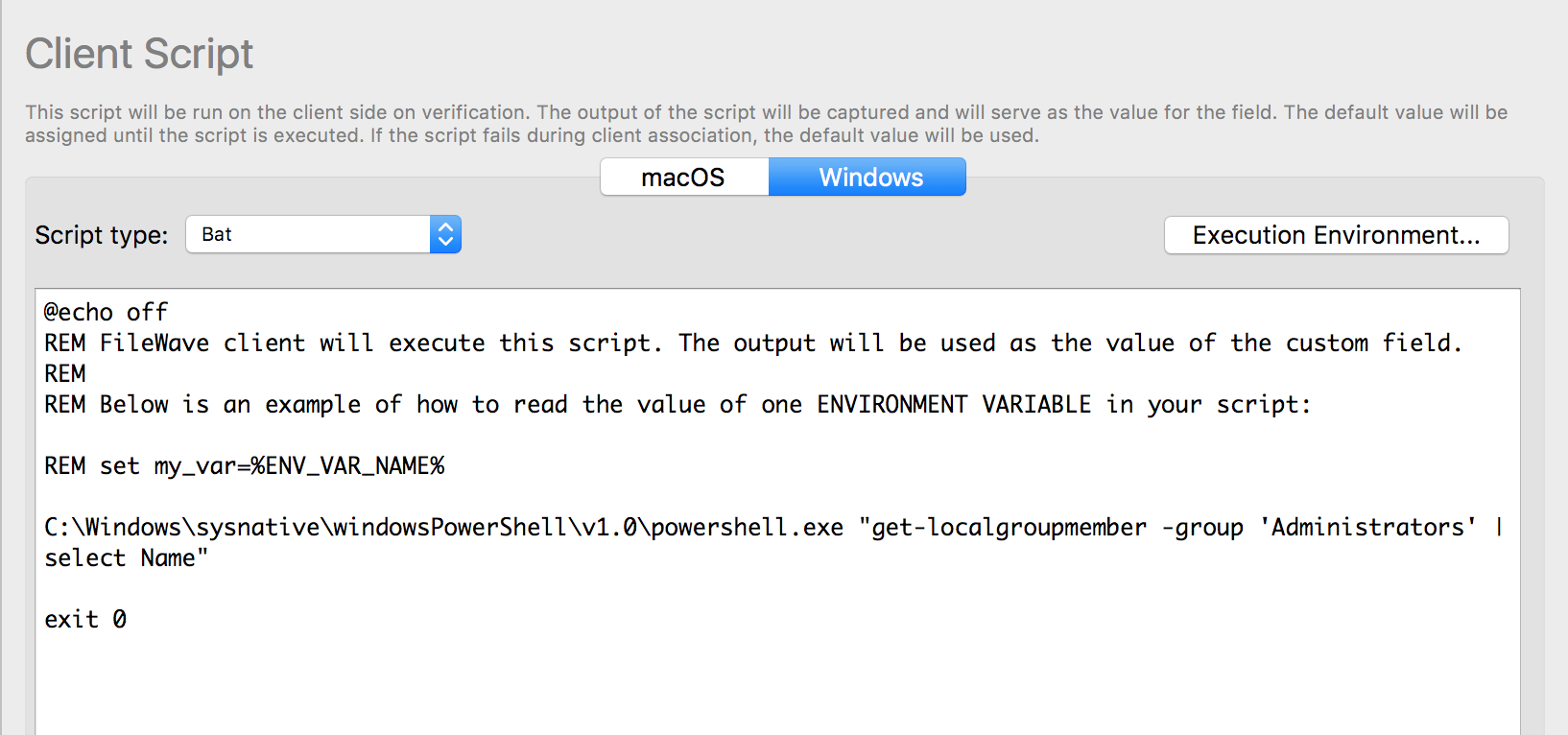
Since this isUse the caseSysnative youpath will now need to modifywhen the command choosingis tolaunched run in 64 bit. To do this you would add "C:\Windows\system32\windowsPowerShell\v1.0\powershell.exe" to the command and run it asfrom a Bat32-bit scriptprocess instead of PowerShell in the Custom Field. I posted the code that would work with the Custom Fields below as well ason a screen64-bit shotWindows of the correct setup. device.
C:\Windows\system32\windowsPowerShell\v1.sysnative\windowsPowerShell1.0\powershell.exe "get-localgroupmemberGet-LocalGroupMember -groupGroup 'Administrators' | selectSelect Name"
exit 0
AnotherIf methodyou to executeneed an entire script to relaunch in the native environmentenvironment, (32bituse onthe 32bitfollowing or 64bit on 64bit) is as follows:wrapper:
#############################################################################
#If# PowershellIf PowerShell is running the 32-bit version on a 64-bit machine, we
#need# need to force powershellPowerShell to run in 64-bit mode .mode.
#############################################################################
if ($env:PROCESSOR_ARCHITEW6432 -eq "AMD64") {
    #write-# write-warning "Take me to 64-bit....."
    if ($myInvocation.Line) {
        &"$env:WINDIR\system32\windowspowershell\v1.windowspowershell1.0\powershell.exe" -NonInteractive -NoProfile $myInvocation.Line
    }else{ else {
        &"$env:WINDIR\system32\windowspowershell\v1.windowspowershell1.0\powershell.exe" -NonInteractive -NoProfile -file "$($myInvocation.InvocationName)" $args
    }
    exit $lastexitcode
}

# Main script
# Uncomment the next line to prove that we are always in 64bit64-bit
#[Environment]::Is64BitProcess

# Your 64bit64-bit script here.

#############################################################################
#End# End
#############################################################################
Related Content