
1.3 FileWave Provided Dashboards
What
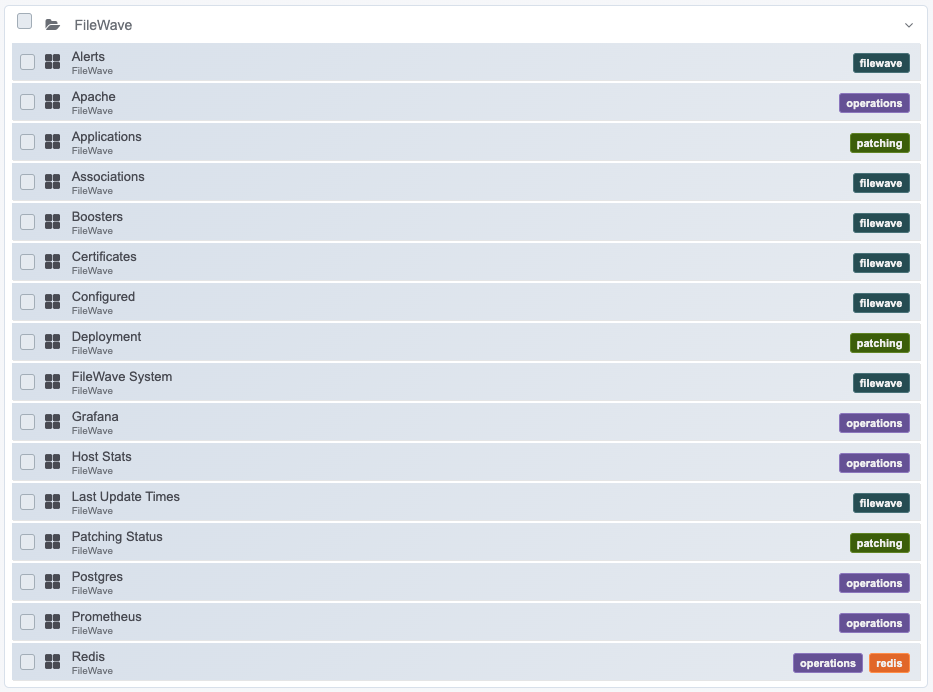
FileWave providesincludes several default dashboards. Some are useful for day-to-day admin checks, while others give FileWave Support a numberfaster ofview defaultinto dashboards,system some of which will be useful to you directly, and others that will be more useful to support staff.health.
When/Why
OfUse coursethese everythingdashboards thatas wereporting doexamples withand thestarting dashboardpoints. isThey aboutshow reporting.common There are hundreds of things you might wantways to reportorganize on...weFileWave givesystem, youconfiguration, manypatching, examplesapplication, toand workdeployment withstatus which you'll see below:data.

How
The important thing to note is that theseFileWave-provided dashboards are starting points for you, not necessarily destinations unto themselves. templates. You cannot edit them directly, but you can slice/dice/transformcopy them and re-imaginethen alladjust ofthe thesepanels, elementsfilters, intransformations, and layout for your own dashboardsreporting at your discretion. Note that the FileWave provided dashboards can not be modified directly, but they can be copied to dashboards of your own.needs.