1.4 Switching Between Dashboards
What
SwitchingUse dashboards to move between variousFileWave dashboardsdata isviews the first thingafter you arelog going to want to do once you login.in.
When/Why
Switching between variousDifferent dashboards allows you to look atshow different typesslices of dataFileWave data. You can open dashboards in different ways. I may want to open newseparate browser tabs with different content, I may want totabs, switch between views in theone sametab, tab.or use Or,a I may even want the singular tabplaylist to cycle through contentdashboards for me on its own (called a playlist).automatically.
How
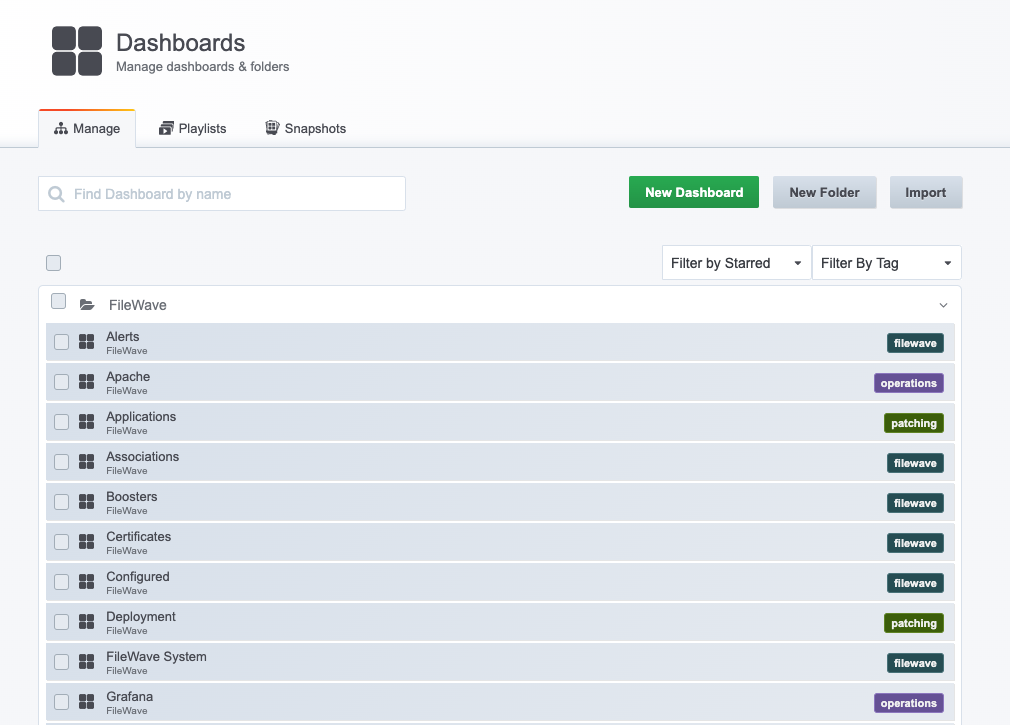
We'llFor startbasic simple here, and just discuss switching between different dashboards. The easiest way is to simplyswitching, use the headerdashboard links toin switchthe header as shown below:
NoteYou thatcan therealso areuse otherDashboards methods> too...suchManage asto Dashboards→Manage:browse dashboard folders, playlists, snapshots, and dashboard management actions: