
Access the FileWave Dashboard
WhatDashboard access requirements
YourA FileWave administrator account willneeds needexplicit permission to accessopen the FileWave Dashboard.
When/WhyPermission levels
ThereAssign areone threeof these Dashboard permission levels for the dashboard forto each admin logon:administrator:
- No Access
- Read-Only Access
- Read-Write Access
The permissions are defined withConfigure the following optionspermission in the Manage Administrators Assistant:Assistant. Use Read-Only Access for administrators who only need to view dashboards; grant Read-Write Access only when they need to create or change dashboard content.


HowOpen the Dashboard
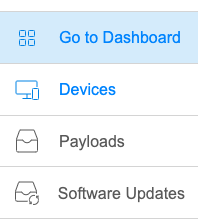
AccessingAfter the dashboard itselfpermission is quiteassigned, simpleopen onceWebAdmin your account has proper permissions. From the WebAdmin, simplyand choose the Go To Dashboard link::

YouWebAdmin will automatically be authenticated usingpasses the already established credentialsadministrator session to the WebAdmin.Dashboard, so Notea thatsecond allsign-in is not required. Dashboard access to the dashboard is routed through WebAdmin and remains limited by the WebAdminassigned permission level.