
Apple Device Management - DDM Assets
What
DDM Assets let you define reusable values for Apple Declarative Device Management configurations. Use them for shared settings such as credentials, server details, certificates, or other data that more than one DDM configuration needs. Instead of copying the same value into each configuration, reference the Asset and update it in one place.
When/Why
Use Assets when multiple DDM configurations need the same value, when one update should flow to every configuration that references it, or when Fileset organization and permissions should control who can manage shared DDM data.
This is useful for standardized environments where many devices need the same settings, such as schools or organizations with shared Wi-Fi, account, certificate, or service configuration.
DDM Assets and Configurations are supported on devices running iOS 15, iPadOS 15, macOS 12 Monterey, or later.
How
To create and use Assets:
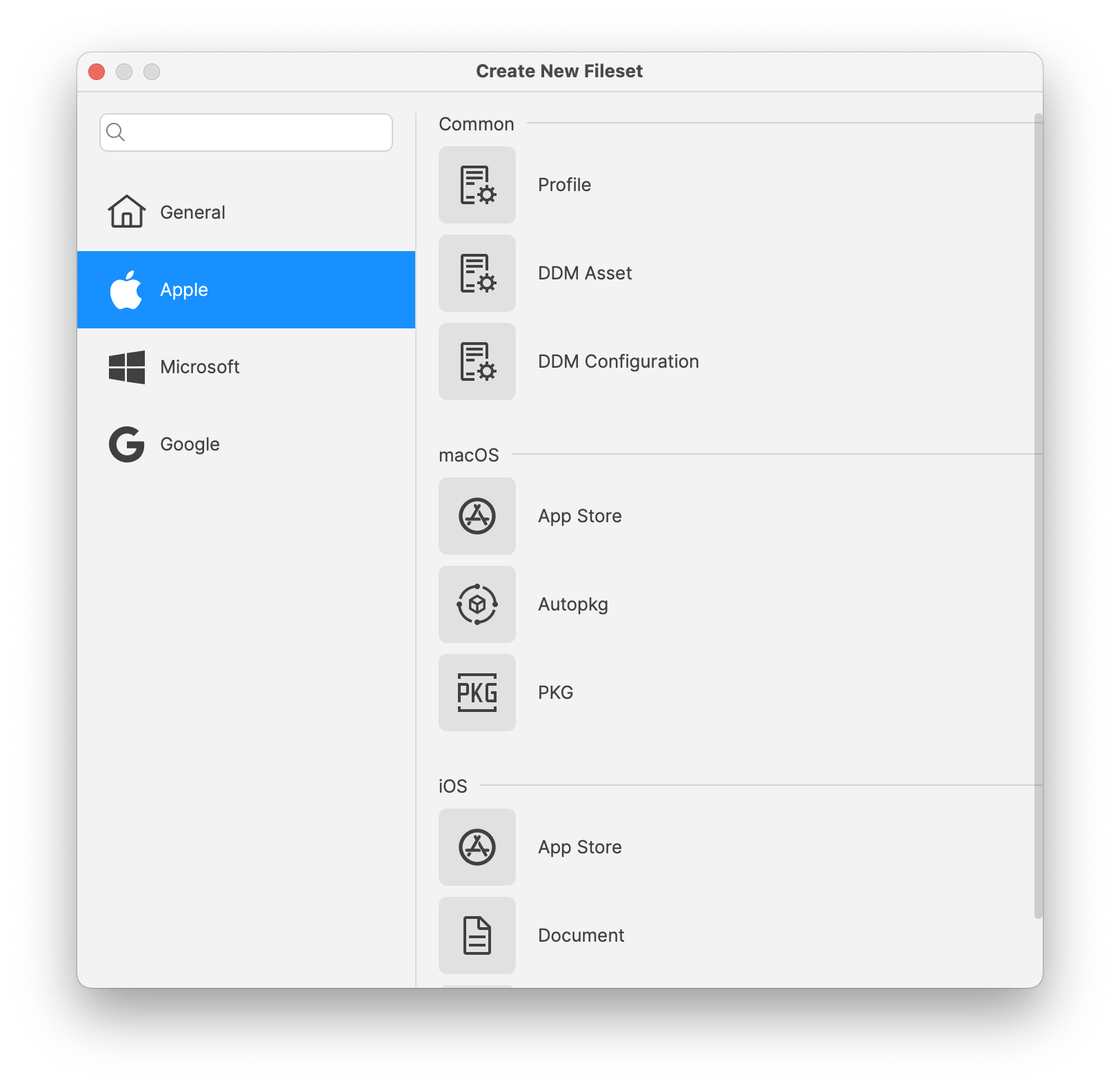
- Create an Asset: Create a new Fileset and choose DDM Asset from the Apple section.
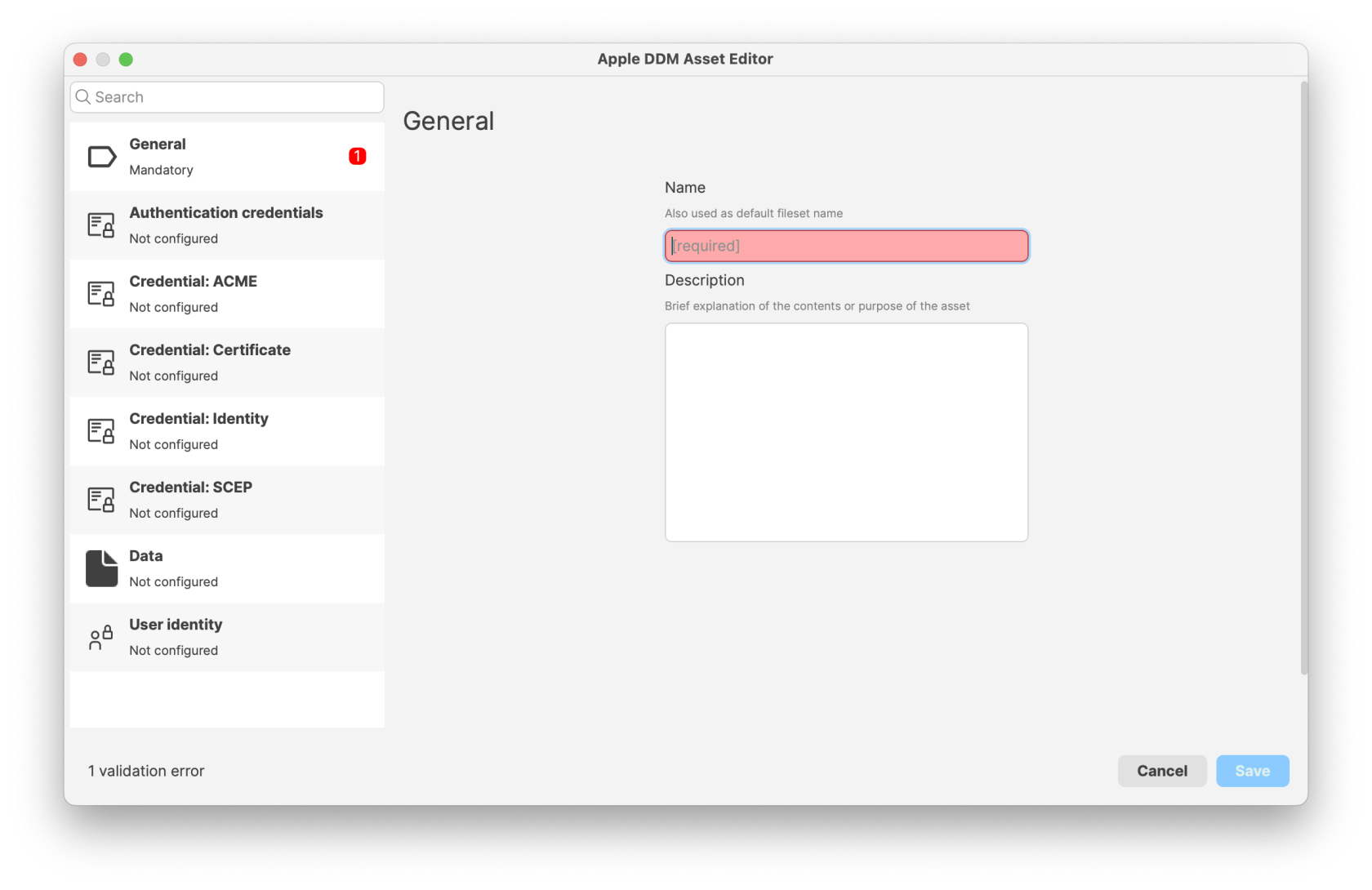
- Configure the Asset: Define the reusable settings, such as credentials, server addresses, certificates, or other supported values.
- Reference the Asset in a DDM Configuration: Create or edit a DDM Configuration by creating a Fileset and choosing DDM Configuration from the Apple section. In settings that support Assets, add a reference to the Asset. For example, a CalDAV configuration can use authentication credentials from a DDM Asset.
- Deploy to devices: Assign the configurations that reference the Assets to your devices or device groups, then monitor the deployment to confirm that devices receive both the configuration and the associated Assets.
When a configuration references an Asset, FileWave manages that Asset as a dependency. Deploying the configuration also deploys the associated Asset to the target devices.
FileWave 16.4 JSON import and export
Starting with FileWave 16.4, administrators can import and export DDM Assets using Apple’s JSON declaration format. Imported Assets can be edited in FileWave and referenced by DDM Configurations just like Assets created with the built-in editor.
- Create or open a DDM Asset Fileset.
- Use Import to select an Apple JSON Asset declaration.
- Review validation results and inspect every imported value before saving.
- Confirm that dependent DDM Configurations resolve the intended Asset.
- Test the dependent Configuration on representative devices before broad deployment.
- Use Export to create JSON for backup, review, or reuse.
When imported Configurations and Assets reference one another, FileWave resolves the dependencies where possible. Unknown or unsupported declaration content is preserved instead of being silently removed.
Treat exported Asset JSON as sensitive. Assets can include credentials, certificates, account details, and service configuration. Review and protect the exported file before sharing it.
For configuration types, deployment behavior, the macOS 26 default-value issue, and JSON Configuration imports, see Apple Device Management – DDM Configurations.
Related Content
- Apple Device Management – DDM Configurations
- Apple Platform Deployment: Declarative Device Management
Digging Deeper
Assets are most useful when a value is shared, changes occasionally, and should stay consistent everywhere it is used. Updating the Asset once keeps dependent configurations aligned without editing each configuration separately.
Permissions and Fileset organization also apply to Assets, so teams can manage shared configuration data with the same structure they use for other Filesets.
No comments to display
No comments to display