
Battery Health Inventory Field
What
FileWave v16.16.2.0+0 nowand later reports Apple’s Battery Health asstatus anin inventorydevice fieldinventory. forUse supportedit iPadsto find batteries that need service, devices that cannot report battery health, and Macs.hardware Thisthat value comes directly from Apple’s device management framework and can help administrators quickly identify whether a device battery is functioning properly, requires service, or is usingreports a non-genuine replacement.battery.
The possible values are:
-
Normal – Battery is functioning within expected parameters.
-
Non-Genuine – Battery replacement detected that is not Apple-certified.
-
Service-Recommended – Battery requires servicing due to degradation or fault.
-
Unknown – Device could not determine battery status.
-
Unsupported – Device does not support reporting battery health.
ToApple getprovides athis valuestatus ofitem anything other than Unsupported you would needon iOS 17.0+,and iPadOSiPadOS 17.0+,0 orand later and macOS 14.4+4 and forlater. iPadsHardware itsupport wasis addedlimited to higheriPhone, endspecific iPadsiPad at the end of 2024models, and allMacs iPadswith inApple 2025.silicon. Other devices report Unsupported.
When/Why
BatteryUse healththis informationfield isduring crucialhardware foraudits, organizationsreplacement managing fleets of iPadsplanning, or Macstroubleshooting where device longevity, service costs, and user experience depend on reliablewhen battery performance.condition may explain poor runtime or unexpected shutdowns.
-
When: Use this field during device audits, lifecycle management, or when troubleshooting performance and uptime issues.
-
Why: It helps IT teams proactively schedule repairs or replacements, avoid downtime, and distinguish between genuine vs. non-genuine repairs.
How
-
Open the FileWave Central
Consoleand locate the target device. -
Navigate to the Client Info window.
-
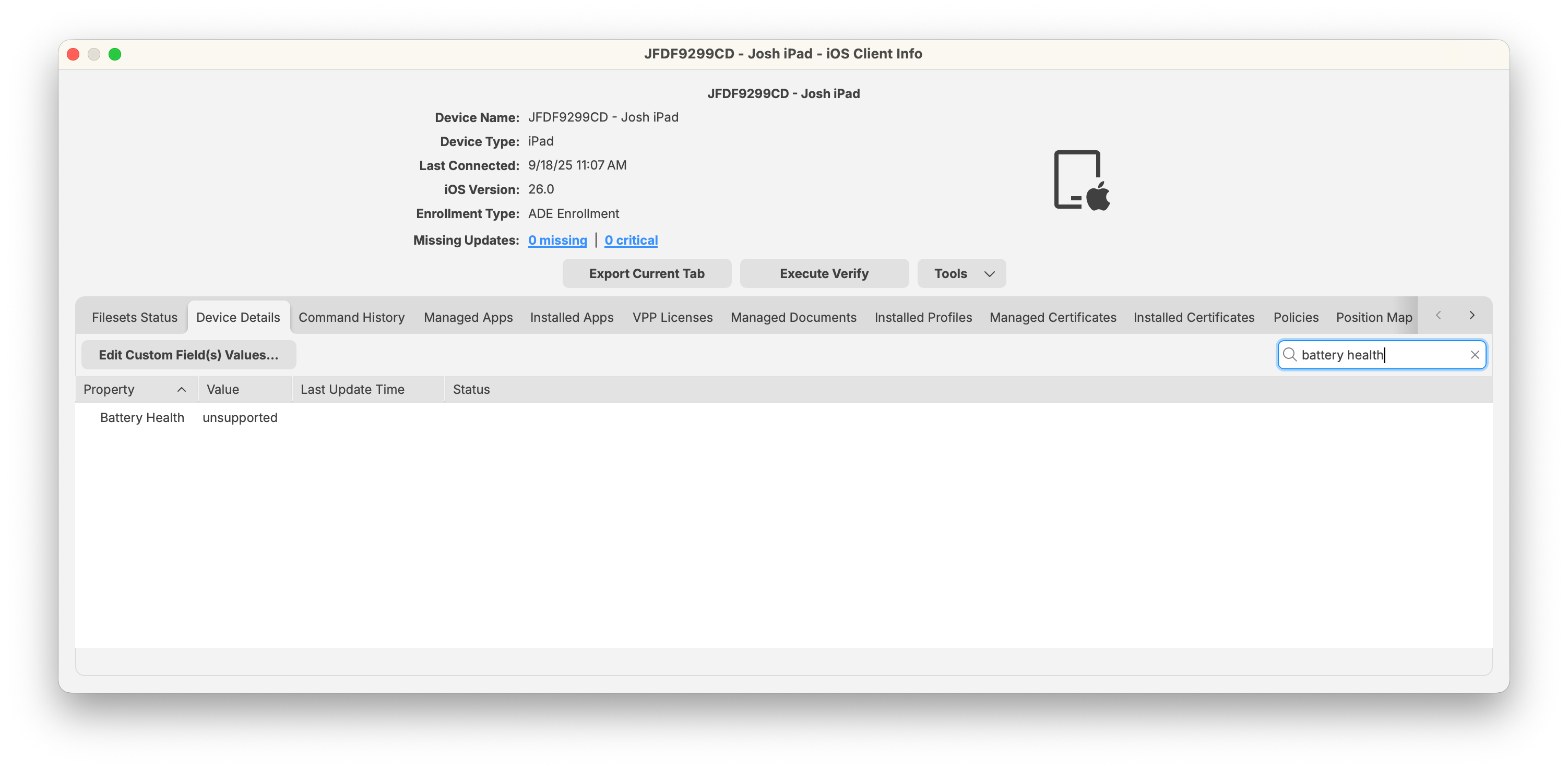
Select the Device Details tab (or search for “Battery Health” in the search bar).
-
Review the reported Battery Health value.
-
For unsupported devices, the value will display as Unsupported.
-
Supported iPads and Macs will show one of the Apple-defined statuses.
-
💡Apple Supportmaintains Note:the Accordingcurrent tolist of Apple’siPad documentation,models that can report battery health. reportingCheck isthat currentlylist availablewhen ona higher-endrecent iPad still reports 2024 modelsUnsupported and all 2025 iPad/Mac models.
Smart Group Example: Devices Needing Battery Service
To automatically identify devices that require attention:
-
In the FileWave Central
Console, create a new Smart Group. -
Add a filter with:
-
Property: Battery Health
-
Operator: equals
-
Value: Service-Recommended
-
-
Save the Smart Group.
ThisThe groupSmart willGroup dynamically collect allcollects devices withreporting failing batteriesService-Recommended so administratorsyou can scheduleplan replacementsrepairs or repairs.replacements.
Related Content
Digging Deeper
-
FileWave does not calculate battery health; it simply displays the status as reported by the device.
-
In environments with mixed device generations, you may see a mix of Normal and Unsupported values, depending on hardware.
-
For
long-termongoing fleetmanagement,checks,admins may consider buildinguse a Smart Groupthat collects deviceswith Battery Health = Service-Recommendedto streamline service workflows..