
Desktop File Level Filesets
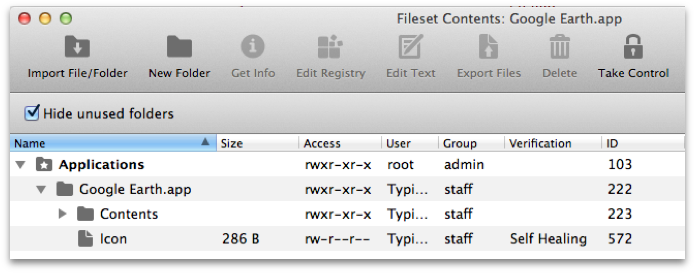
A file level Fileset delivers files and folders to devices while preserving the ownership and permissions stored in the Fileset. FileWave copies the full directory structure and creates missing directories on the target device when needed.
Example 1
Example 2
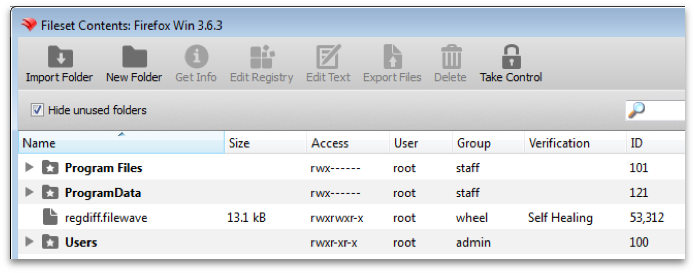
You can add more content with New Folder, Import Folder, or drag and drop. Select an item and use Get Info to review or change its attributes.
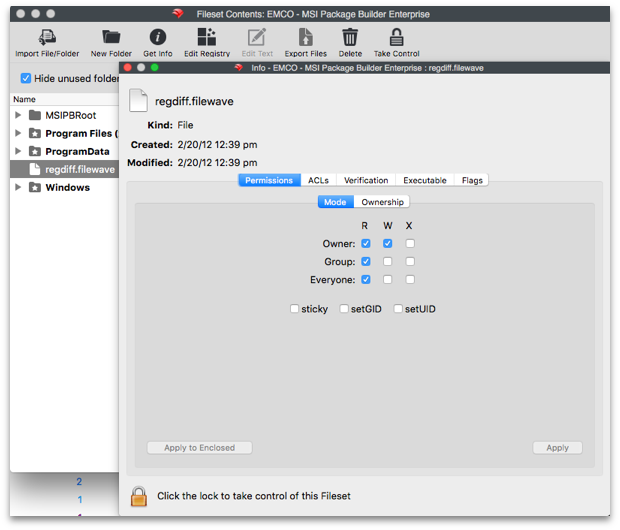
File level Filesets can also carry ACLs, Verification settings, and executable content such as scripts or EXE files. Review the Verification behavior before relying on a file check or script to repair drift.
Use Edit Text when you need to edit a selected file directly inside the Fileset. This is most common for scripts, but it can apply to any file type configured under Preferences > Editor.
You can select files in a Fileset and export them back to your local device.
Common admin searches for this workflow include "copy files with a Fileset", "deploy a folder to devices", "set file permissions in a Fileset", and "edit a script inside a Fileset".