
Restart (Windows)
What
StartingUse Restart Windows Devices when you need FileWave to remotely reboot one or more managed Windows computers from FileWave versionCentral 14.7+or weFileWave added support for remotely rebooting a Windows system from both the Web and Native administrators.Anywhere.
When/Why
AsA remote restart is useful when a Windows device needs to finish an ITinstallation, administrator,recover from a remoteknown reboot is sometimes required to address a problemissue, or complete an installation.admin-approved maintenance task.
How
This newThe action canis beavailable performed fromin both theFileWave WebCentral and NativeFileWave admin interfaces.Anywhere.
There is no "confirm"confirmation dialog when issuingyou issue the restart command. Choosing the command directlyimmediately executesstarts the restart action.workflow.
FileWave Central
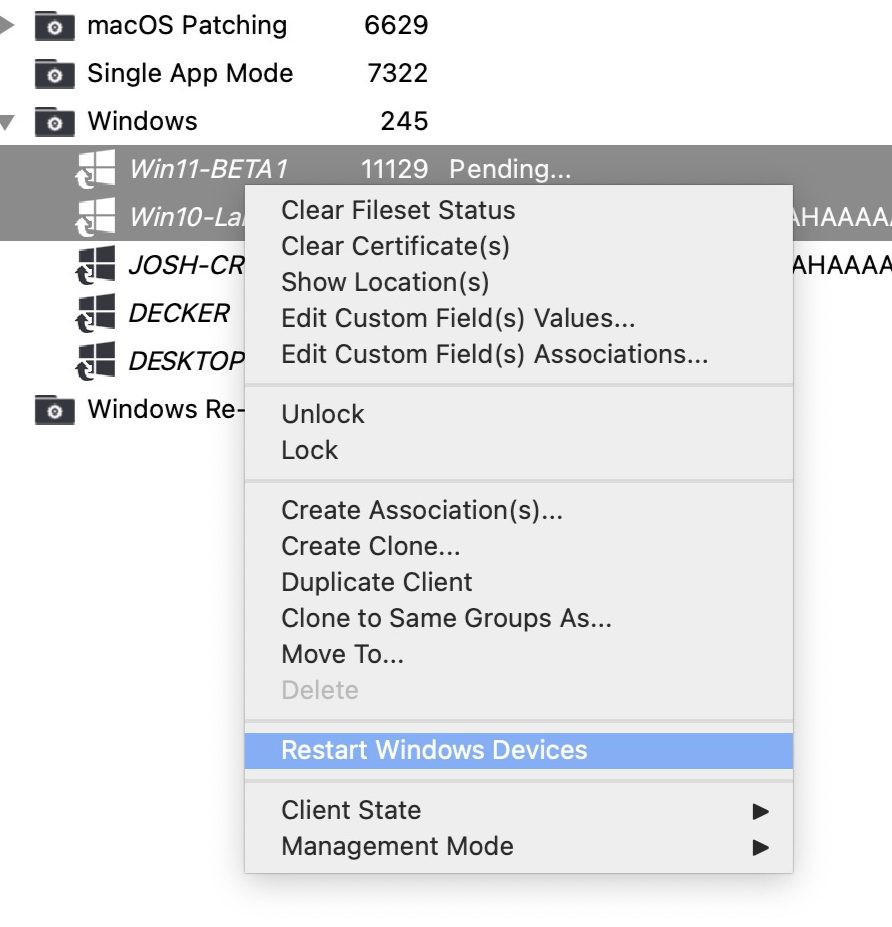
In theFileWave NativeCentral, adminright-click thereone isor amore devices and choose Restart Windows Devices command that can be seen when right-clicking one or multiple devices as shown here::

FileWave Anywhere
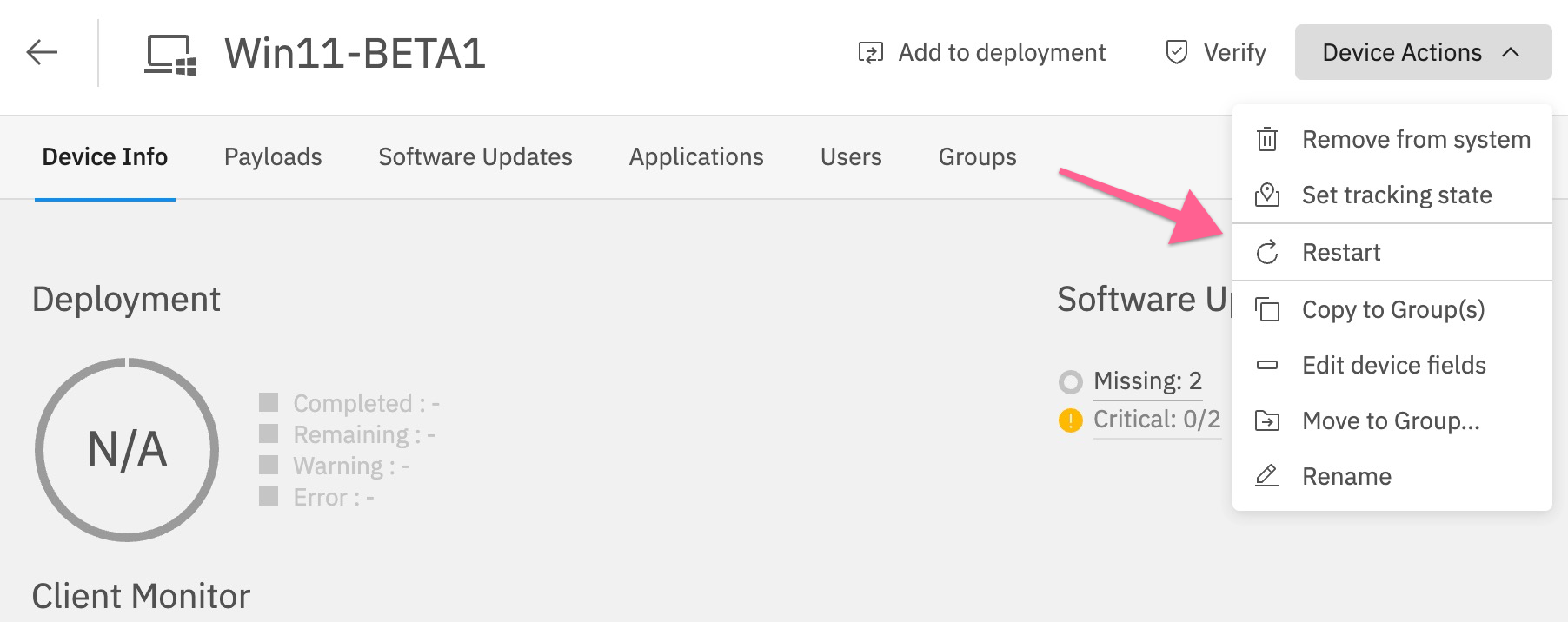
In FileWave Anywhere, the Websame Adminrestart thereaction is a Device Action seen when viewing the details of a device:

And,available from the devicesdevice details action menu:
From the Devices view, you can also select multiple Windows devices asto shownrestart andthem thenin Restartone several at once:action:


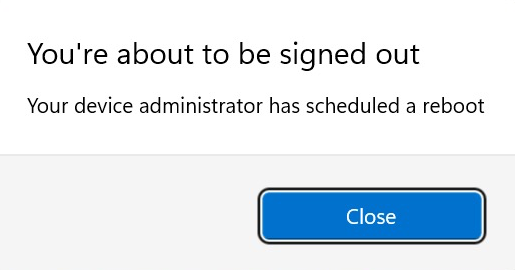
After issuingFileWave issues the rebootrestart command a dialog will be seen bycommand, any logged-in user thatsees willa lookwarning dialog similar to the first dialogexample below. NoteThe that the below imagesscreenshots are from Windows 11, andso thisthe willprompt may look slightly different on Windows 10.

.
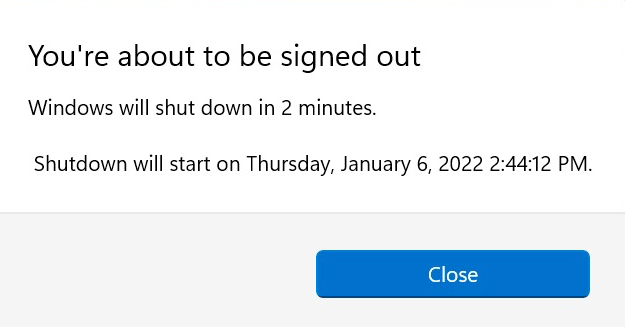
3Three minutes after the first dialogwarning appearsappears, anotherFileWave dialogshows willa displaysecond similarwarning. to the below dialog. After thisThat second warning hastells shownthe indicating that a device reboot is 2 minutes awayuser the Windows systemdevice will rebootrestart in 2 minutes later.minutes.

.