Review and Automatically Deploy Software Updates in FileWave Anywhere
What
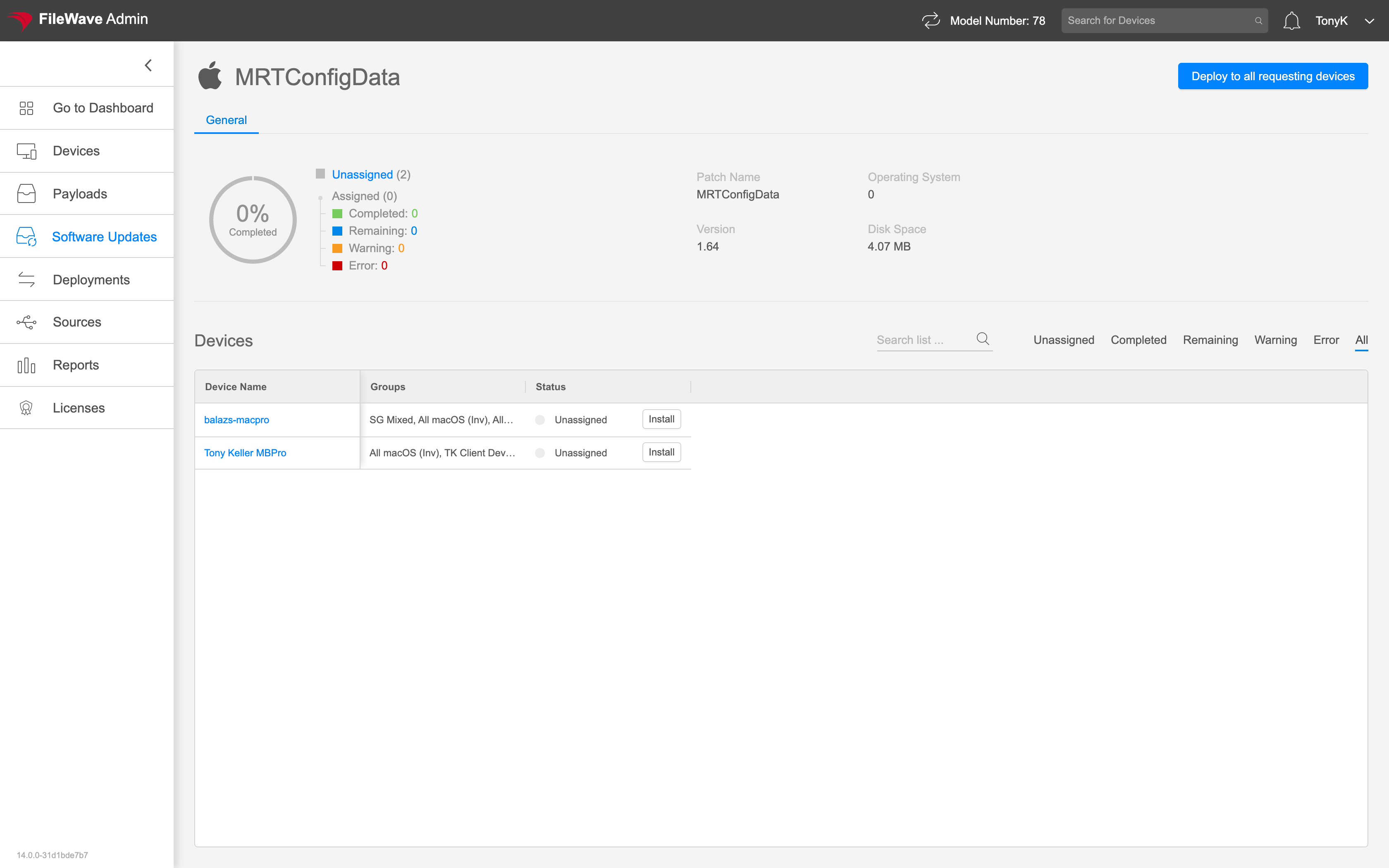
TheSelect an update in FileWave Anywhere's Software Update detailUpdates view showsto specificsee informationwhich aboutdevices anycurrently particularrequest patchit needed in the environment. You getand to thismanage viewdeployment byfor clickingthat on any particular update link from the Software Update view.update.
When/Why
ThereUse arethe two things thisdetail view reallyto givesanswer us: a view of allwhich devices missingstill this patch, andneed the abilityupdate. You can deploy it to assignindividual thedevices patchor apply it automatically to all present (and future) devices that mayrequest needit it.now or later.
How
The reporting aspect of this view is really helpful. "Deploy to all requesting devices"devices willapplies the update to current requesting devices and automatically setincludes this patch to be installed on any devicedevices that needsrequest itthe now,same andupdate anylater. Review the affected-device thatlist everbefore asksenabling for it in future.it.