
View - Reports Overview
What
InReports many ways,and Smart Groups and Reports are the same thing. In both casesuse the concept isconditions to programmatically identify devices. Use Thea differenceSmart betweenGroup when the twomatching objectsdevices hasshould receive an action, such as a deployment. Use a Report when you need to doview withor intent...Smarttrack Groupsmatching are created so that you can DO something to the devices in questions, whereas Reports are used to simply "report" on things,devices, such as software rollout progression.progress.
When/Why
WeUse are goingReports to use a reports to help us identifyfind problem areasareas, (proactivetrack management),ongoing projects, and to track progress of ongoing projects. The contents of reports can additionally be used to feed the FileWave customizableaggregate dashboard for aggregate reporting.widgets.
How
We'llThe go into depth on creating reports in thevideo below links, but here isshows a quick previewexample of creating a reportReport to look atfind Firefox across the environment.
NoteReports that reports havesupport several available actions:

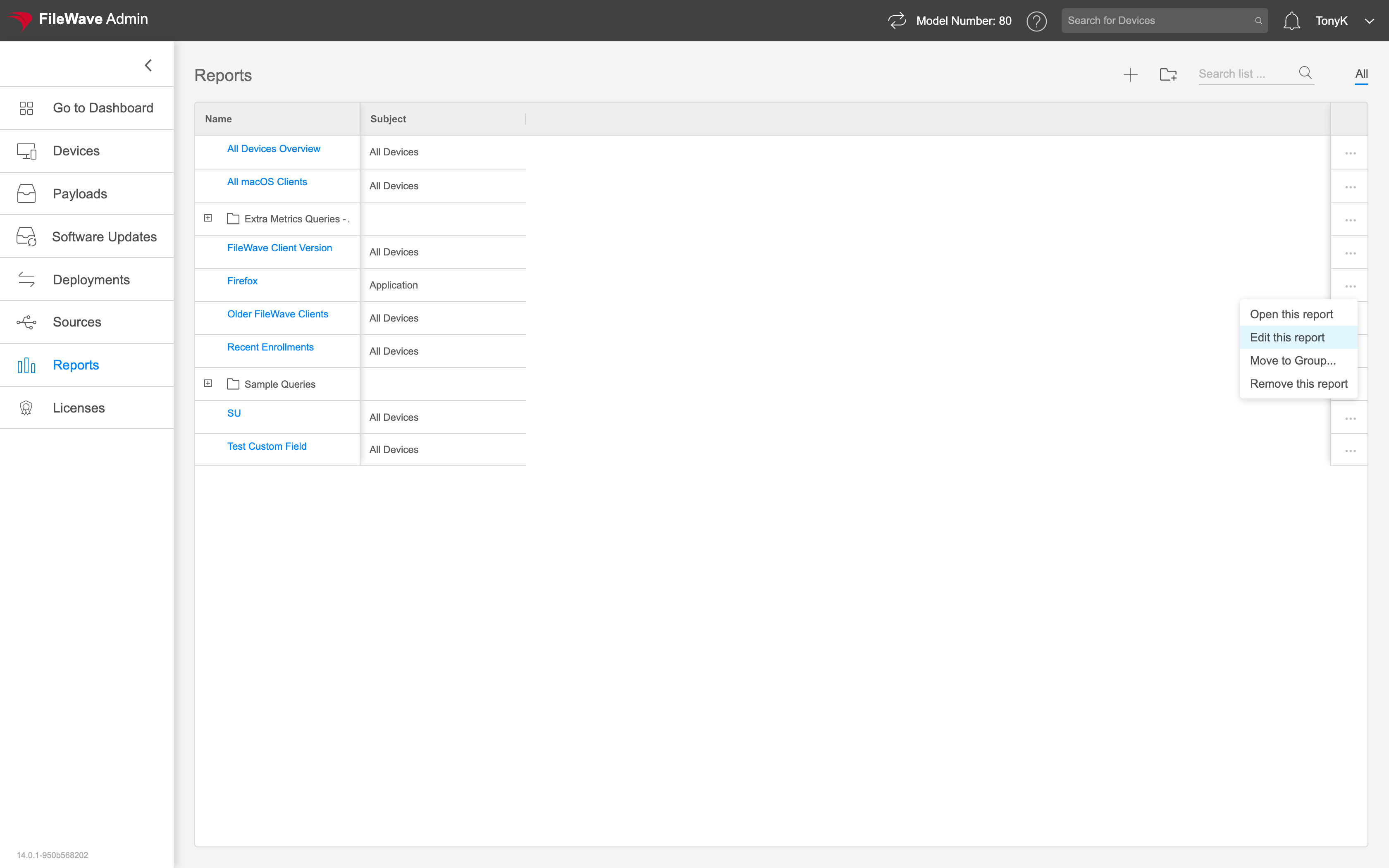
You can Open the Report (view the contents of the report), Edit the Report (see and then change the conditions of the report), Removeopen a Report (deleteto it),view matching devices, edit it to change conditions, remove it, or Move to Group (move theit report tointo a group for organizational purposes).organization.