
Find iOS 17-Compatible Devices with Inventory Reports
Description
DetailsUse onthe identifyingincluded JSON definitions to import two iOS 17 compatibility Inventory Reports (formerly Queries) through the FileWave Command Line API. One report lists compatible devices for iOS 17 usingand the Commandother Linelists APIincompatible todevices; createboth aare Queryavailable in FileWave Central and FileWave Anythere. Anywhere.
|
iOS |
|
Inventory |
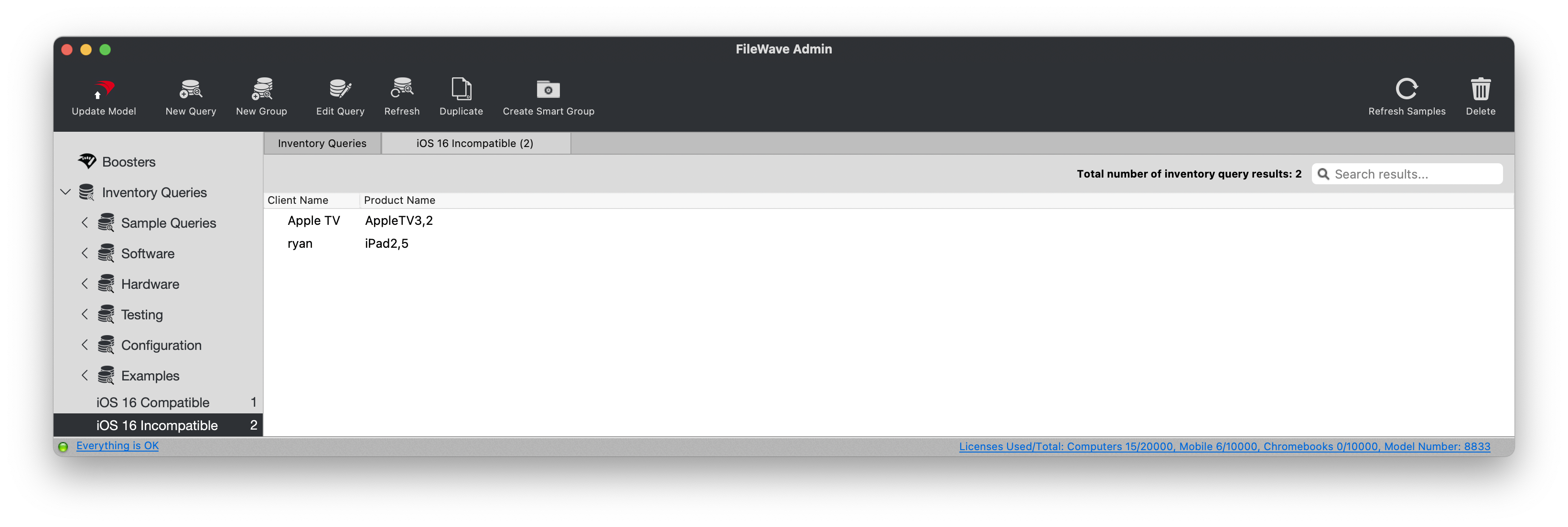
ExampleThe queryscreenshot view:below shows the former Queries interface in an older version of FileWave Central.
Ingredients
AdministratorFileWaveApplicationapplicationTokentoken(basewith64)permission to create Inventory ReportsFWTheAdminincluded iOS 17 InventoryQueryReport JSON files
|
Compatible Query |
Incompatible Query |
Directions
RequiresDownload the creationcompatible of Inventory Queries. Two queries are available, one listingand incompatible devicesJSON andfiles oneabove. listingUpload compatibleeach devices.definition To upload the queries involves usingthrough the FileWave Command Line API., then open the imported reports in FileWave Central or FileWave Anywhere.
Obtain the Administratora ApplicationFileWave Tokenapplication (basetoken 64),and thensubstitute useyour own server address and token in the followingexamples. formatKeep toproduction uploadtokens eachout Inventoryof Queryscripts toand thecommand server.history Forwhenever example:possible.
Token(baseToken:64): eaIaY2Q2MjAkLTVmMzItMGU3AC1kYTcyLTU1NLc4NzNlNDc0An0=<application-token>- Server
Address:address:mdm.filewave.ch<filewave-server.example> - File: ios17_compatible.json
Command Line API POST
You'll haveRun the downloadedcommand file infrom the same directory asthat wherecontains youios17_compatible.json. runUse ios17_incompatible.json for the belowsecond command. report.
The belowexamples examplekeep usesTLS thecertificate ios17_compatible.jsonverification butenabled. youDo cannot changeadd that-k easily.to production commands.
Shell Script:
curl -s -k -H "Authorization: eaIaY2Q2MjAkLTVmMzItMGU3AC1kYTcyLTU1NLc4NzNlNDc0An0=" https://mdm.filewave.ch:filewave-server.example:20445/inv/api/v1/query/ --header "Content-Type: application/json" -X POST -d @ios17_compatible.jsonPowerShell:
$uri = 'https://mdm.filewave.ch:<filewave-server.example>:20445/inv/api/v1/query/'
if (-not $env:FILEWAVE_TOKEN) { throw 'Set FILEWAVE_TOKEN before running this command.' }
$headers = @{
    'Authorization' = 'eaIaY2Q2MjAkLTVmMzItMGU3AC1kYTcyLTU1NLc4NzNlNDc0An0='$env:FILEWAVE_TOKEN
    'Content-Type' = 'application/json'
}
$body = Get-Content -Raw -Path 'ios17_compatible.json'

$response = Invoke-RestMethod -Uri $uri -Headers $headers -Method Post -Body $body
# Process the response as needed
$response