
Find iOS and iPadOS 27-Compatible Devices with Inventory Reports
Description
Use the included JSON definitions to import two iOS 17 compatibility Inventory Reports (formerly Queries) throughthat theidentify FileWavemanaged CommandiPhone Lineand API.iPad devices in Apple’s published iOS 27 and iPadOS 27 compatibility lists. One report lists compatible devices anddevices; the other lists incompatiblemanaged devices; both are available in FileWave CentraliPhone and FileWaveiPad Anywhere.devices that fall outside the published list.
iOS 27 and iPadOS 27 are prerelease.
These report definitions useInventory Reports that list deviceApple’s compatibility lists published with the June 2026 previews. Apple may revise support before the public release, so check the linked Apple pages again before approving a broad upgrade.
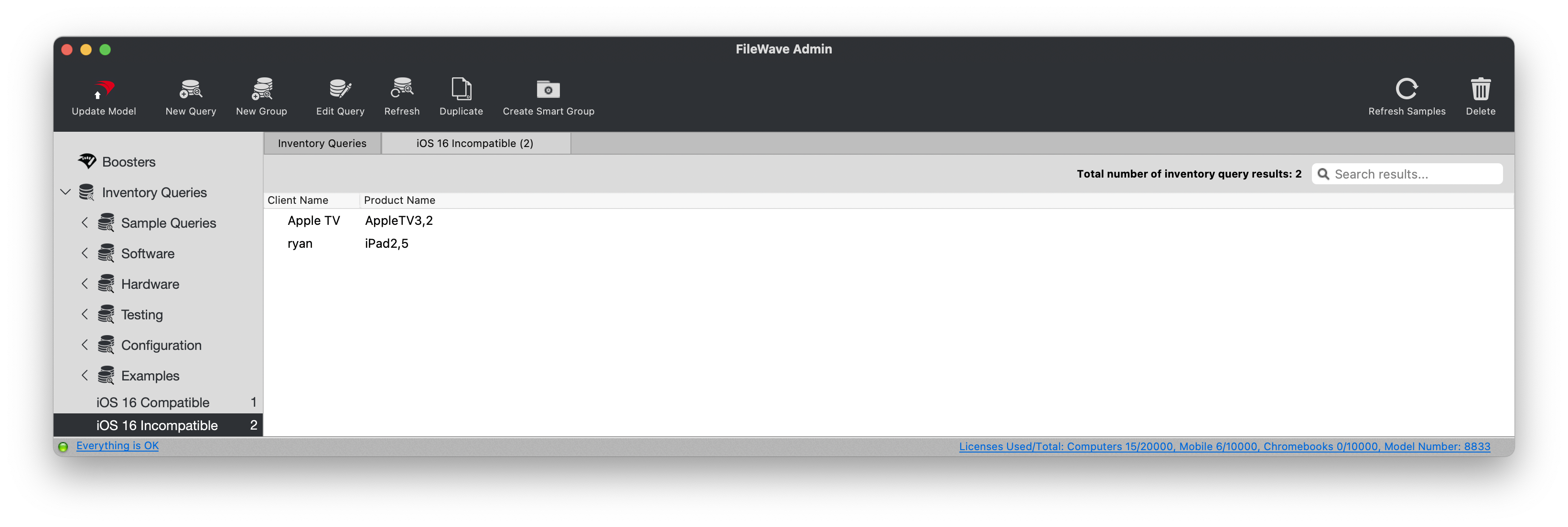
The screenshotcompatible belowreport showsincludes devices whose hardware identifier is on the formerpublished Querieslist interfaceor inwhose anreported operating-system version already begins with 27. This means newly released hardware that ships with iOS or iPadOS 27 still appears as compatible before its hardware identifier is added to the report. The incompatible report is limited to iPhone and iPad inventory and intentionally excludes Apple TV and tvOS.
Apple’s published compatibility list
The iPhone compatibility floor is unchanged from iOS 26. For iPadOS 27, Apple no longer lists iPad Pro 11-inch (1st generation), iPad Pro 12.9-inch (3rd generation), iPad Air (3rd generation), iPad (8th generation), or iPad mini (5th generation).
The reports match the current FileWave inventory identifiers iPhone12,* through iPhone18,*, iPad8,9 through iPad8,12, and iPad12,* through iPad17,*. The four supported iPad8 identifiers are listed individually because a broad iPad8,* match would also include older versioniPad ofPro FileWavemodels Central.that are not on Apple’s iPadOS 27 list.
Ingredients
- A FileWave application token with permission to create Inventory Reports
- The
includedcompatibleiOSand17incompatible iOS/iPadOS 27 Inventory Report JSON files
Compatible |
Incompatible |
|
|
Directions
The FileWave interface calls this feature Reports, but the Command Line API route retains /query/.
ObtainSet ayour FileWave application token in an environment variable and substitutereplace filewave-server.example with your own server address and token in the examples.address. Keep production tokens out of scripts and command history whenever possible.history.
<application-token><filewave-server.example>Command Line API POST
Run the command from the directory that contains ios17_compatible.ios27_compatible.jsonios17_incompatible.ios27_incompatible.json
The examples keep TLS certificate verification enabled. Do not add -k to production commands.
Shell Script:script
: "${FILEWAVE_TOKEN:?Set FILEWAVE_TOKEN before running this command}"

curl -s-fail --silent --show-error \
  -H "Authorization: $FILEWAVE_TOKEN" \
  -H "Content-Type: application/json" \
  -X POST \
  --data-binary @ios27_compatible.json \
  https://filewave-server.example:20445/inv/api/v1/query/
--header "Content-Type: application/json" -X POST -d @ios17_compatible.jsonPowerShell:PowerShell
$uri = 'https://<filewave-server.example>:example:20445/inv/api/v1/query/'

if (-not $env:FILEWAVE_TOKEN) { throw 'Set FILEWAVE_TOKEN before running this command.' }

$headers = @{
    'Authorization' = $env:FILEWAVE_TOKEN
    'Content-Type' = 'application/json'
}

$body = Get-Content -Raw -Path 'ios17_compatible.ios27_compatible.json'
$response = Invoke-RestMethod -Uri $uri -Headers $headers -Method Post -Body $body
$response