
Deploy Folder with Icons (macOS)
Description
TheThis followingarticle demonstratesshows how to successfully deploy macOS folders or applications with custom icons. There have been changes by Apple whichchanged meanshow previousFinder stores some icon metadata, so older packaging methods may faildeploy tothe presentfolder but miss the icon.
Information
This process willhas involve:three parts:
CreatingCreate afilesetFileset that includes the folders or applications withiconscustom icons.CreatingCreate anActivationactivationScriptscript.Change the properties ofSet the scripttopropertiesincludeso FileWave passes the folder or application paths to thefoldersscript.
1. Create the Fileset
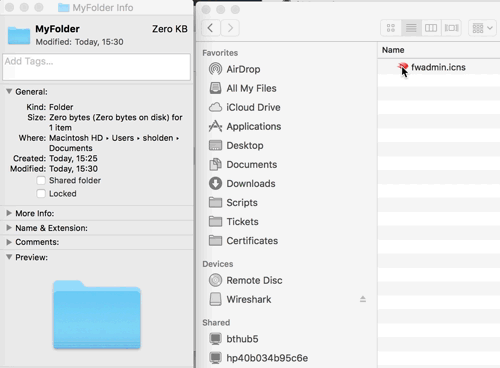
To build the fileset,Fileset, first apply a custom icon to the folder requiresor aapplication customon icon.macOS. ToChoose add a custom icon, choose Get Info on the Folderfolder (thisor couldapplication, be an Application) andthen drag the icon or image file onto the folder icon at the top of the Get Info window:

Create a standard Fileset usingfrom thisthat Folderfolder or App.application.
2. Create Anan Activationactivation Scriptscript
Highlight the Fileset and choose the Scriptscript icon.

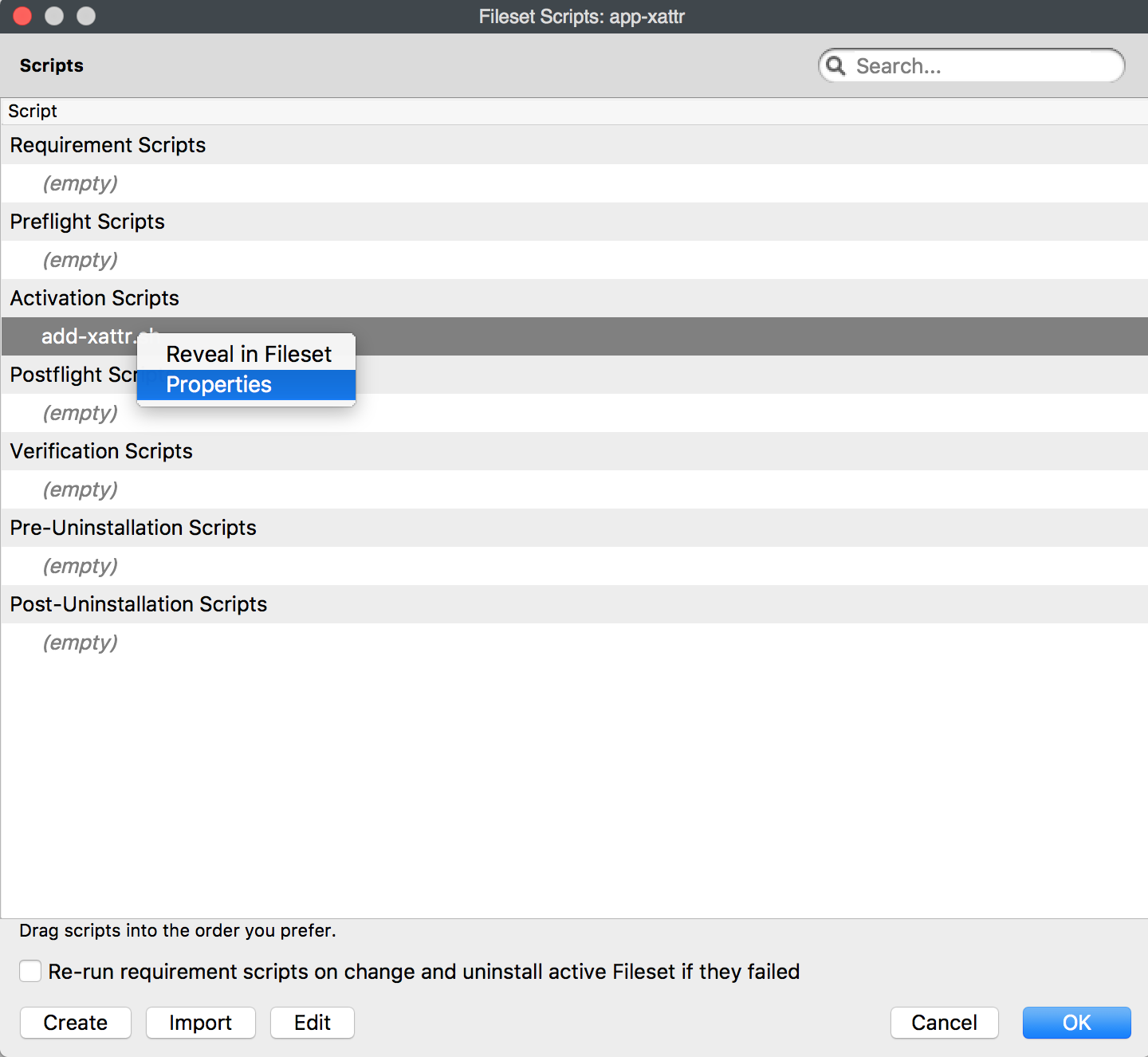
In the Windowwindow that opens, select Activation Script and, then choose to Createcreate a script. In this exampleexample, the script wasis called 'add-xattr.. The script should sh'shcontain the following:contain:
#!/bin/bash
{
for directory in "$@"
do
    xattr -wvx com.apple.FinderInfo '00 00 00 00 00 00 00 00 04 00 00 00 00 00 00 00 00 00 00 00 00 00 00 00 00 00 00 00 00 00 00 00' "$directory"
done
}
3. Change the Scriptscript Propertiesproperties
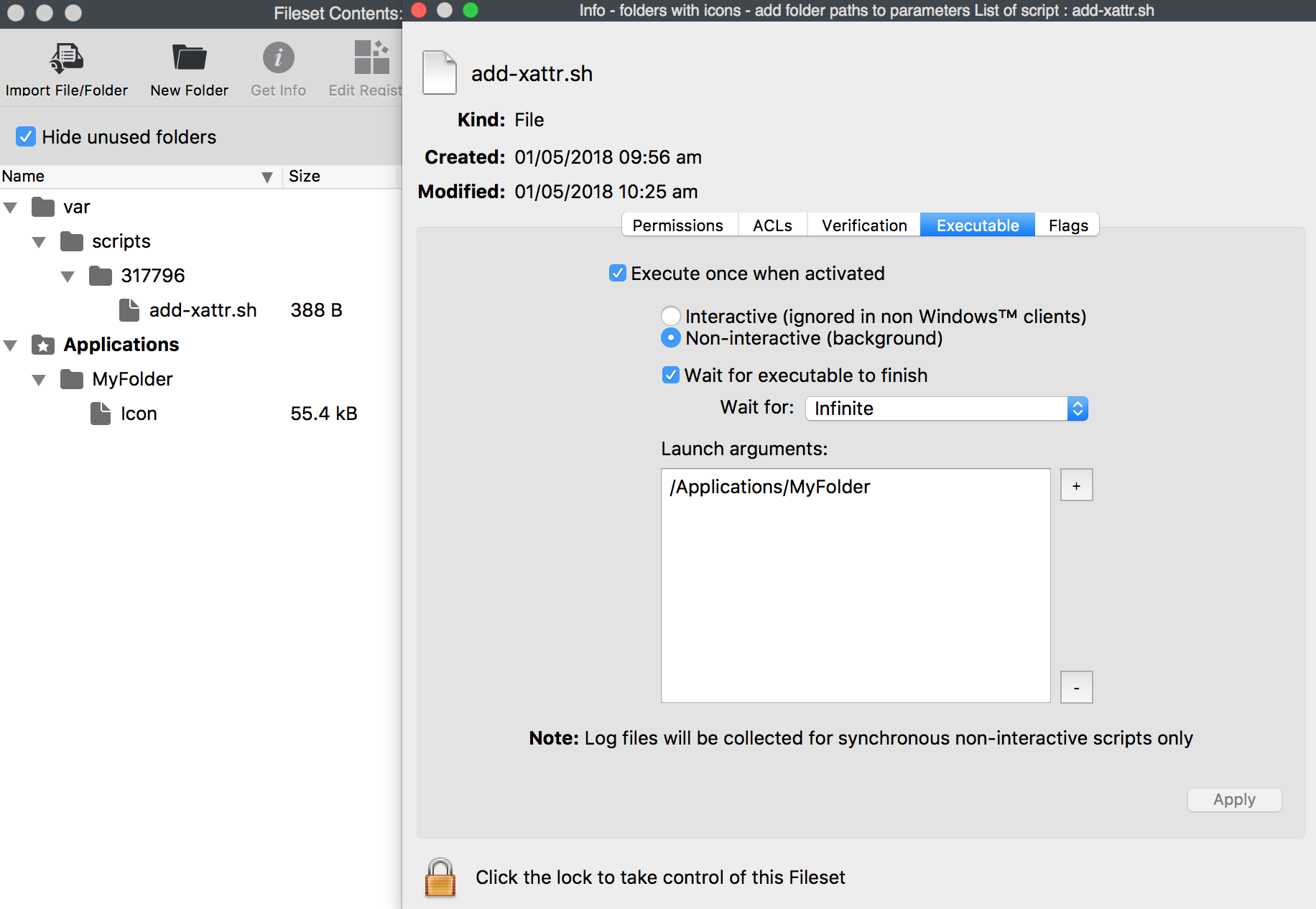
OnceAfter created,you create the script, highlight the scriptit and choose 'Properties'Properties.

TheEdit the Executable tab shouldso bethe editedlaunch toargument matchmatches the path to the location of your Folderfolder or Applicationapplication containingthat has the custom icon.

Associate the FilesetFileset. and on deploymentWhen the FolderFileset deploys, the folder or Applicationapplication willshould havekeep the chosen icon.
Multiple Foldersfolders with Iconsicons
The Fileset can contain multiple folders with custom icons. For each folder containingwith a custom icon, add ana additionalmatching Launchlaunch Argumentargument in the Executable tab to match.tab.