
FileVault 2 enabled on macOS ADE enrollment
What
OnceAfter you have started down the road of usingconfigured FileVault tomanagement secure your data within FileVault - Getting Started then, you maycan want to think about enablingrequire FileVault atduring enrollmentAutomated timeDevice Enrollment for supported macOS systems.devices.
When/Why
FileVault is a built-in encryption solution for macOS devices that will protect yourprotects data at rest.rest Thinkon aboutmacOS devices. Requiring FileVault during enrollment helps ensure a laptopMac issuedis encrypted before it is put into regular use, which is especially important for laptops assigned to astaff Teacherwho ormay ahandle Financialsensitive persondata.
As of FileWave 15.2.0 and macOS 14.00, thereFileWave is now an option available tocan enable Apple's Setup Assistant FileVault fromenforcement enrollmentduring time.ADE enrollment.
How
OnceBefore youenabling havethis goneoption, throughcomplete the FileVault configuration described in FileVault - Getting Started. toYou understandneed howa itFileWave is configured, and you are runningversion at least FileWave 15.2.00, withtarget devices that are at leastrunning macOS 14.0 thenor youlater, canand a FileVault disk encryption profile available for the enrollment workflow.
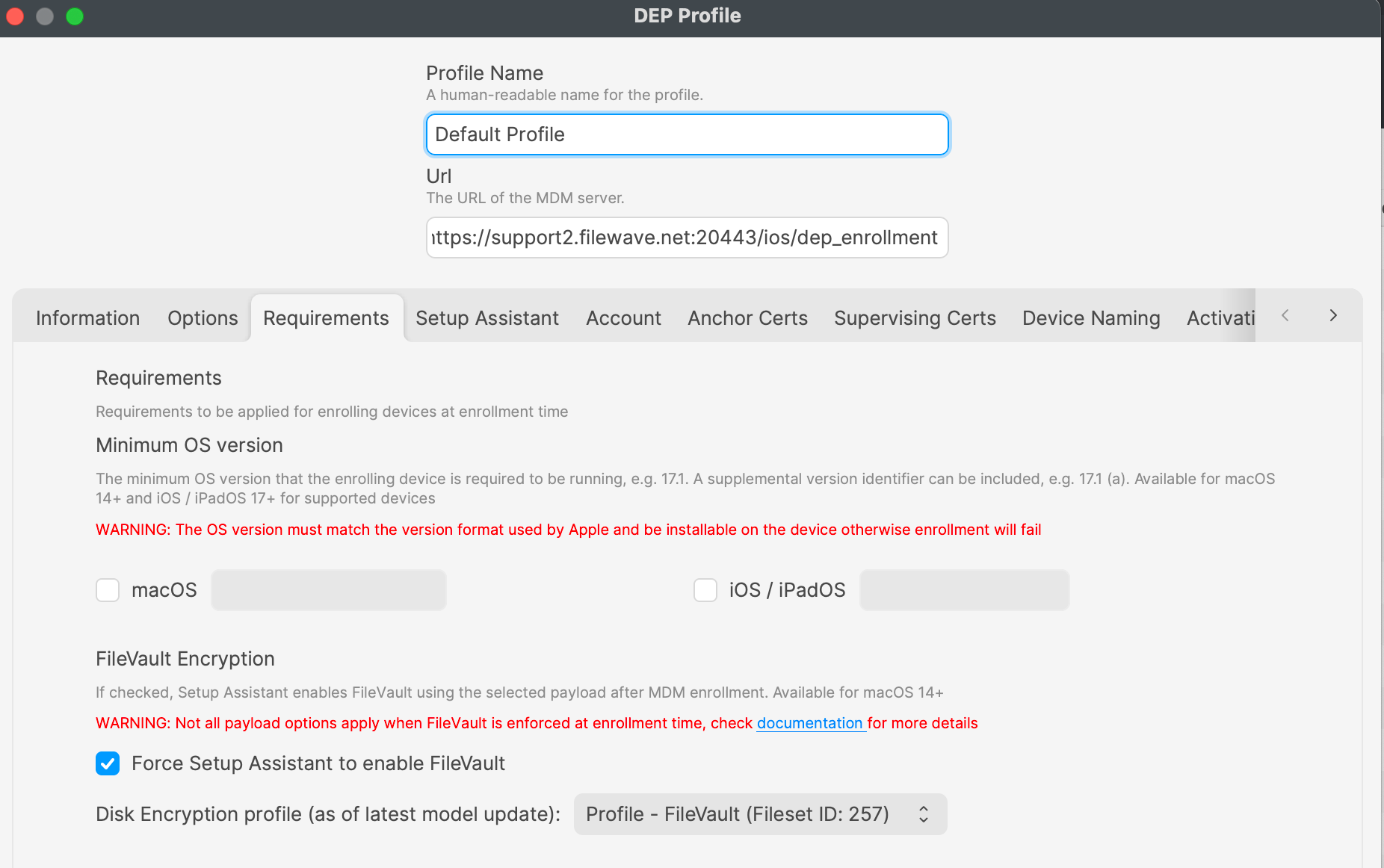
Once you have this enabled then you should be allused set.during Makeenrollment.
Test with one device firstbefore towider berollout. sureConfirm you are happy withthat the options,FileVault prompt appears during Setup Assistant and toverify testthat your Institutional Recovery recovery-key to make sure itworkflow works withas expected before assigning the passwordprofile you believe it should. broadly.
Related Content
- FileVault - Getting Started
DeprecationApple:ofManageInstitutionalFileVaultRecoverywithKeysdevice management