Upload a Custom FileWave Client for Windows MDM
What
FileWave Windows MDM withuses FileWaveboth is implemented in a hybrid-mode. That is, we can issueMicrosoft's MDM commandsprotocol (suchand as installing a policy), but also wish to leverage ourthe native FileWave clientClient. capabilities.MDM handles enrollment and policy commands, while the FileWave Client provides Filesets, inventory, and other client-based management.
When/Why
OurUpload firsta stepcustom inFileWave settingClient upMSI thebefore integration forenrolling Windows MDM is to create and publish a customized FileWave clientdevices so that our newly MDM enrolled devices willcan haveinstall athe functioning FileWavenative client installed upon enrollment.automatically.
How
Before anythingyou makebegin: sureConfirm that you have done following steps:Yourthe FileWave serverServer is running healthy,healthy and backupsbacked areup, beinguses performed.Youa have valid,valid trusted certificatecertificate, installedhas onsaved your FileWave server.You havePreferences at least saved FileWave preferences once (open preferences in the native adminonce, and savehas it.)This will set important configurations on your FileWave server (shared keys, etc.)You havecompleted at least updatedone modelModel onceThisUpdate. willSaving allowPreferences FileWave'screates required shared settings; Model Update creates the internal URIsURLs toused beby inthis place.workflow.
AfterFileWave youServer confirmed16.4.0 everythingand islater: ok,Build thenand you may uploaddownload the custom clientWindows MSIClient installer.package in FileWave Central. FileWave Server 16.3.x and earlier: Build the package at custom.filewave.com. Custom packages are for new installations and enrollment, not for upgrading an already enrolled FileWave Client.
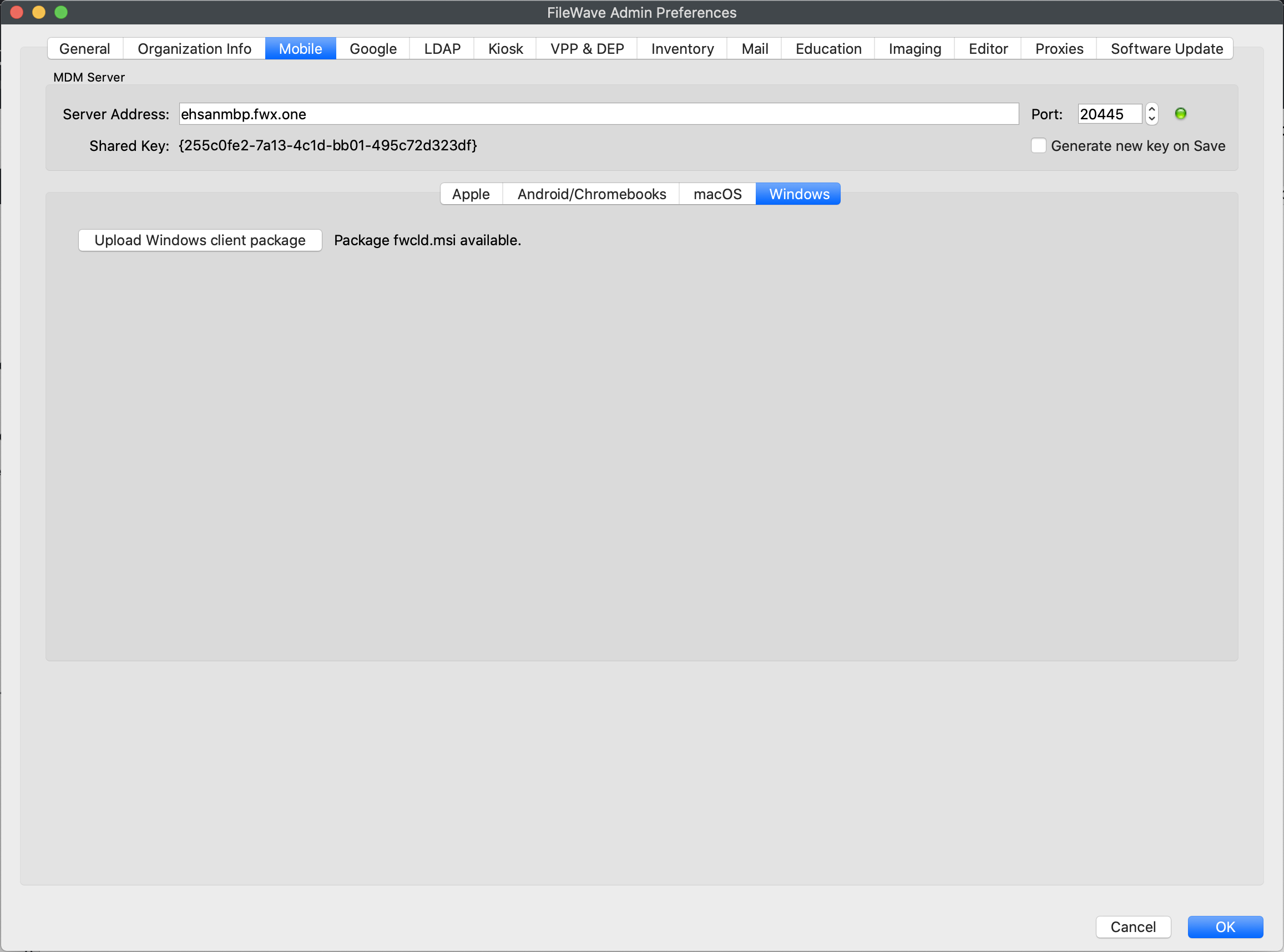
Upload fwcldthe msicustom packageWindows Client MSI
-
Open
theFileWavenativeCentral,admin andthen openpreferences.Preferences. -
GoOpento theMobiletab and look under the> Windowssub-tab.. -
Upload
yourthe customclient.msiClientpackage on that tabMSI as shown below.CreateIfthisyour Server is earlier than 16.4, create the installer with the Customer Installer Builder.