Wipe a Windows MDM Device from FileWave Anywhere
What
14.8+FileWave Anywhere can send a remote wipe command to a Windows device enrolled through Windows MDM. The action is not available for a device that only has the FileWave introducesClient and is not MDM-enrolled.
Before you wipe
Wipe is destructive. It resets the optionWindows device and can remove local user data, settings, applications, and MDM policy. Confirm that you selected the correct device and that any required data is backed up before sending the command.
Wipe choices
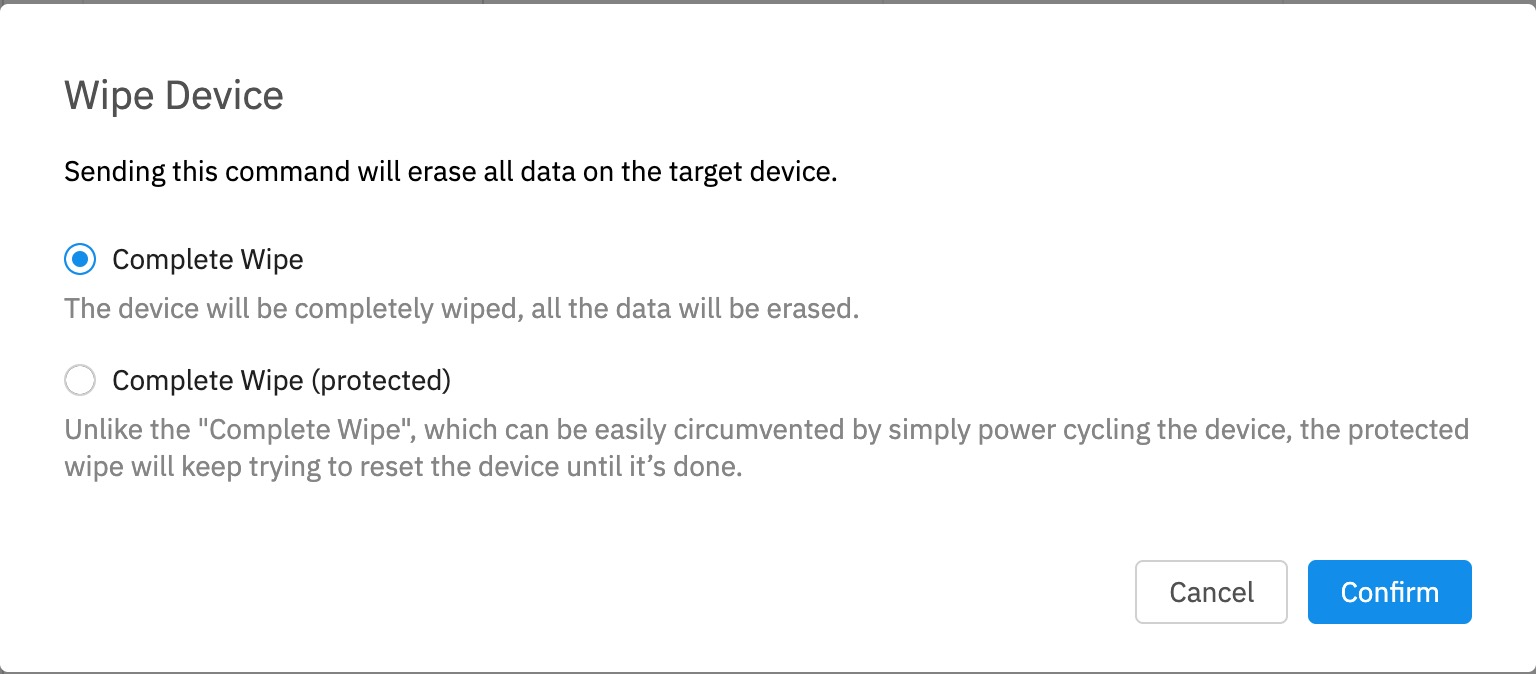
- Complete Wipe erases all data and resets the device.
- Complete Wipe (protected) keeps trying to
WiperesetMDMtheenrolleddeviceWindowsif someone interrupts the wipe by power cycling it. Microsoft warns that a protected wipe can leave some devicesfromunablethetoWebstart.AdminUseconsole.it
only when persistent data destruction is required and you have a recovery plan.When/Why
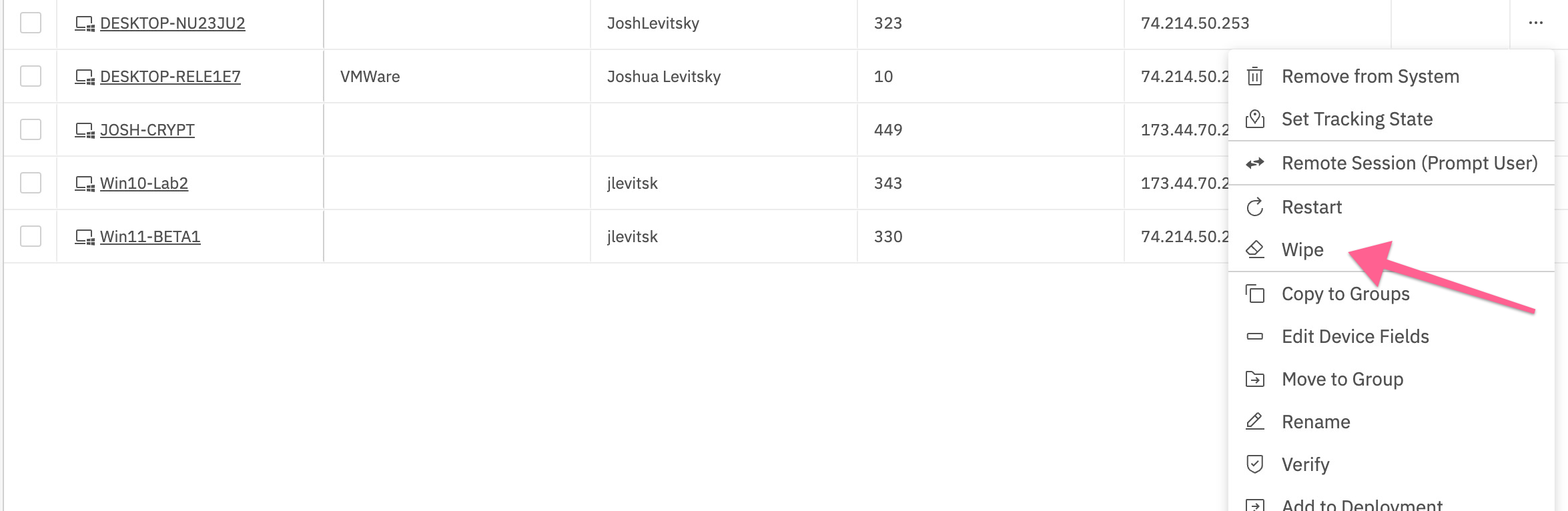
The optionsWipe fromaction the ellipsis now include the Wipe option.
Option to Wipe willappears only be visible for Windows devices whichthat are MDMenrolled enrolled.through MDM.
HowSend the command
- Open
list in FileWave Anywhere and select the Windows device.Selectthe device - Open
menu for that device.Selectthe ellipsis - Select
Wipe and verify the device record in the confirmation dialog.