
Find WinGet Packages in FileWave Central
What
FileWave Central can search the WinGet isrepository and create a command line tool to manage applications on the Windows platform.
Note that FileWave 15.4 or later is required.
When/Why
WinGet will install software. But, to do so, we'll need to see iffrom the package weyou areselect.
Before foryou is increate the repository.
HowFileset
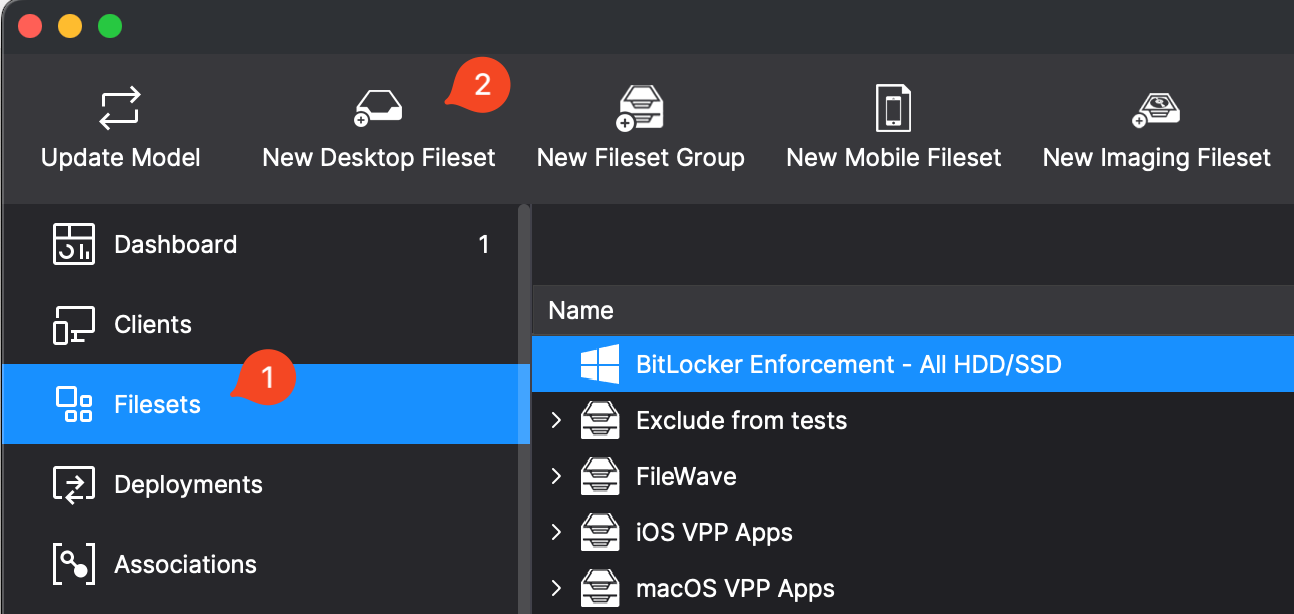
In FileWave Central click on "New Desktop Fileset" when inConfirm the Filesetspackage windowname, identifier, and thenpublisher pickbefore "Winget"deployment. asSearch results can contain similarly named packages, and the typepackage of Fileset.
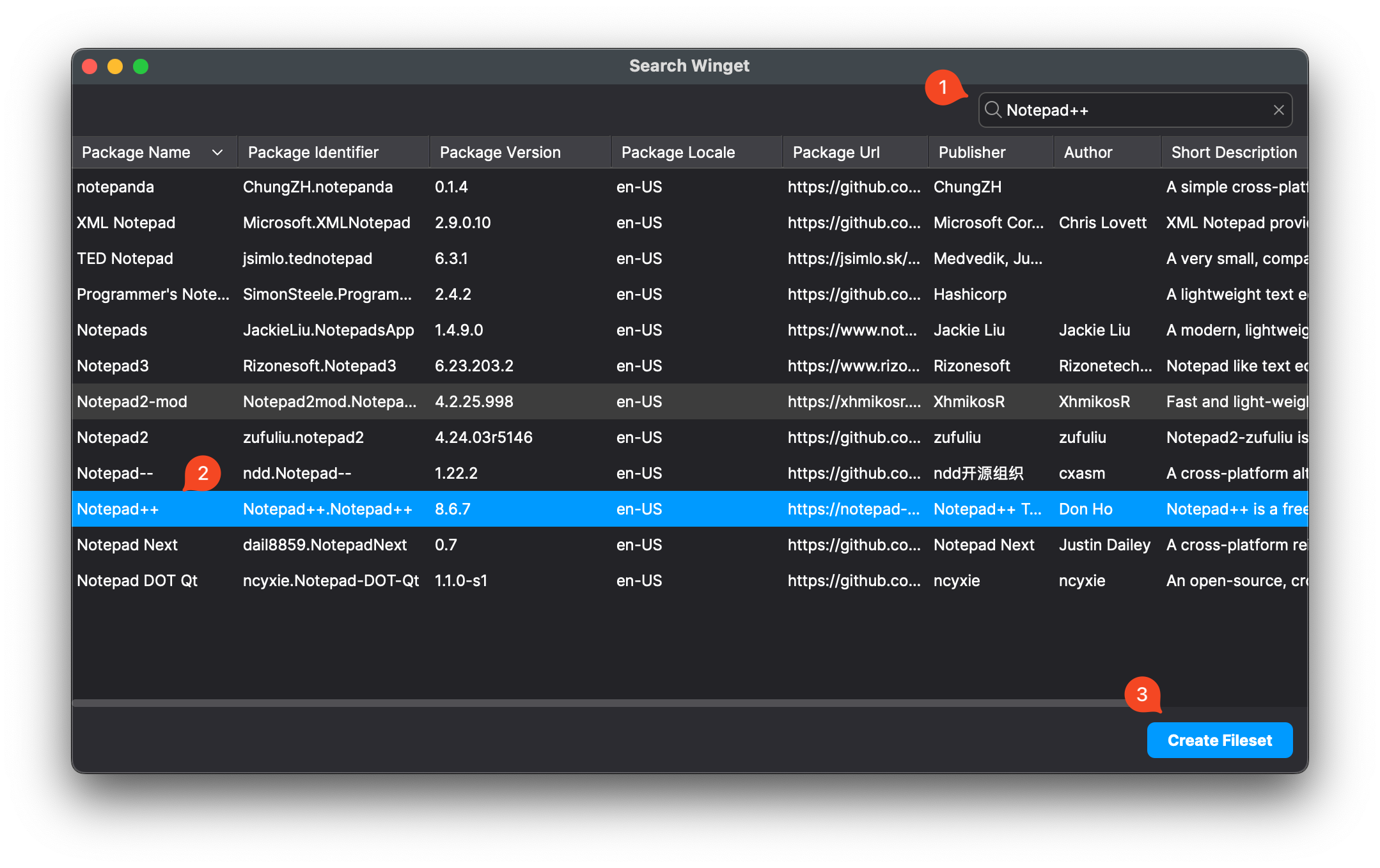
The results will show as below, and what we are most interested inidentifier is the uniquestable value that distinguishes them.
Find and select a package
Notepad++.Notepad++.
The package identifier matters when several results have similar names:
In