
Uninstalling a package with WinGet
What
WinGet is a command command-line tool tofor managemanaging applications on the Windows 10 and 11 platform.
Note that FileWave 15.4 or later is required.11.
When/Why
After we initiallyyou install anya WinGet package, weyou mostmay likely will have reasonneed to uninstallremove it atlater. some point...and weFileWave can usehandle thisthat veryremoval practically inthrough a prepre- or post-uninstall script within a payload/fileset.Fileset.
How
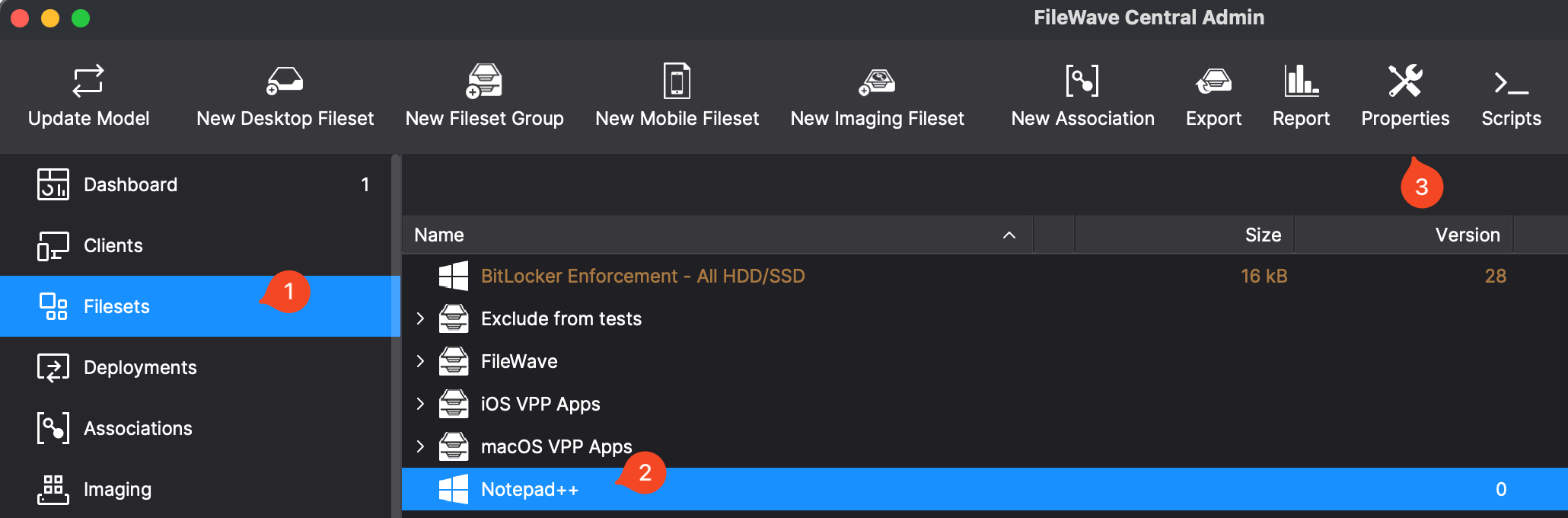
The process for removingRemoving a WinGet package is very similar to our installation and upgrade code, and equally simple. We'll use WinGet to remove a previously installed package. Clickingfollows the Filesetsame andgeneral pattern as installing or upgrading one. Click the Fileset, then click Properties in the toolbartoolbar. willThe bringFileset you to the settings which willproperties control ifwhether aFileWave removes the WinGet application is removed by breakingwhen the Association or Deployment.Deployment is removed.
Below is the properties dialog for the Fileset.
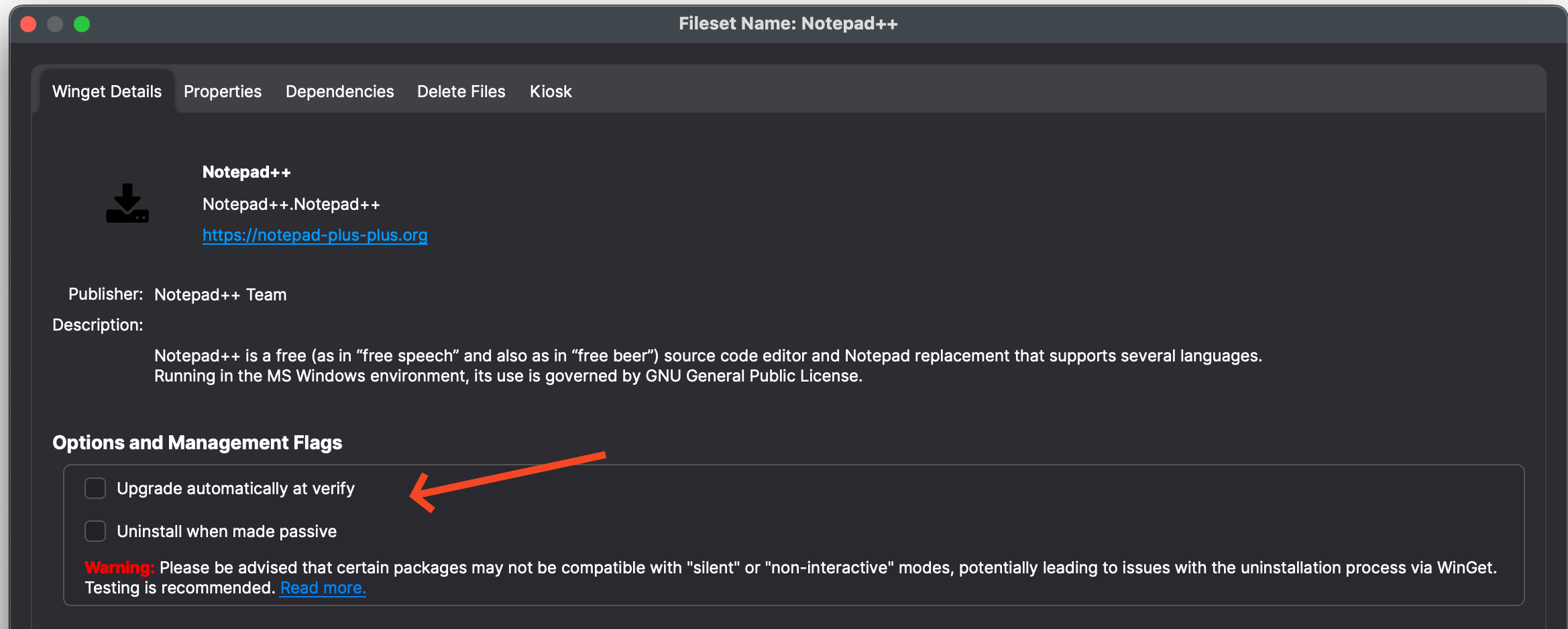
Things to considercheck onin the properties dialog:
- Name -
IsConfirmitthis is thenamepackage youexpected?intended to remove. - URL -
The publisher ofConfirm thesoftware. Go there and confirm itpublisher/source iswhatthe one you expected. - Uninstall when made passive -
DoEnable this if you wantitFileWave to uninstall the software when the Association or Deployment isremoved? Checking this box will make it so that if the Association or Deployment is removed in the future, the software should silently uninstall.removed.
Keep in mind that someSome software does not silentlyuninstall silently, so test before enabling this option in production. Silent uninstall sobehavior youdepends should always test if you are going to enable this option. The uninstall functionality is up toon the software vendorvendor. toIn implementtesting, properly. What our testing has found, though,uninstall is thatsilent only when the uninstallthird-party will only be "silent" if the 3rd partyapp includes a QuietUninstallString in HKLM/Software/Microsoft/Windows/CurrentVersion/Uninstall. Firefox, Infor example, provides an UninstallString but not a QuietUninstallString, so its normal uninstall prompts the case of Firefox, Mozilla provides no such string...they only provide an UninstallString, which does prompt. So, "silent" in this case is not silent. As always, testing of these items before production rollout is always recommended.user.
Digging Deeper
YouIf the default uninstall is not silent, you may still be askingable yourself can Ito make the uninstallit silent ifwith ita isn't?vendor-supported Yes,switch. probably. In the case of Firefox for instance, theFirefox's uninstall string calls anhelper.exe, and running that executable called helper.exe. That executable, though, when run with a /S flag,uninstalls will actually uninstall the applicationFirefox silently. SoIf you need that behavior, place the command to do this could be placed intoin an Activation script on a separate Fileset to accomplish it instead of usingrelying on the WinGet commanduninstall if you find you need to solve for this.command.