
Windows Sysprep Guide


preparing
This Guide will prepare youra Windows devicesreference todevice befor capturedcapture and deployeddeployment with FileWave Network IVS.
ComputerBefore Imaging is an important part of Life Cycle Management. Creating and deploying Windows images requires runningcapturing the Systemimage, Preparationrun (Sysprep)Microsoft tool.Sysprep. Sysprep removes system-specific data from Windows,Windows ensuringand a successful restoration ofprepares the image,image andto createscomplete a "generalized" Windows installation that will then be ready for configuration atsetup the next bootup.time it starts.
If
Create youror organization requires an answer file, below is a step-by-step guide on creatingvalidate an answer file
An Sysprepanswer file is only needed if you want to completelyautomate automateWindows setup or OOBE choices after the image is deployed. If you do use one, create or validate it before running Sysprep.
The Microsoft-supported method is Windows System Image Manager, which is included with the Windows Assessment and Deployment Kit (ADK). Use ADK/Windows SIM that matches the Windows setup.version you are preparing as closely as possible.
Creating
Third-party generators can be helpful for building a Sysprepstarting unattendedpoint, answerbut fileFileWave
Testeddoes onnot Windowsown 10or validate their output. If you use one, review the XML and 11
Atit thisin point,a youlab canbefore eitherusing it for a master image.
UseAeternumaWindows3rdUnattendedpartyFilecreation toolGeneratorManuallySchneeganscreateWindowstheUnattendanswer file
ItIf isa highlygenerator recommendedincludes thatWindows generatedPE, answerdisk filespartitioning, beor usedUEFI/GPT settings, check those settings carefully. For UEFI/GPT systems, Microsoft documents the EFI System Partition as FAT32 with matchinga Windowsminimum releases,size e.g,of 21H2200 answer file with Windows 11 21H2, etc. MB.
Answer File Generator
Tested on Windows 10 1909 and 2004
3rd Party Tool
The following are example links to online tools that will generate
Check the XML:reference
Manually
Installing the Windows Automated Installation Kit for Windows
First we'll need to install the Windows Automated Installation Kit (Win AIK) on your technician machine. Follow the on screen prompts for your Windows AIK version.
Check Disk
device
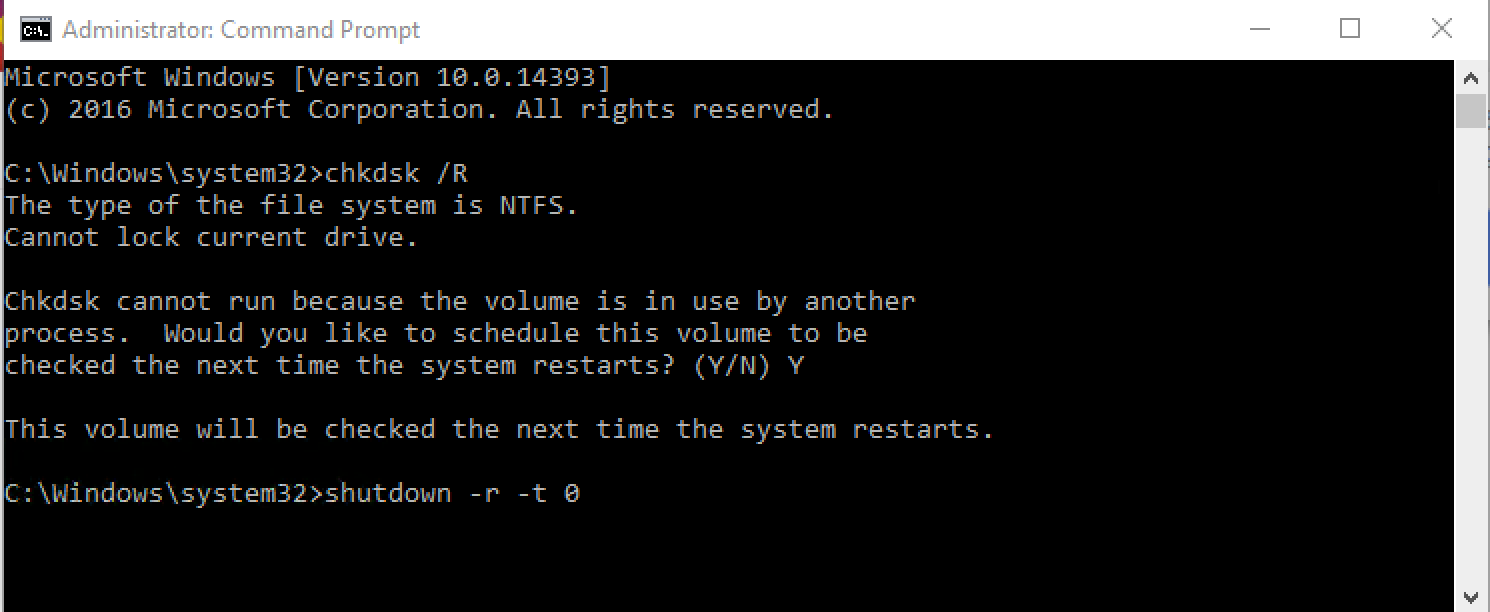
Run the Check Disk command before yourSysprep. Sysprep the image. This will ensure the disk is cleared of any errors. The below commands are run inOpen Command Prompt run as administrator.administrator and run:
chkdsk /R
shutdown -/r -/t 0UseIf aWindows administratorsays commandthe promptdisk is in use, choose to runschedule the commandscheck andfor reboot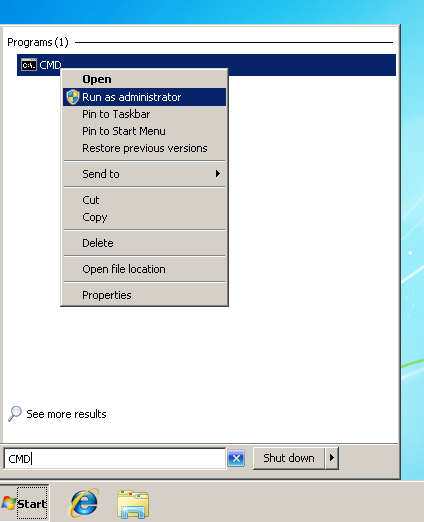
the next restart, then restart with the second command.
System Prepare with
Run Sysprep
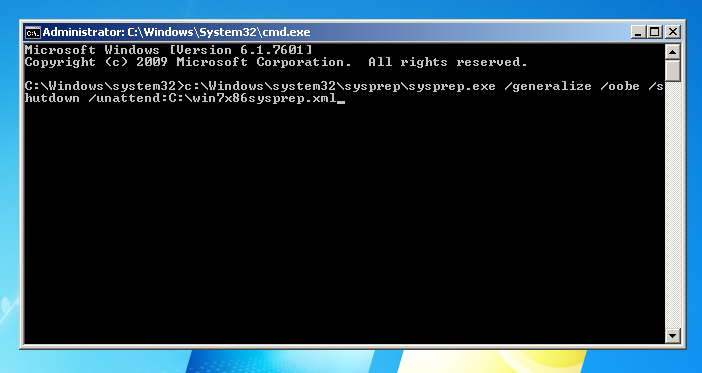
OnceAfter Check Disk (chkdsk) has completedcompletes and theWindows machinestarts is back in Windows,again, run theSysprep commandfrom belowan (if you have no unattend XML file you may use the second command) withadministrator Command PromptPrompt.
With administratoran toanswer Sysprep your machine:file:
C:\Windows\System32\Sysprep\sysprep.exe /generalize /oobe /shutdown /unattend:PATHC:\Sysprep\unattend.xmlIf SYSPREPthe ANSWERanswer FILEfile XMLpath orcontains spaces, quote the path:
C:\Windows\System32\Sysprep\sysprep.exe /generalize /oobe /shutdown /unattend:"C:\Path With Spaces\unattend.xml"Without an answer file:
C:\Windows\System32\Sysprep\sysprep.exe /generalize /oobe /shutdown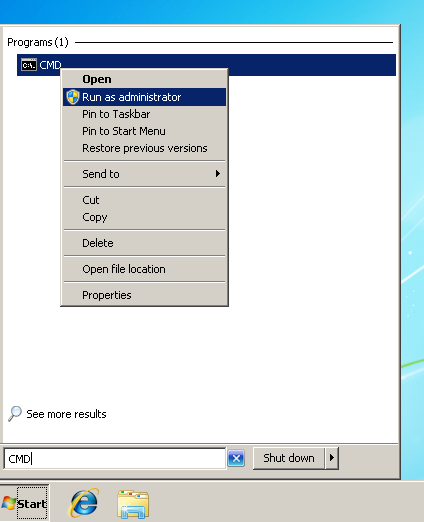
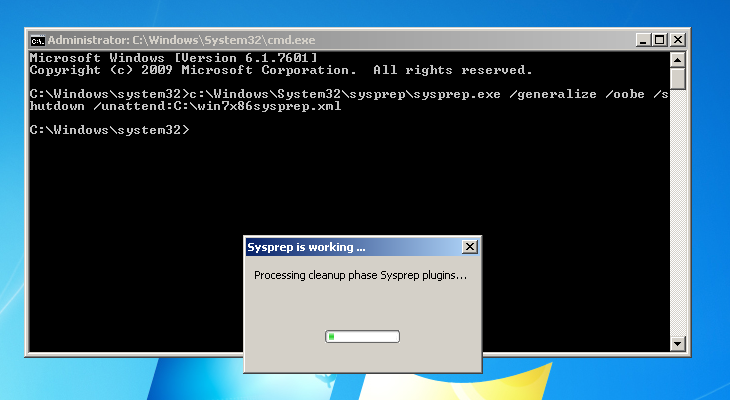
SysyprepSysprep will preparefinishes, the machinedevice toshuts bedown. copiedAt andthat shutdown. You are now ready topoint, upload yourthe Mastermaster Imageimage to the FileWave Imaging Appliance.
To
If continueSysprep thisor workflowdeployment fails
/unattend: path points to the actual XML file on the reference device.
Avoid spaces in the answer file path, or quote the path as shown above.
Review C:\Windows\System32\Sysprep\Panther\setupact.log and C:\Windows\System32\Sysprep\Panther\setuperr.log.
Run Sysprep again without an answer file. If that works, focus on the answer file, generator choices, or partitioning settings.
If UEFI/GPT or EFI partition behavior is involved, compare the answer file or generated Windows PE script with Microsoft guidance for UEFI/GPT partitions.
If Sysprep succeeds but capture